Appearance
Bounce Handling with Amazon SES
Using Amazon SES, you can track the invalid email and mark them as Bounced. Amazon will track the delivery status of the email and if it failed to reach the recipient's mail server, it will be marked as Bounced in your audience status so that you can exclude them in the future campaign.
*Tutorial: How to Configure Amazon SES with FluentCRM
Create a topic in Amazon SNS
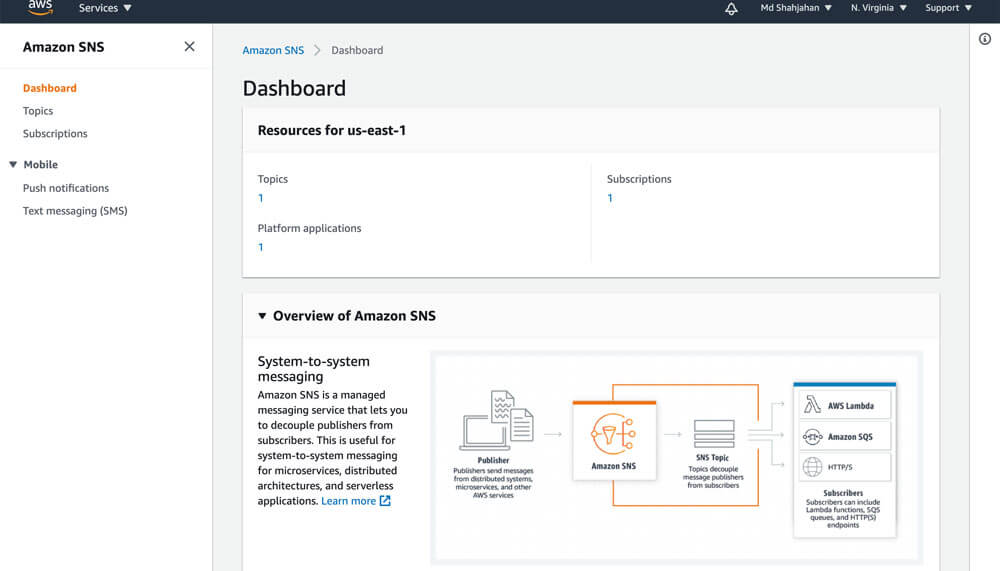
1. Go to Amazon SNS console.
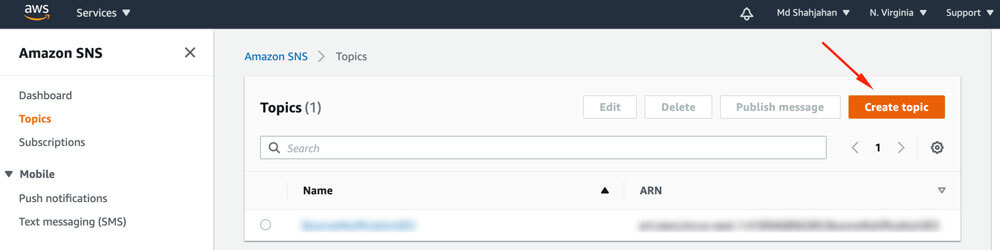
2. Choose Create topic.
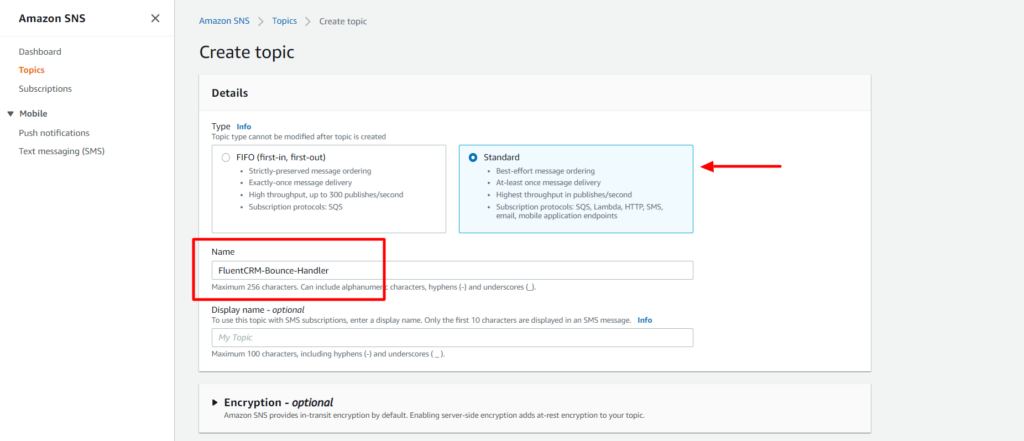
3. Select the Type Standard, enter a name for the Topic, and click the Create topic button.
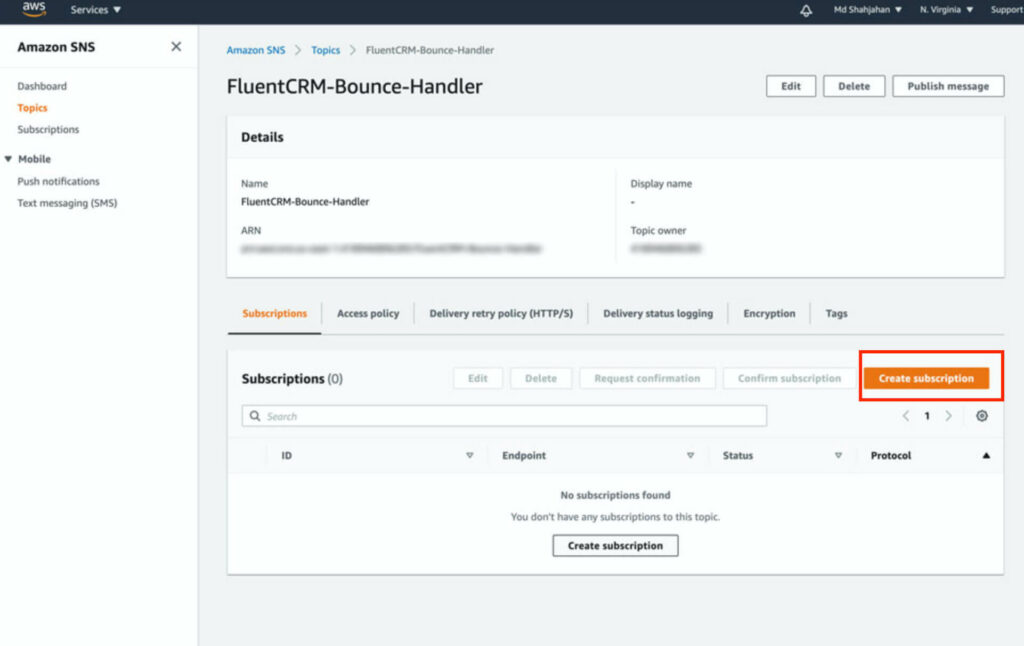
4. From the Topic details of the topic that you created, navigate to Subscriptions, and then choose Create subscription.
5. The topic will be pre-selected. In the Protocol field, select http or https (based on your server's SSL status).
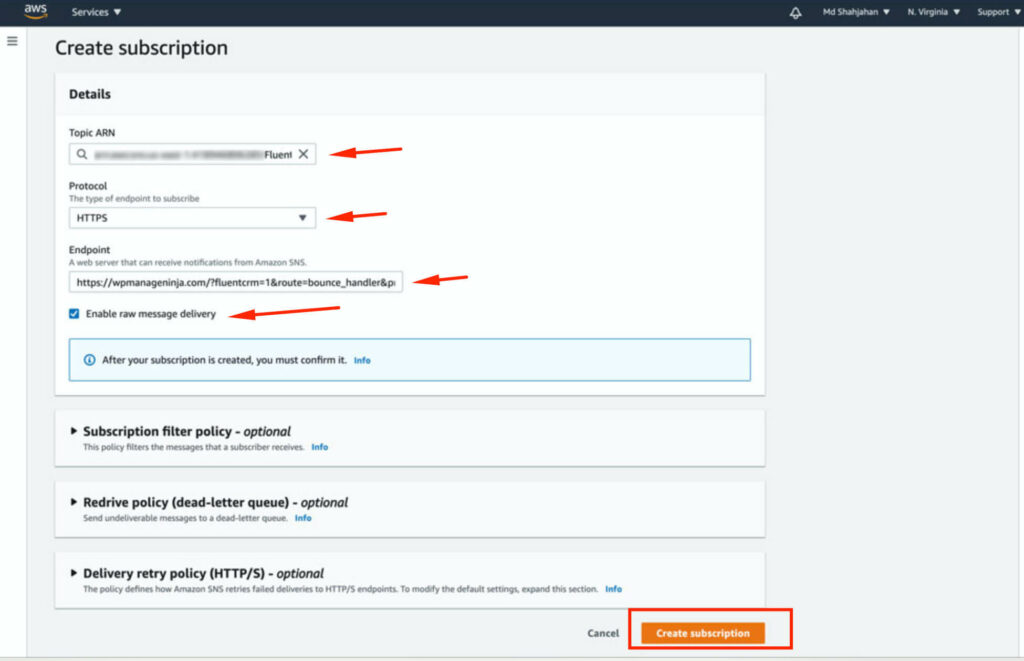
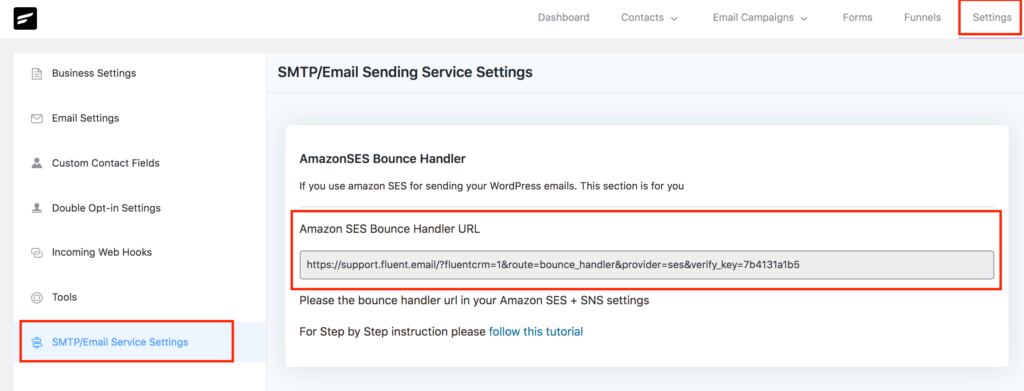
In the Endpoint field, enter your FluentCRM bounce handler URL. You can find this URL in FluentCRM → Settings → Email Service Settings.
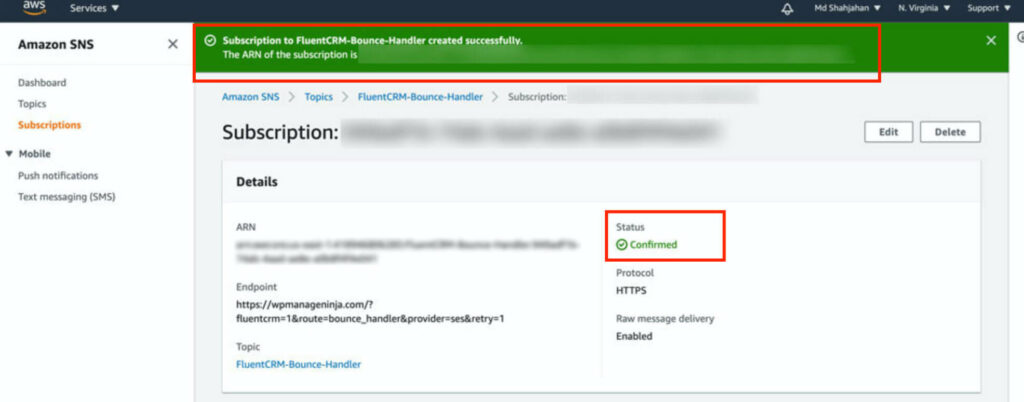
After entering the URL, check Enable raw message delivery and click the Create subscription button. You should see a success screen like the one below:
Configure Amazon SES to send bounce information to FluentCRM
1. Go to Amazon SES console home, In the navigation pane, choose Verified Identities, and click on Create Identity.
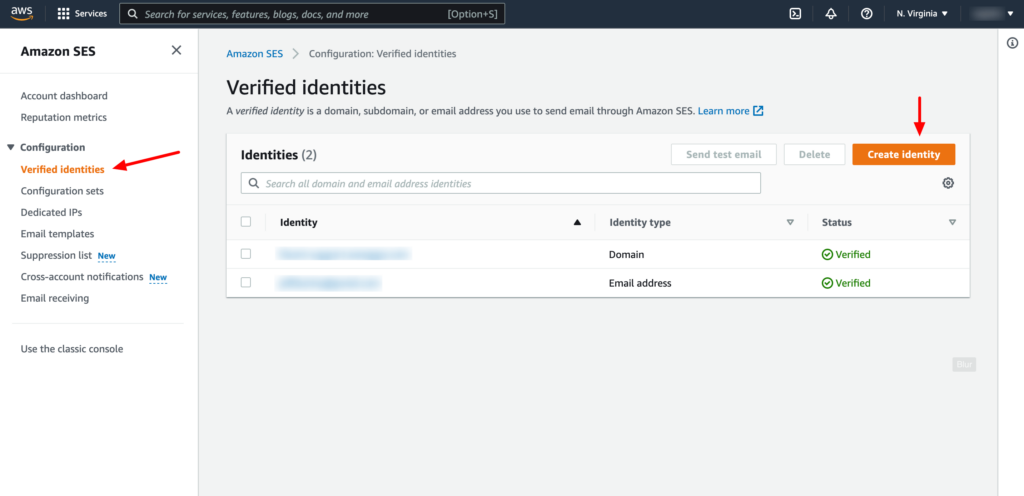
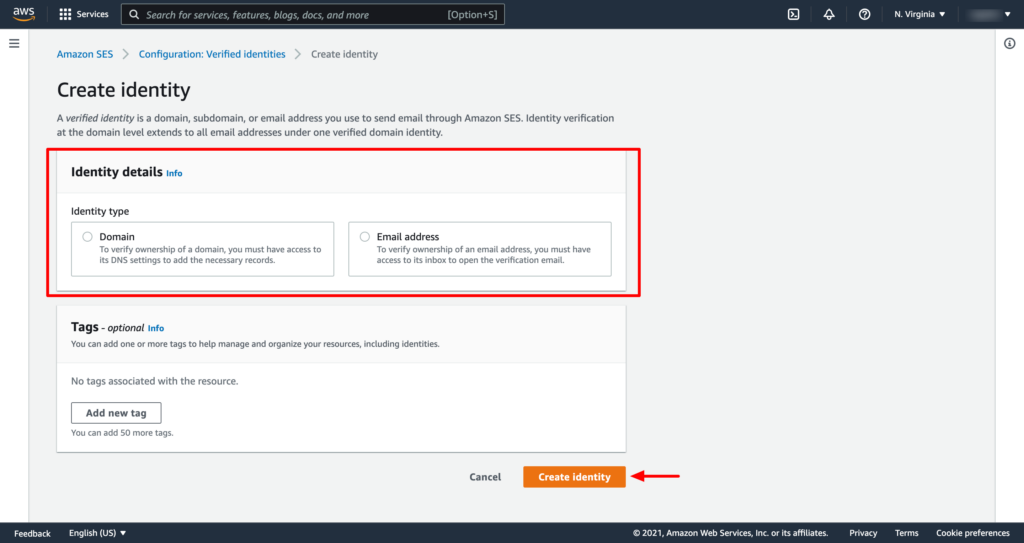
2. Create two identities, one for Domain and another for Email Address. You have to verify the domain and email address in order to set up the notification.
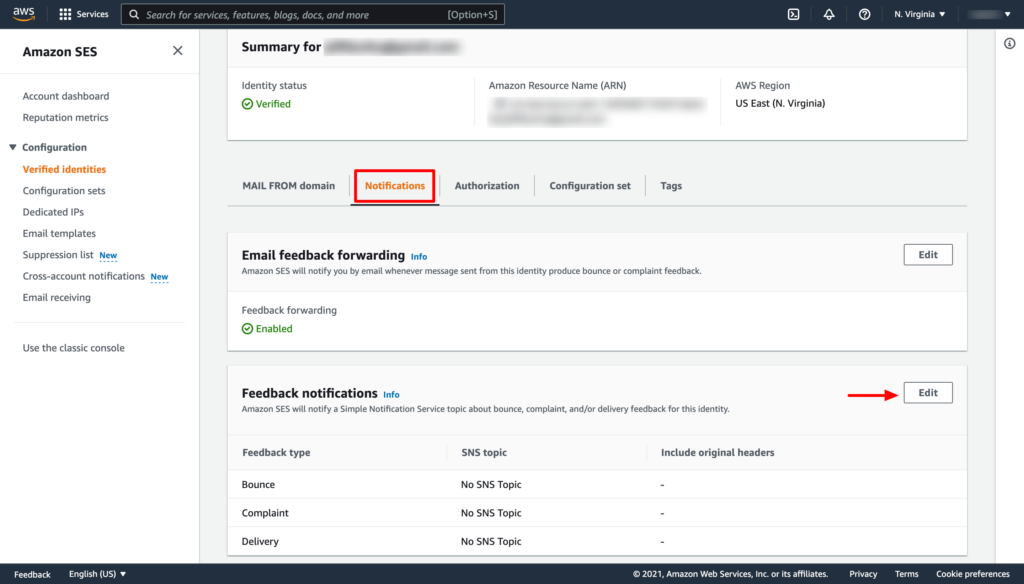
3. From the verified Identities list select the domain or email that you have just verified, In the navigation pane, choose Notifications, and click on the Edit button from the Feedback notifications section.
4. Under SNS Topic Configuration, for Bounces, select the SNS topic that you created. Do the same for Complaints.
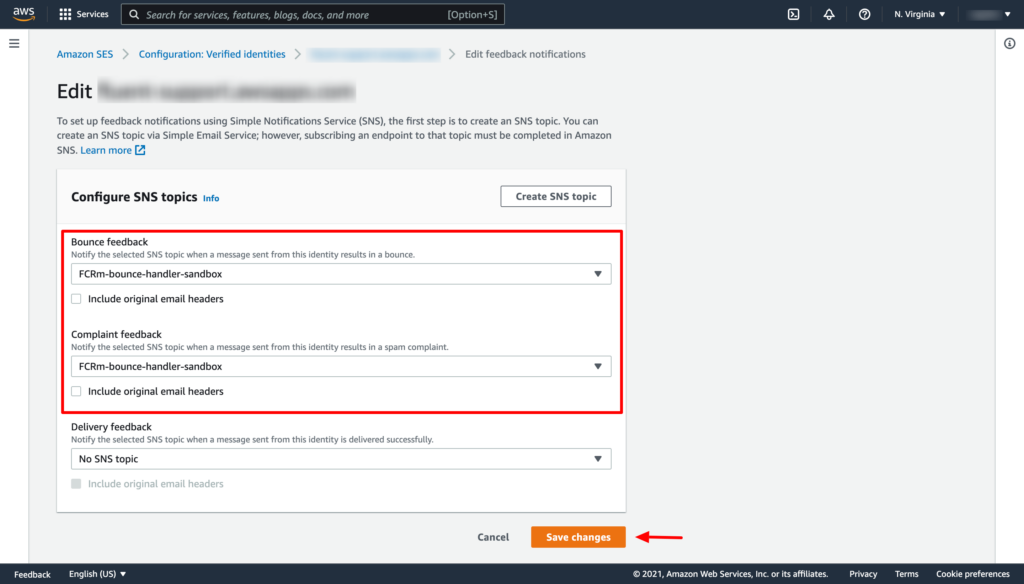
Now click the Save changes button. That's it!
You have to repeat the above two steps of adding the SNS topic for both the verified domain and email address separately.
Viewing Bounced Contacts
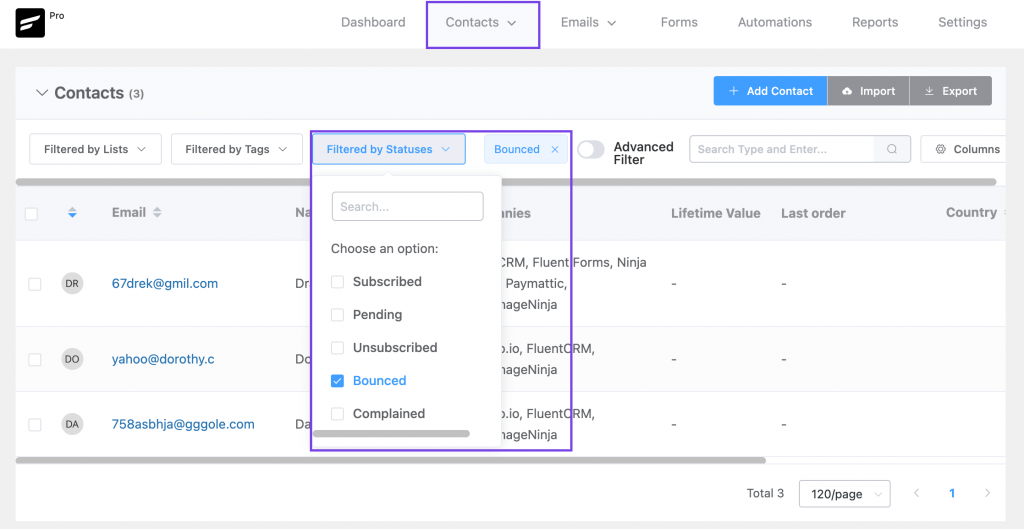
If you want to view bounced contacts, go to FluentCRM Contacts. Then click Filter By Statuses and enable the Bounced checkbox.