Appearance
Webhook Integration
Webhooks allow you to send or receive data between FluentCRM and third-party services without the need for custom coding or server management. FluentCRM supports both Incoming and Outgoing webhooks to help you automate your data flow.
Incoming webhook
Incoming webhooks allow you to automatically collect and add contacts to FluentCRM from an external platform or server. Follow these steps to set up an incoming webhook:
1. Create a New Webhook
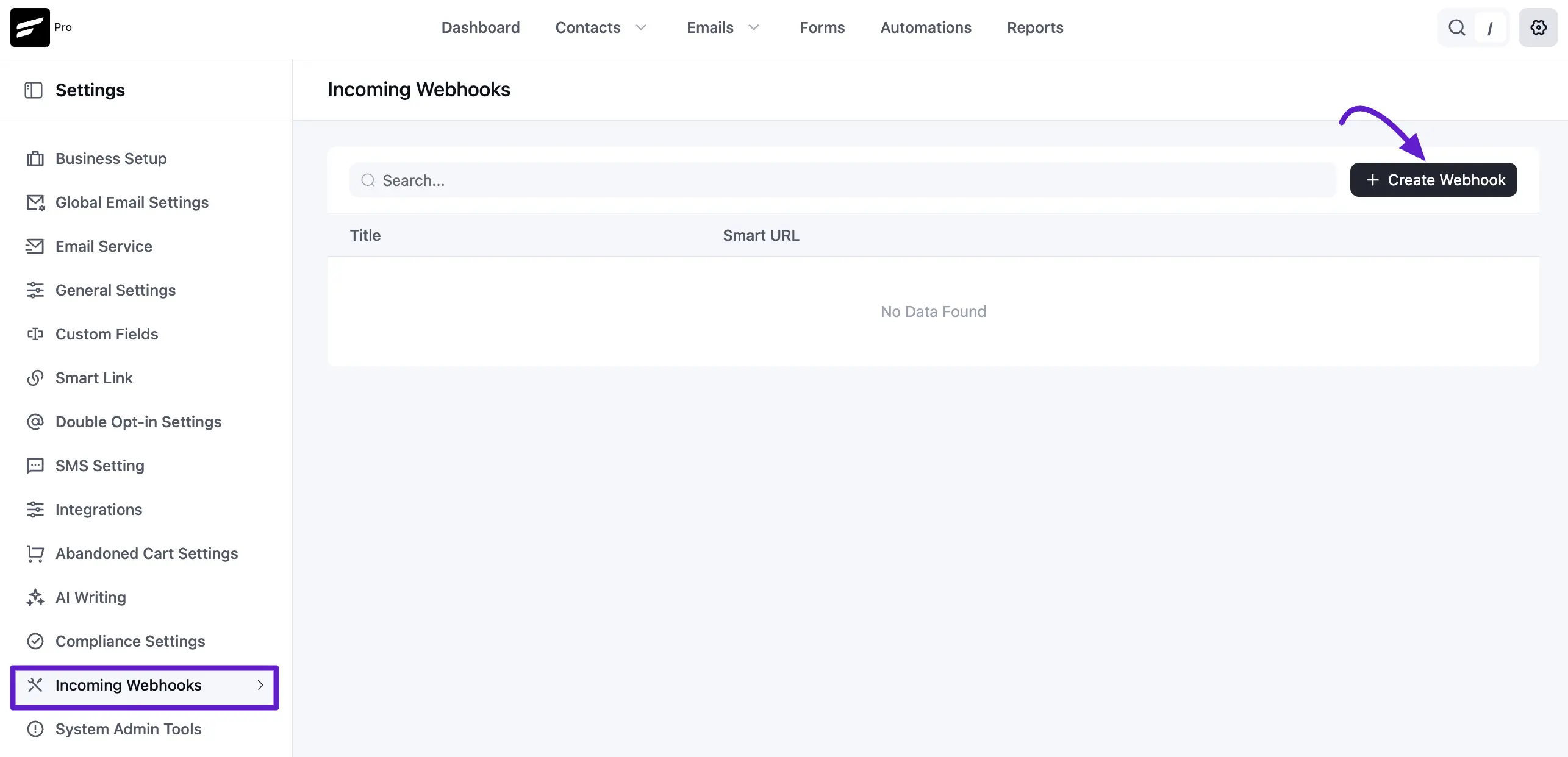
Navigate to Settings from the top menu of FluentCRM. On the left sidebar, select Webhook Settings and click the Create Webhook button.
2. Configure Webhook Details
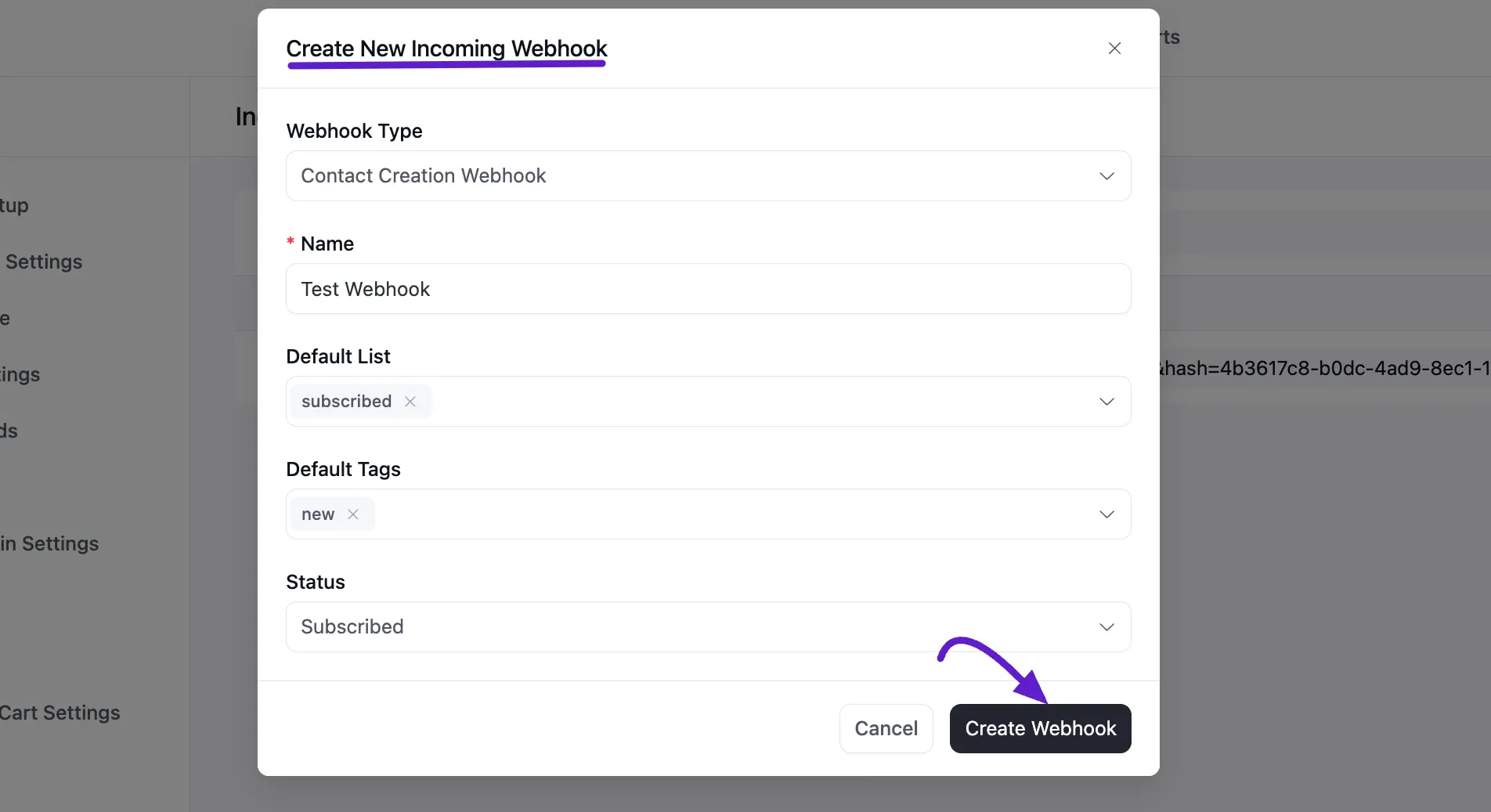
A popup will appear where you need to provide the following information:
- Name: Give your webhook a descriptive name so you can identify the data source.
- Lists: Select the specific list(s) where the new contacts should be added.
- Tags: Choose the tag(s) that should be applied to the contacts arriving via this hook.
- Contact Status: Set the subscription status for these contacts. In most cases, you should choose Subscribed.
3. Map Your Data and Save
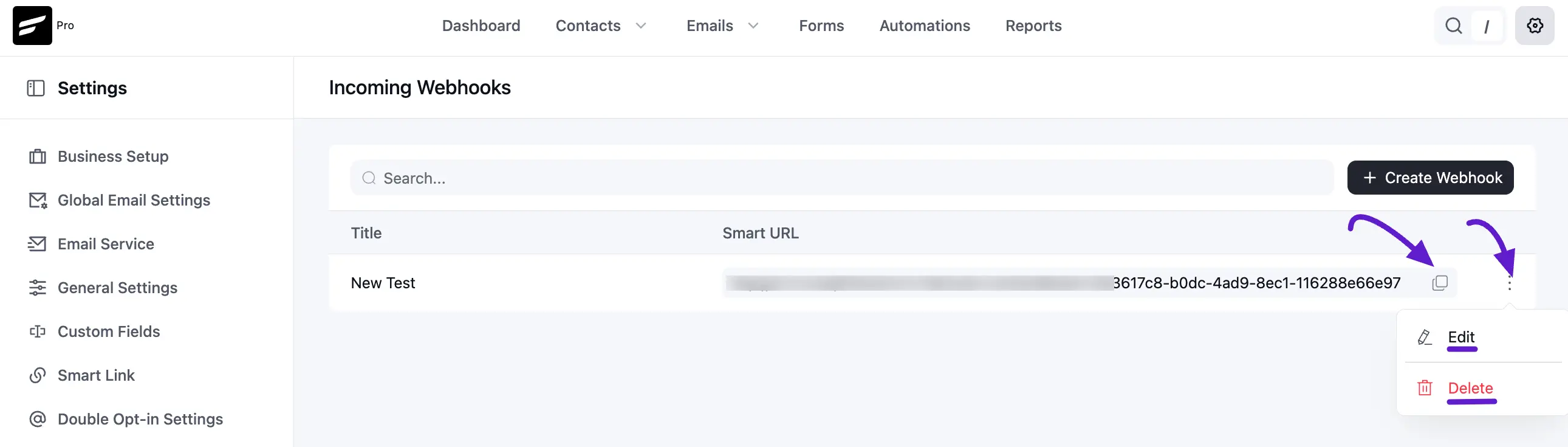
After filling in the details, click the Create button. FluentCRM will then generate a unique Webhook URL. You can copy this URL and paste it into your external application to begin sending contact data directly into FluentCRM. Also, you can edit and delete by clciking the three-dot option.
Additional Data
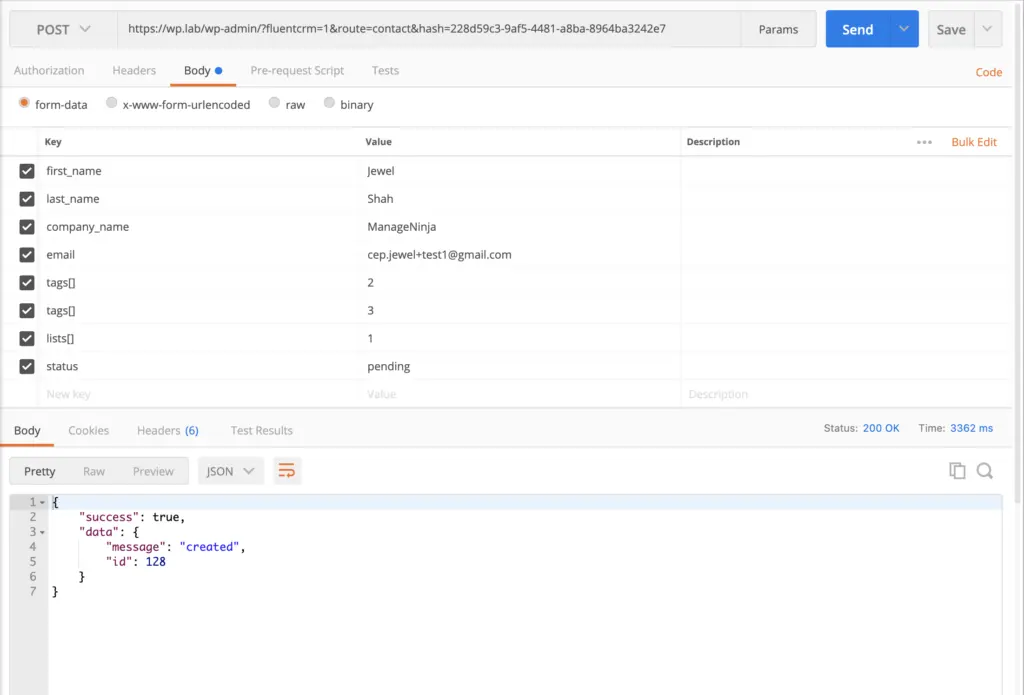
In your webhook source send a post request to the generated URL. Send the data as key pair formdata or JSON object. You can specify the tags, lists, and status in the webhook source and that will overwrite the defined value in the feed
| Title | Data Key | Data Type |
|---|---|---|
| Tags | tags | Array — e.g. [1, 2, 3] |
| Lists | lists | Array — e.g. [5, 6, 7] |
| Subscription Status | status | String — subscribed, pending, or unsubscribed |
Example POST request in postman
Here is the example post request via postman
Outgoing Webhook
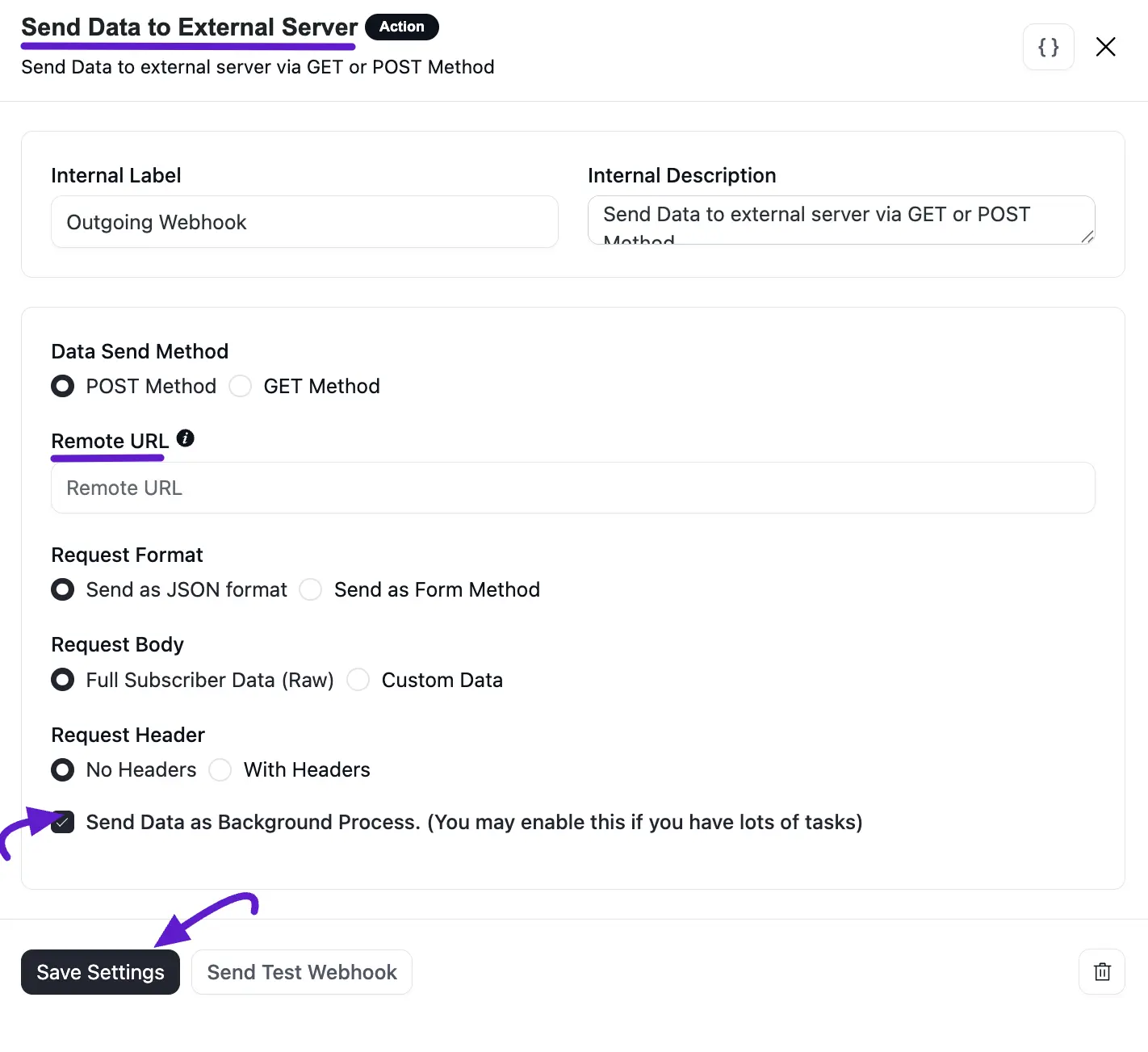
Outgoing webhooks let you send your subscriber data within the automation to external servers and platforms. To send data to external servers and platforms, go to Automations, create or open an automation funnel, and click the plus(+) button to see available actions. Then select Outgoing Webhooks from the available Actions.
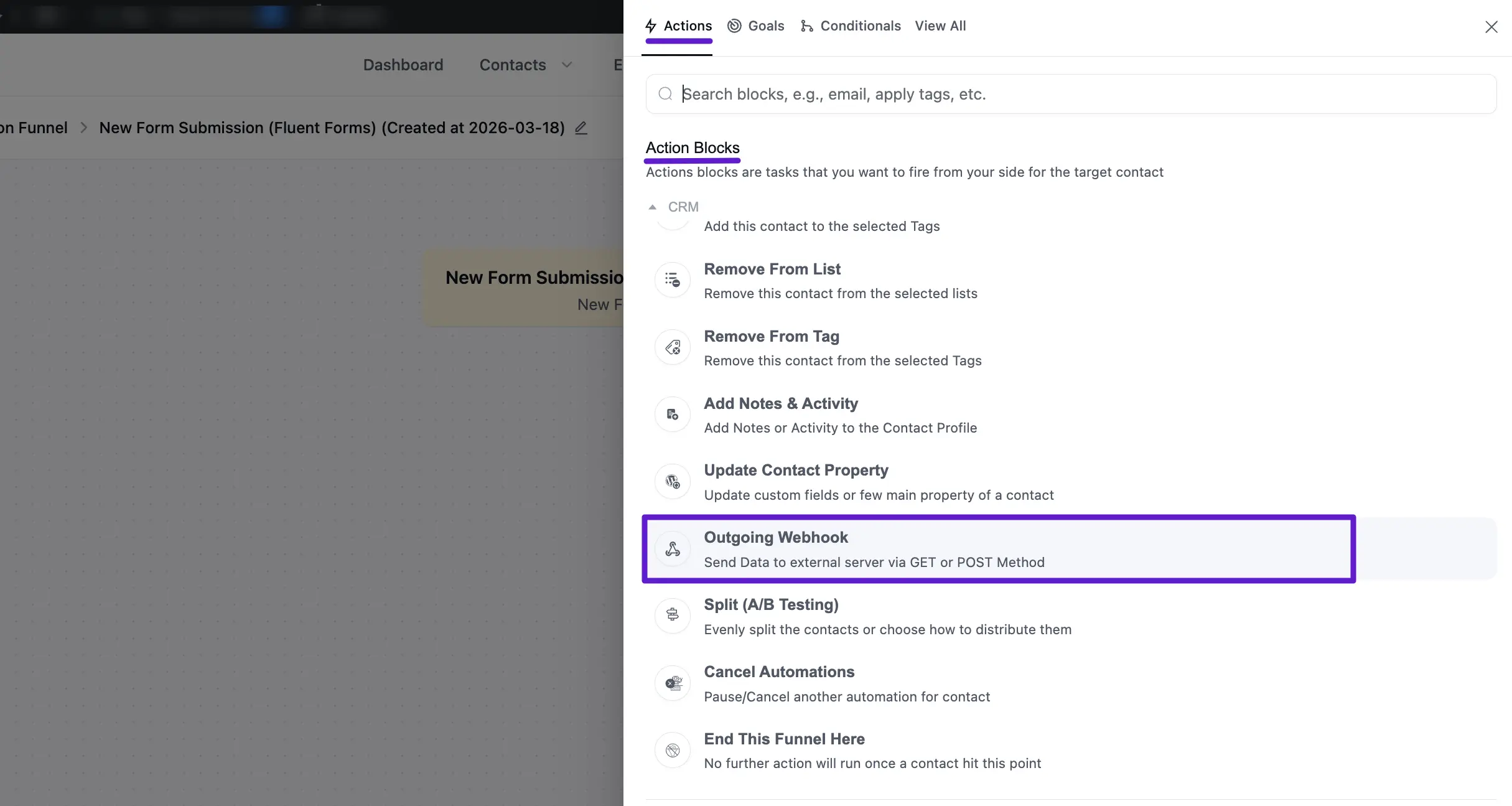
Next, select your Data Send Method, you can choose both Get and Post methods. Provide your Webhook URL and Select Request Format(you can do both JSON and Form).
Choose what data you want to send(you can send Full Subscriber Data or Custom Data) and select whether you want to Request Header or not.
If you have a lot of tasks running, you may want to enable the option to Send Webhook Data as Background Process as well. Once you're done click the Save Settings button.