
Appearance
LearnPress integration with FluentCRM
LearnPress is one of the most popular LMS plugins for WordPress. If you have created an eLearning course platform on WordPress using LearnPress, FluentCRM can help you automate your course marketing with activity monitoring contact segmentation, email marketing, and many more. Follow this simple guide to learn how to automate these tasks with FluentCRM!
Importing LearnPress Contacts
Importing your LearnPress students is easier with FluentCRM’s contact importing system.
First, go to your FluentCRM dashboard > Contact section and hit the Import button. This brings up a contact import pop-up from where you can choose LearnPress as the source of your import and click Next.
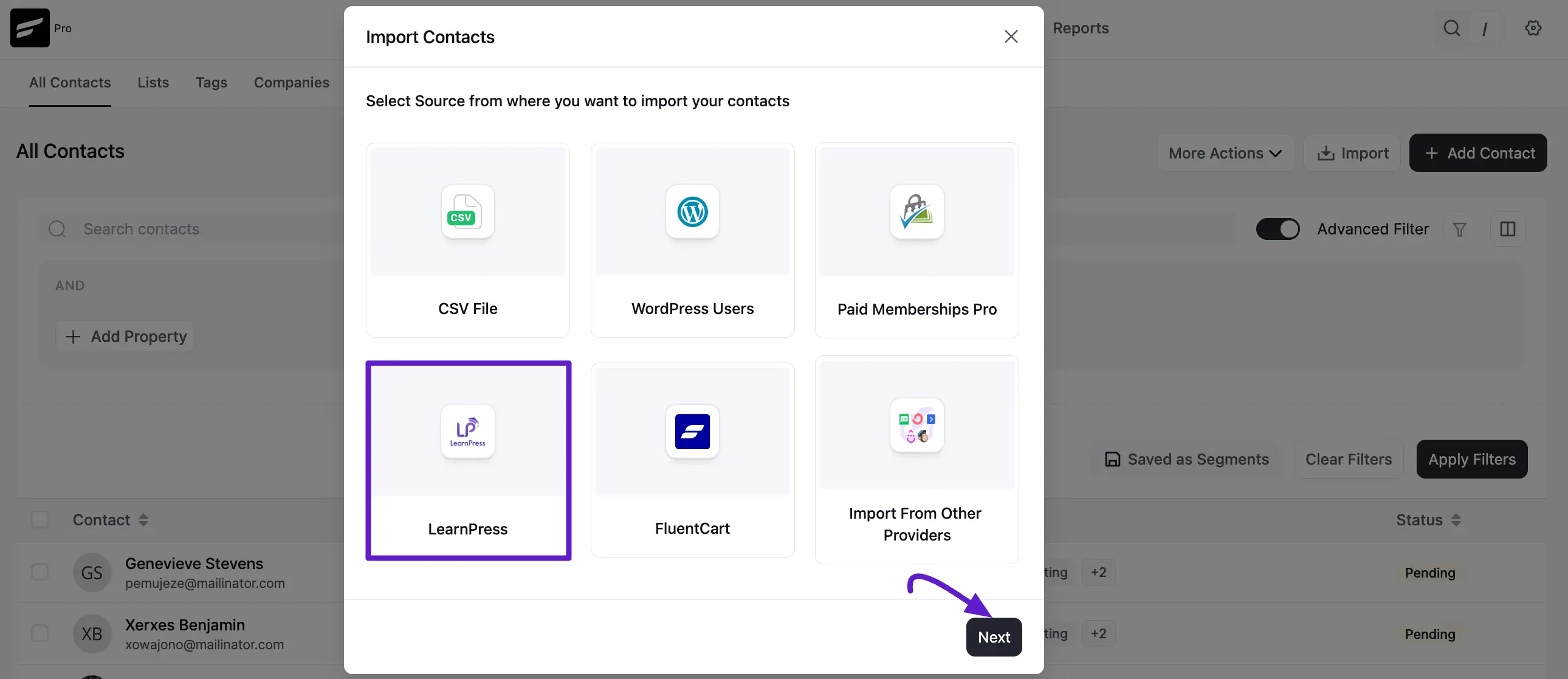
In the next step, map your courses and associate FluentCRM tags. From the dropdown options, select the LearnPress courses and assign the corresponding FluentCRM tags to segment and manage your contacts effectively.
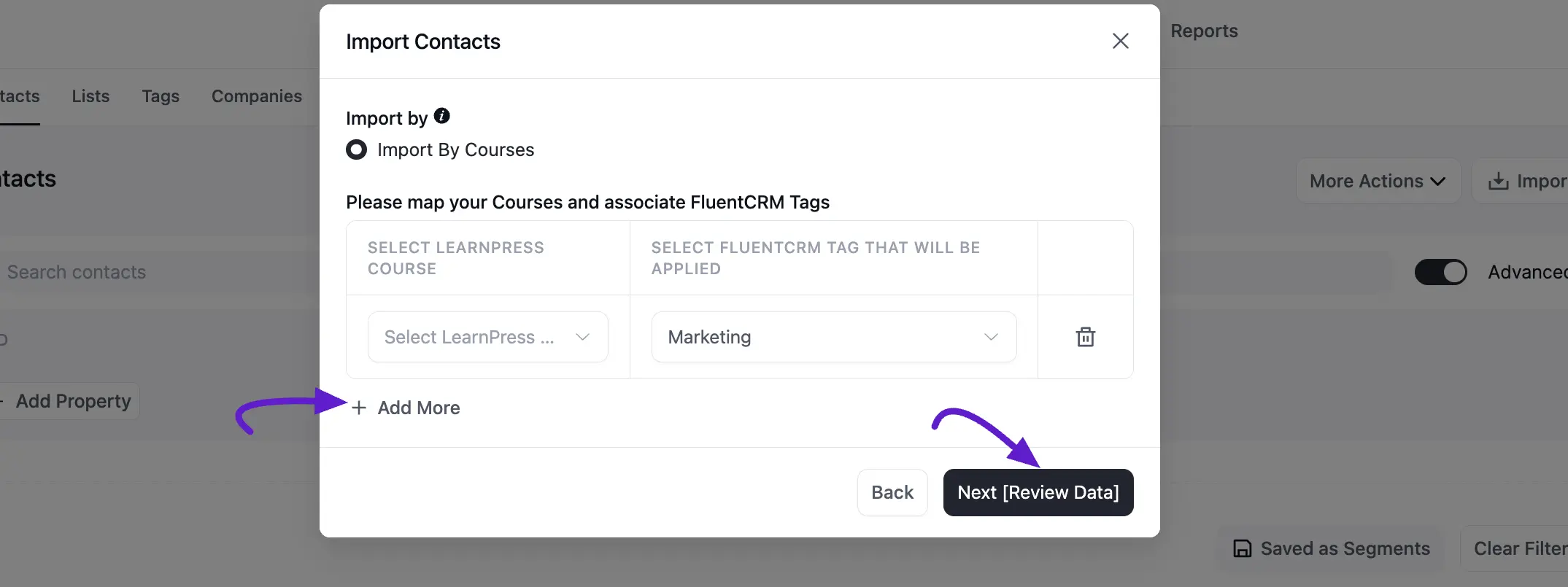
In the next step, FluentCRM will import all your LearnPress contacts. You can also Apply Lists and set the subscription status of these contacts. If you have any automation running for the tags you applied to the new contacts you can also disable any list/tag-based automation by keeping the Do Not Trigger Automations radio button checked.
Contact Segmentation
FluentCRM lets you capture your LearnPress students as leads and lets you tag contacts based on course enrollment and course completion.
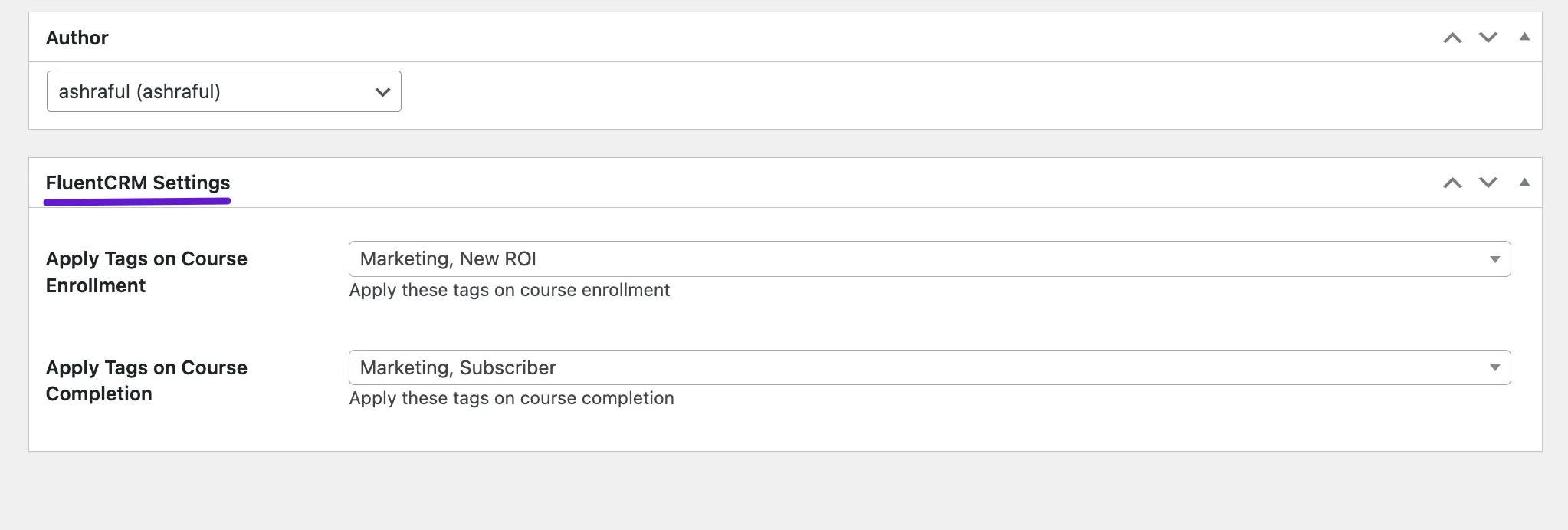
Setting up tags on LearnPress course enrollment and course completion
In order to capture and apply tags based on course enrollment and course completion, go to edit your LearnPress course and scroll down to FluentCRM Settings. Then, select the tags you want to apply when course enrollments and course completions happen.
Setting up tags on LearnPress lesson completion
LearnPress also allows users to create groups. You can set up automated tagging for LearnPress lessons completed. Upon setting up, new group members will get the tags you’ve specified. For setting up tagging at LearnPress lesson completion, you’ll see a FluentCRM metabox as shown below:
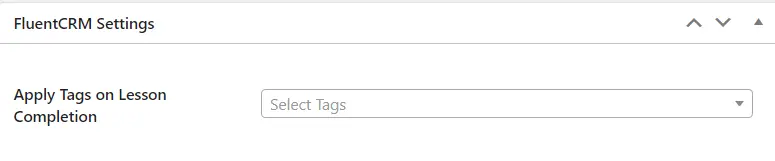
On this metabox, you can set tags to apply when students complete a lesson.
Essentially, such flexible tagging means you can start creating email campaigns and set up email marketing automation funnels for your LearnPress students by selecting FluentCRM’s tag applied and tag removed triggers.