Appearance
Bounce Handling with Pepipost
If you use PepiPost email service then use this documentation to set up Bounce handling with FluentCRM.
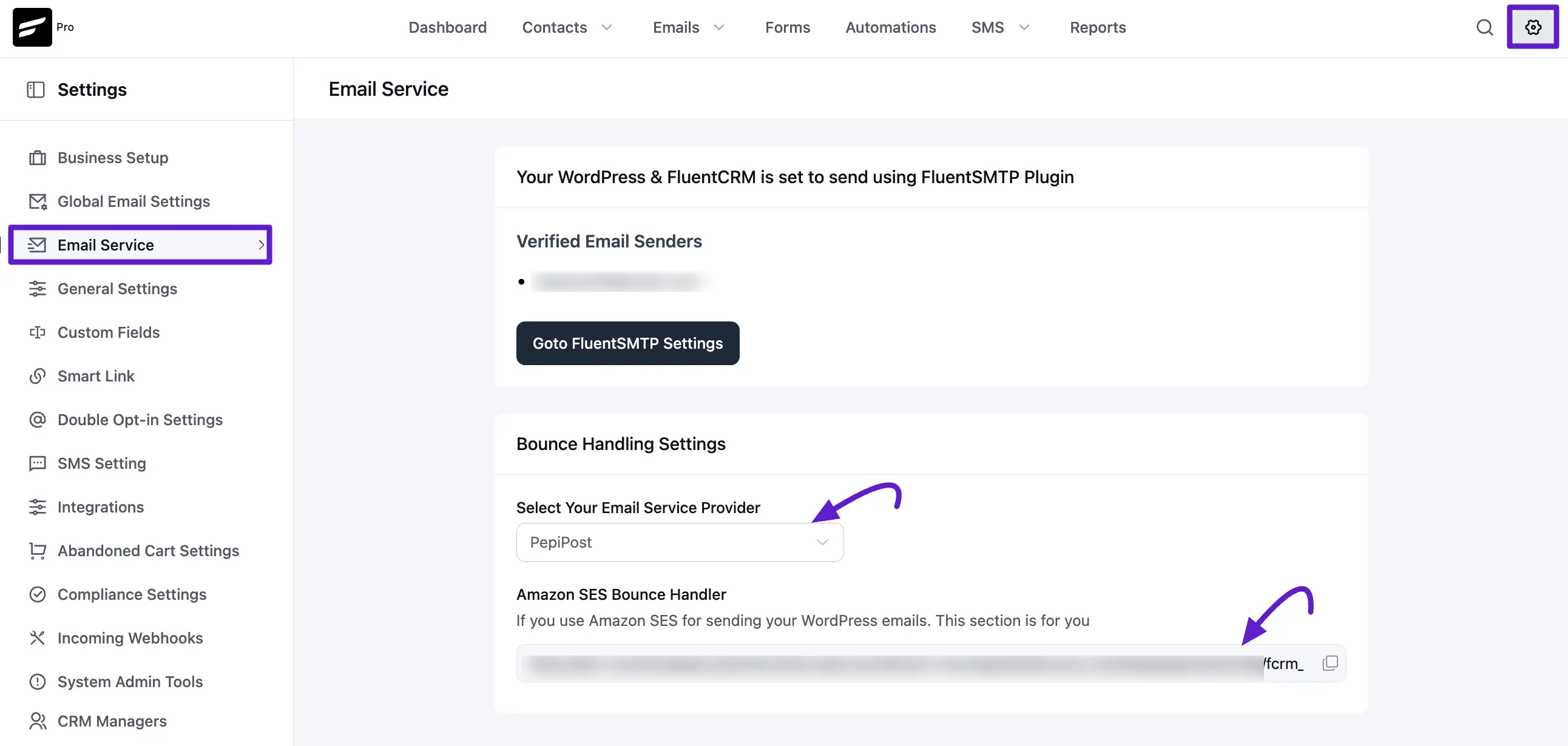
First copy the Webhook URL at FluentCRM -> Settings -> Email Service and Select Pepipost from the dropdown
Login to your PepiPost account and then navigate to Settings > Webhook -> Custom API then paste the webhook URL to the following inputs and click "*Add Webhook" Button
- Unsubscribes
- Drops
- Bounces
- Spam Reports
- Invalids
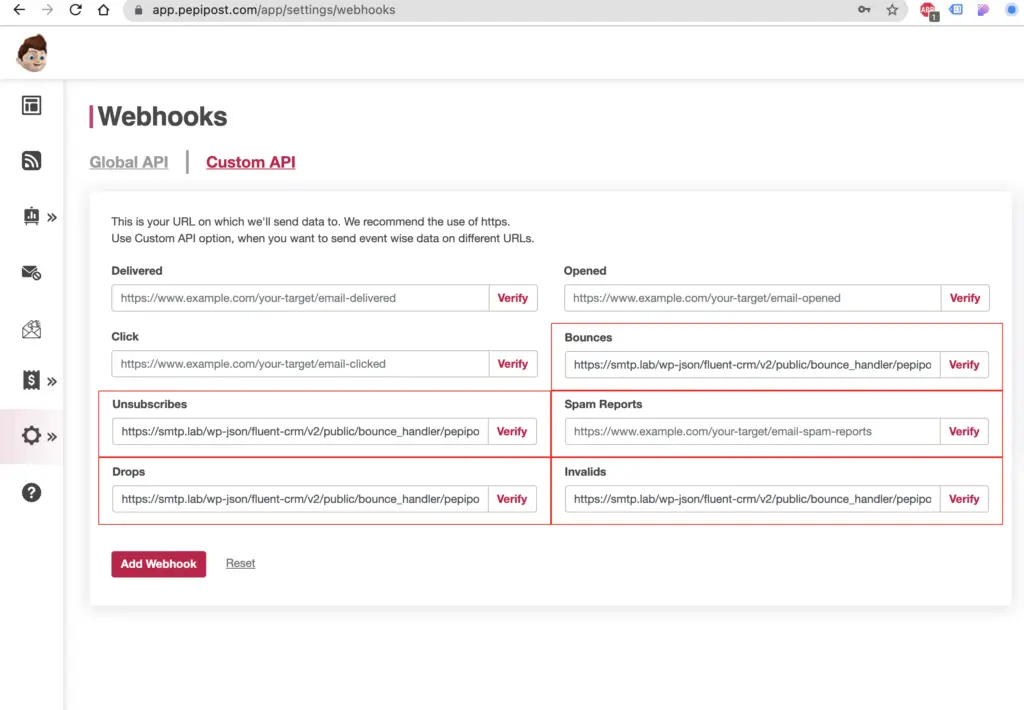
If you set up these two webhook correctly, so whenever an email mark as a complaint or Detected as a permanent Failure, Then FluentCRM will change the contact status accordingly.
Viewing Bounced Contacts
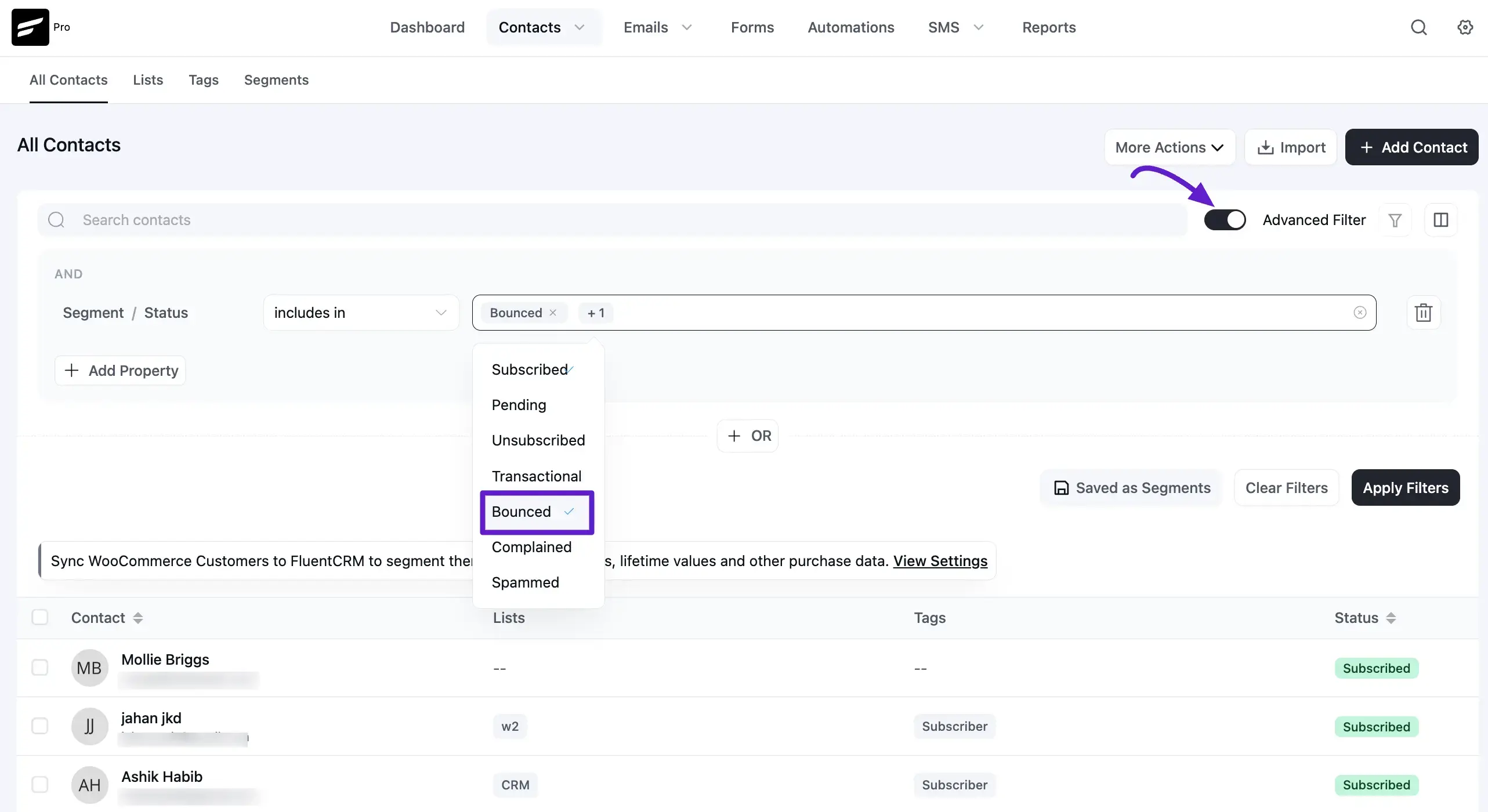
To view bounced contacts, go to FluentCRM → Contacts. Then enable the Advanced Filter option. Click Add Property → Contact Segment → Status, and select Bounce.