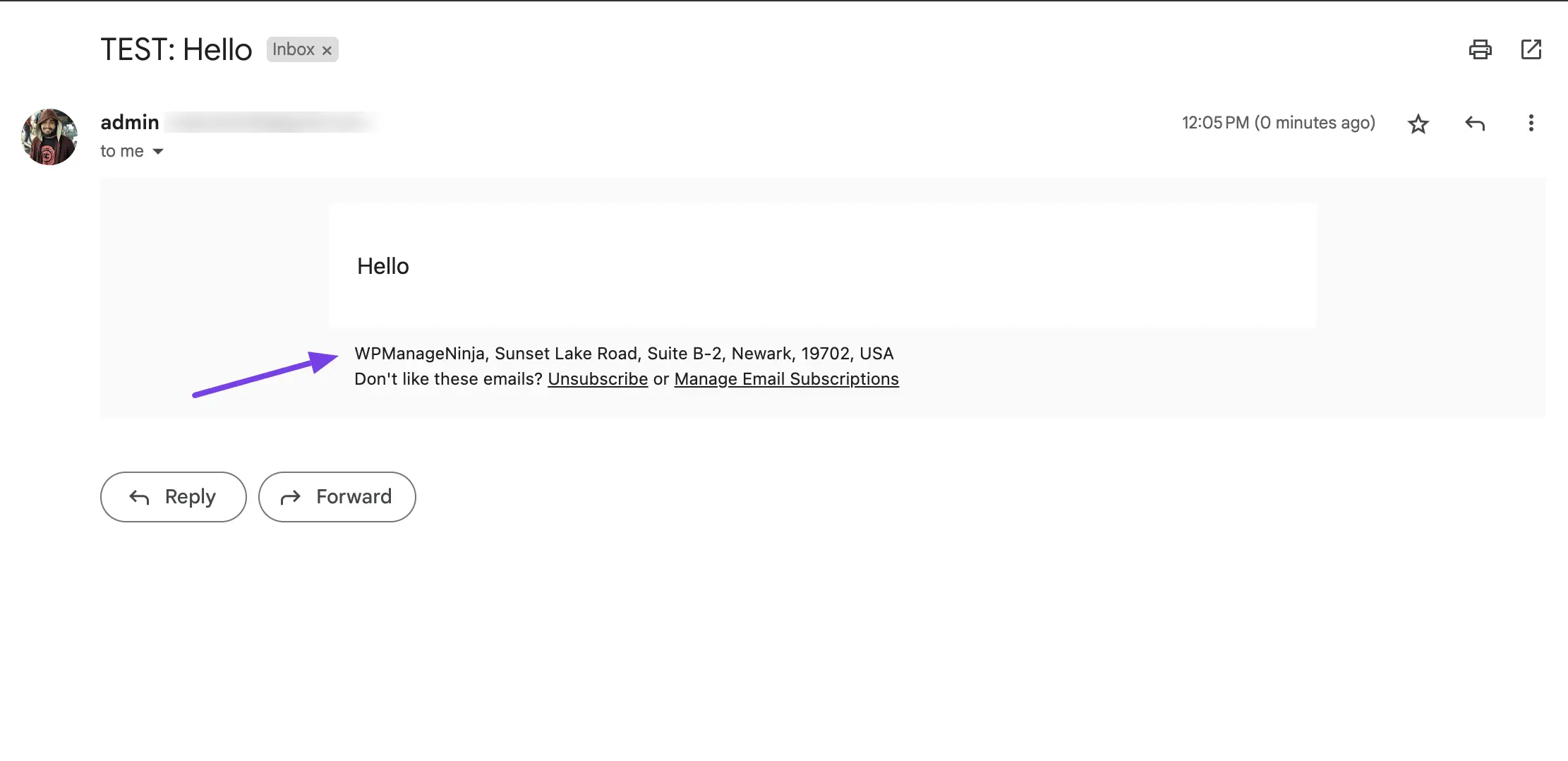
Appearance
Business Settings
Business Settings is where you add your company name, address, and logo. FluentCRM uses these details across your emails, unsubscribe pages, and other communications — so you only need to enter them once.
Set your Business Name, Business Full Address, and Logo here. These will appear automatically in your emails and unsubscribe pages.
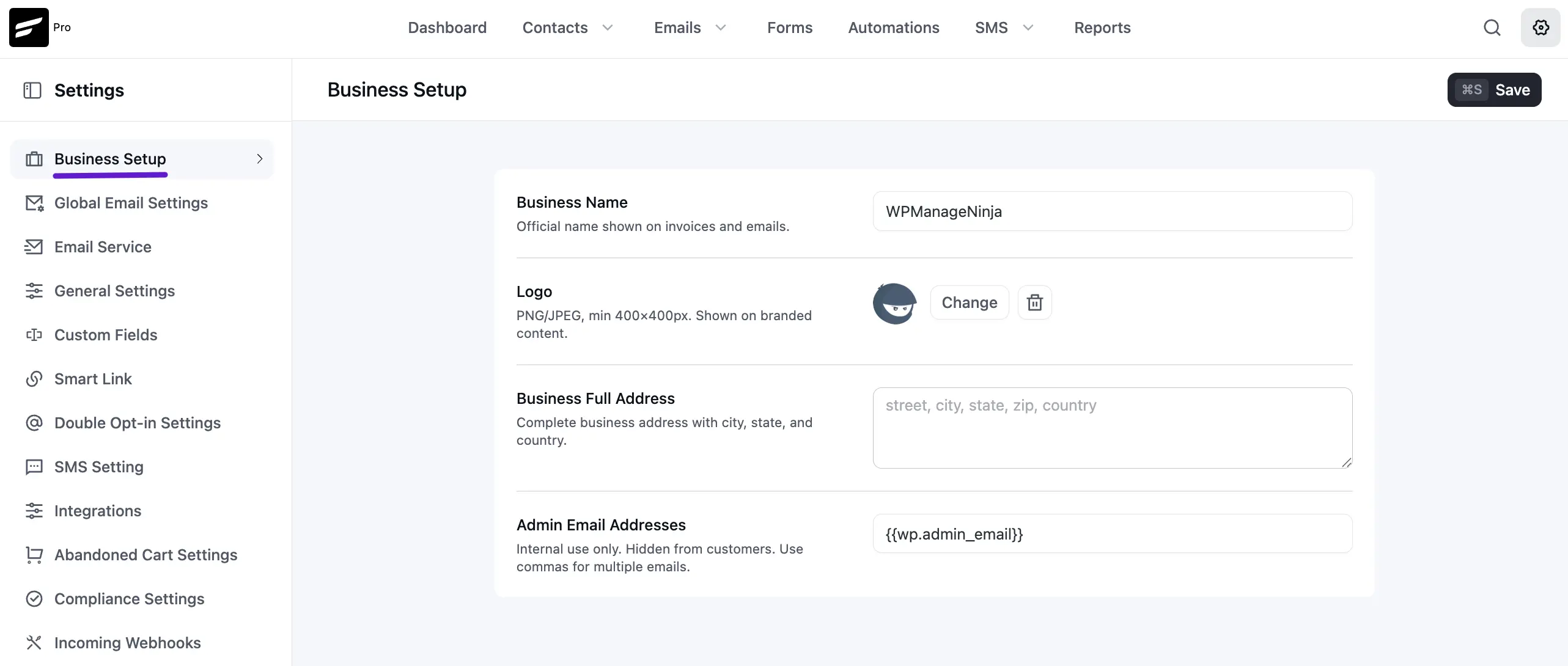
You can use these details without typing or copying them again in emails and use them globally by FluentCRM smart codes. The smart code for Business Name is {{crm.business_name}}, smart code for Business Address is {{crm.business_address}}.
Below is an example of how these smart codes can be used in Email Footer Settings later.
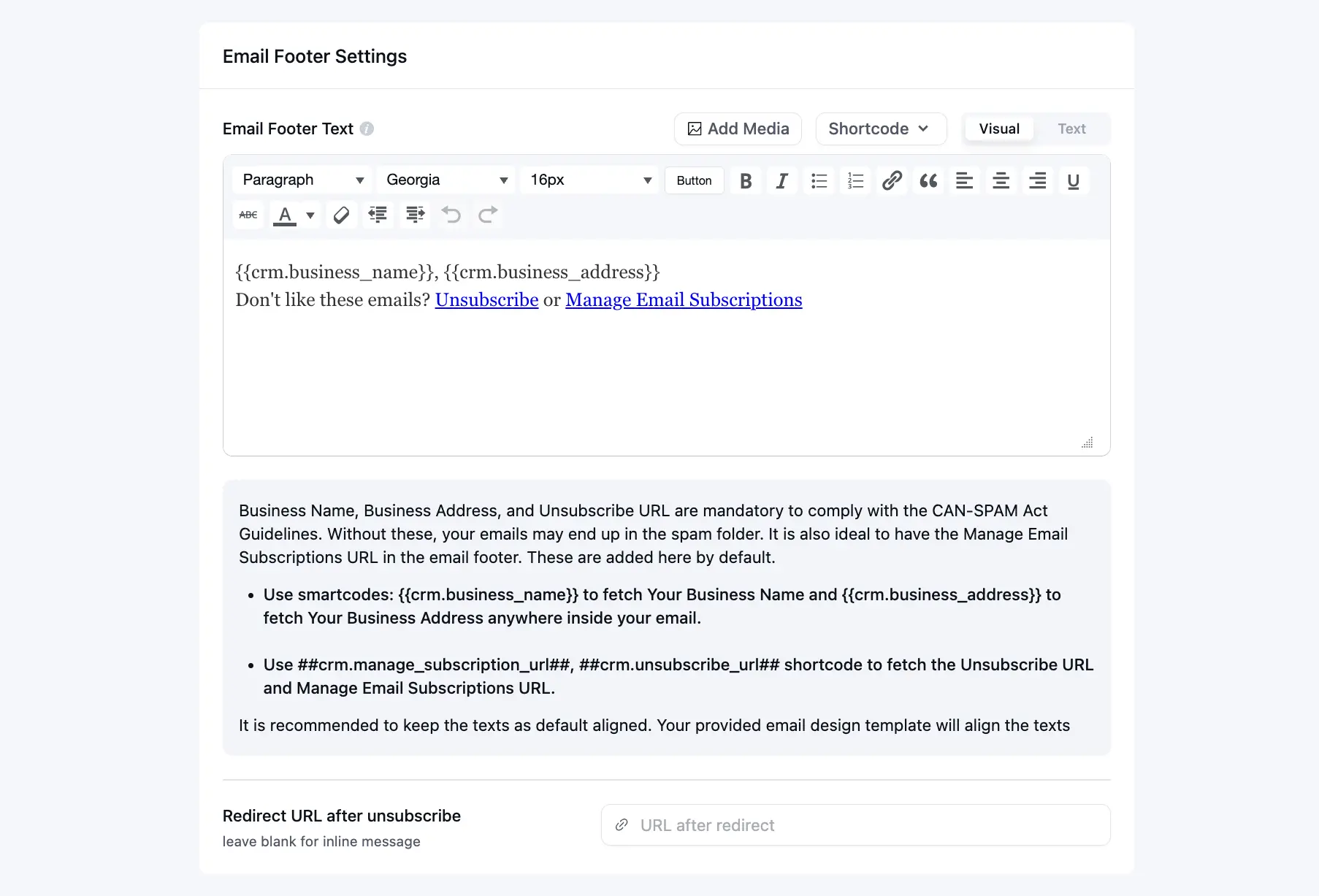
Below is a preview of the above-used smart codes and relevant information.