
Appearance
Cron Job: FluentCRM Cron with Cron-job.org
If your server doesn't allow shell access or PHP binary configuration, you can use a remote cron service to call your WordPress cron script over HTTP instead. Cron-job.org is a free option that handles this reliably. The recommended setup remains invoking the cron script with PHP Binary directly — a few caveats for remote invocation are listed below:
Cron-Job Dashboard
To get started with cron-job.org please go to their homepage: Free cronjobs - from minutely to once a year | cron-job.org. Finish the user registration, and verification and go to the dashboard.

Once you are done with the registration and get to Dashboard, Please click on the CREATE CRONJOB button to create a new Remote Cron Job to call your WordPress website's Cron Script.
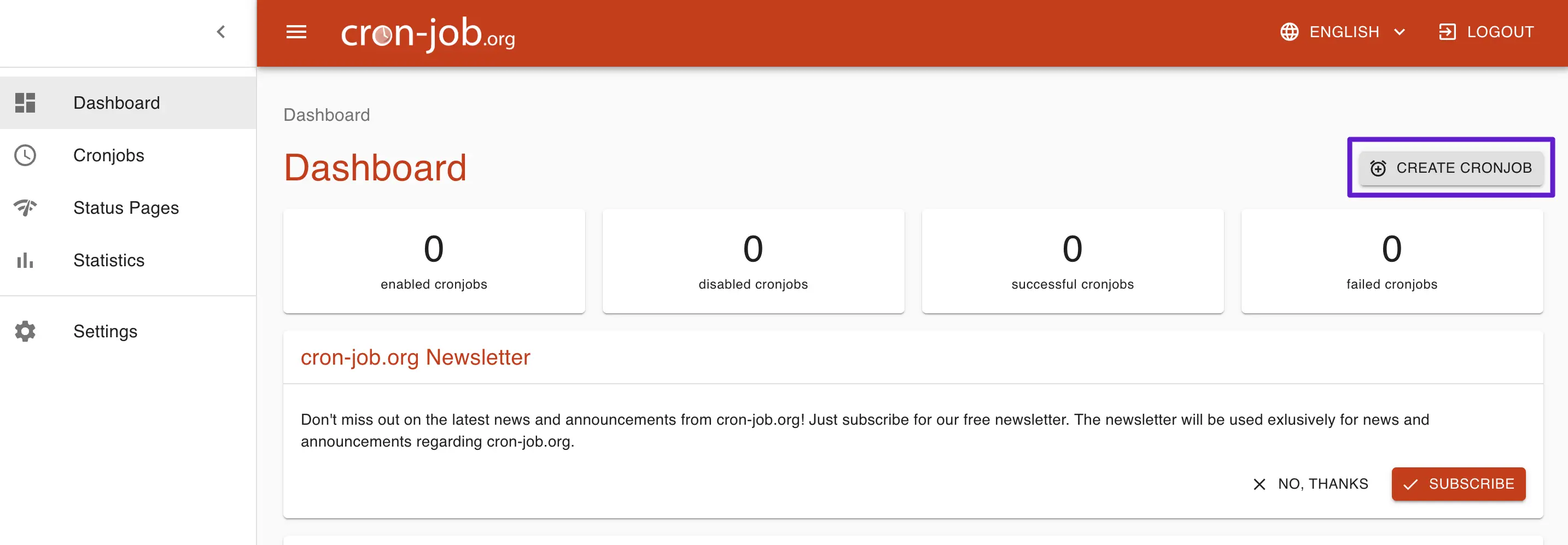
Create Cron Job
The creation window will show a few options and we do not have to worry about all the things. We just need to:
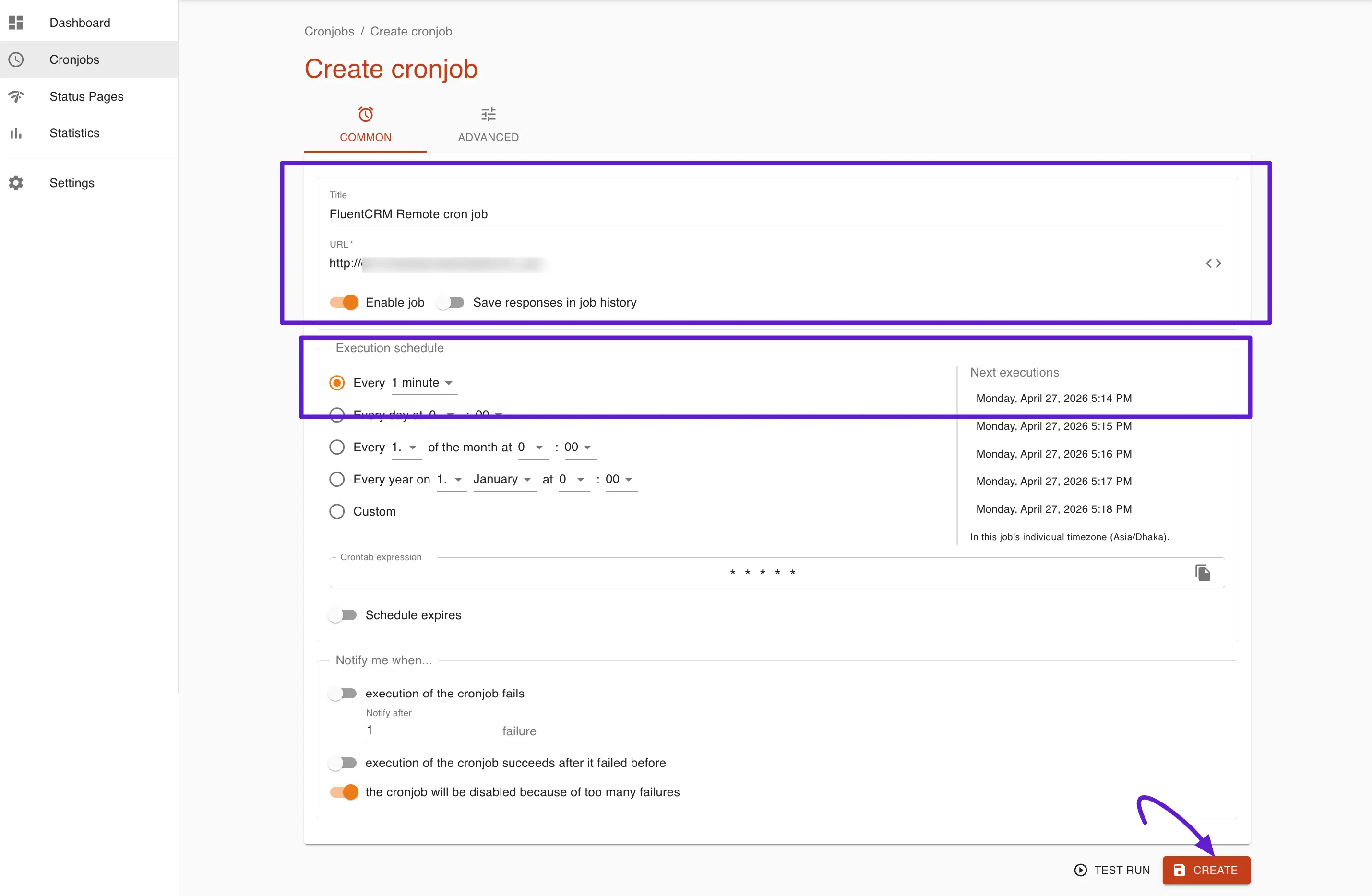
- Set Title: Provide a Name for the Cron Job as an Identifier.
- URL: This is the main part. The URL to the Cron Invocation via the web page of the WordPress Cron Script. In our case, this is ( Please replace the base URL or domain part with your website domain or subdomain ):
https://yoursite.com/wp-cron.php?doing_wp_cron- Enable Job & Save Responses in Job History.
When the above information is submitted click on the Create button to finally create the cron job.
Cron Job List & History
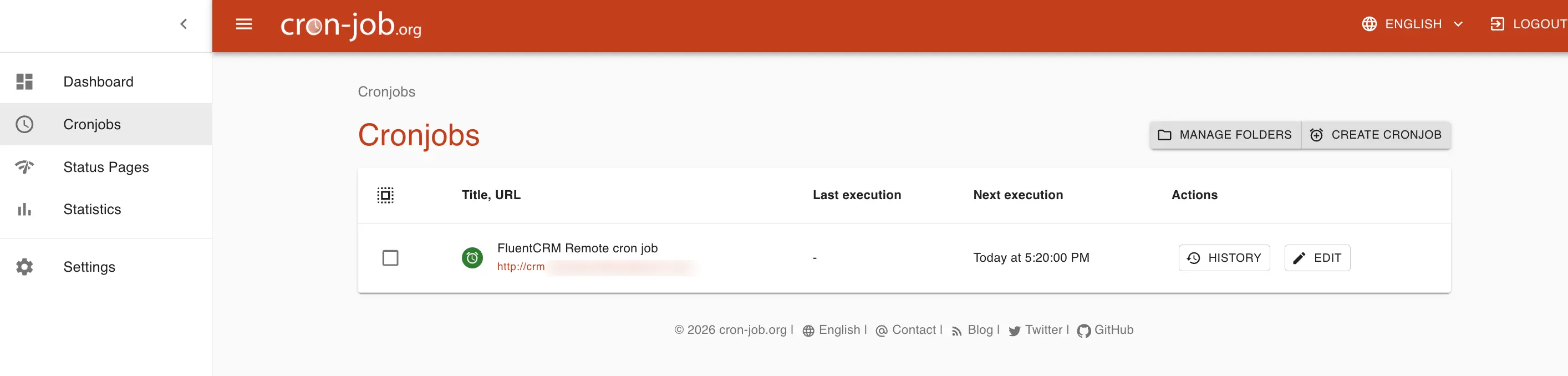
Once you confirm the test result shows success, create and save the cron job and you will see the cron job listed under All Cronjobs.
Cronjobs List
Cronjob History
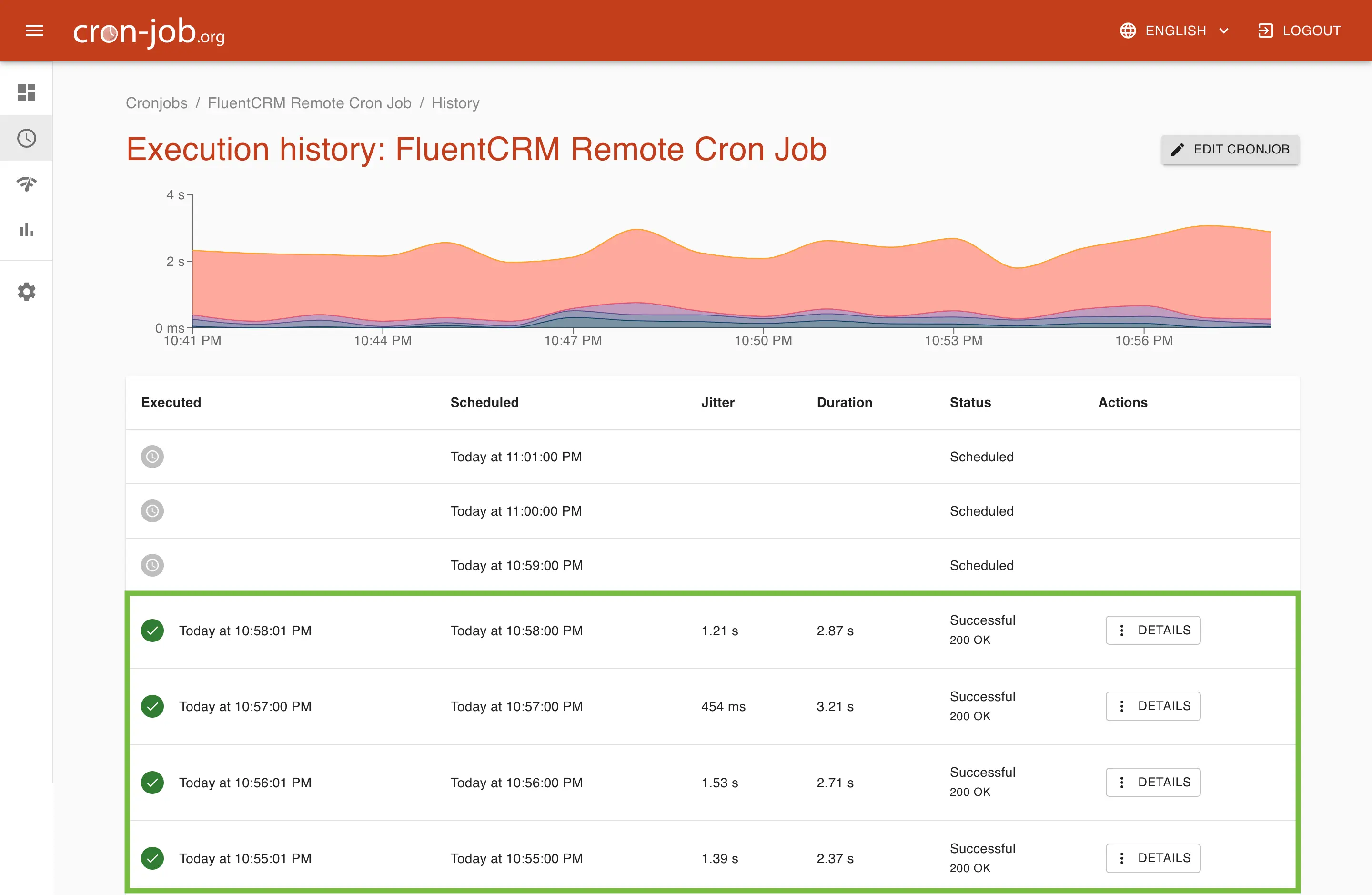
If the configuration is correct and the test runs successfully, you will start to see successful entries in the Cron Job History after the scheduled cron times pass. This indicates that the cron jobs are running properly. If you notice any errors in the history, you should investigate and troubleshoot the issue.
Keep in mind that FluentCRM requires a properly configured and regularly running cron job to work correctly. Remote cron jobs may not always run reliably, especially on high-traffic or resource-intensive websites, so it’s important to monitor them regularly.