
Appearance
LMS Triggers
FluentCRM provides powerful automation triggers for top Learning Management System (LMS) platforms. By integrating your LMS plugin, you can start automation funnels based on your students' learning behavior, like enrolling in a course, finishing a lesson, or completing a quiz.
FluentCRM currently supports a wide range of LMS platforms, including LearnDash, LifterLMS, TutorLMS, LearnPress, Academy LMS, and FluentCommunity.
Note: To use an LMS trigger, you must have your LMS plugin installed and activated on your WordPress site, along with FluentCRM Pro. For setup details, check the integration guides for LearnDash, LifterLMS, TutorLMS, and LearnPress.
How to Access LMS Triggers
With the latest FluentCRM interface, finding your LMS trigger is simple:
- Go to FluentCRM → Automations from your WordPress dashboard.
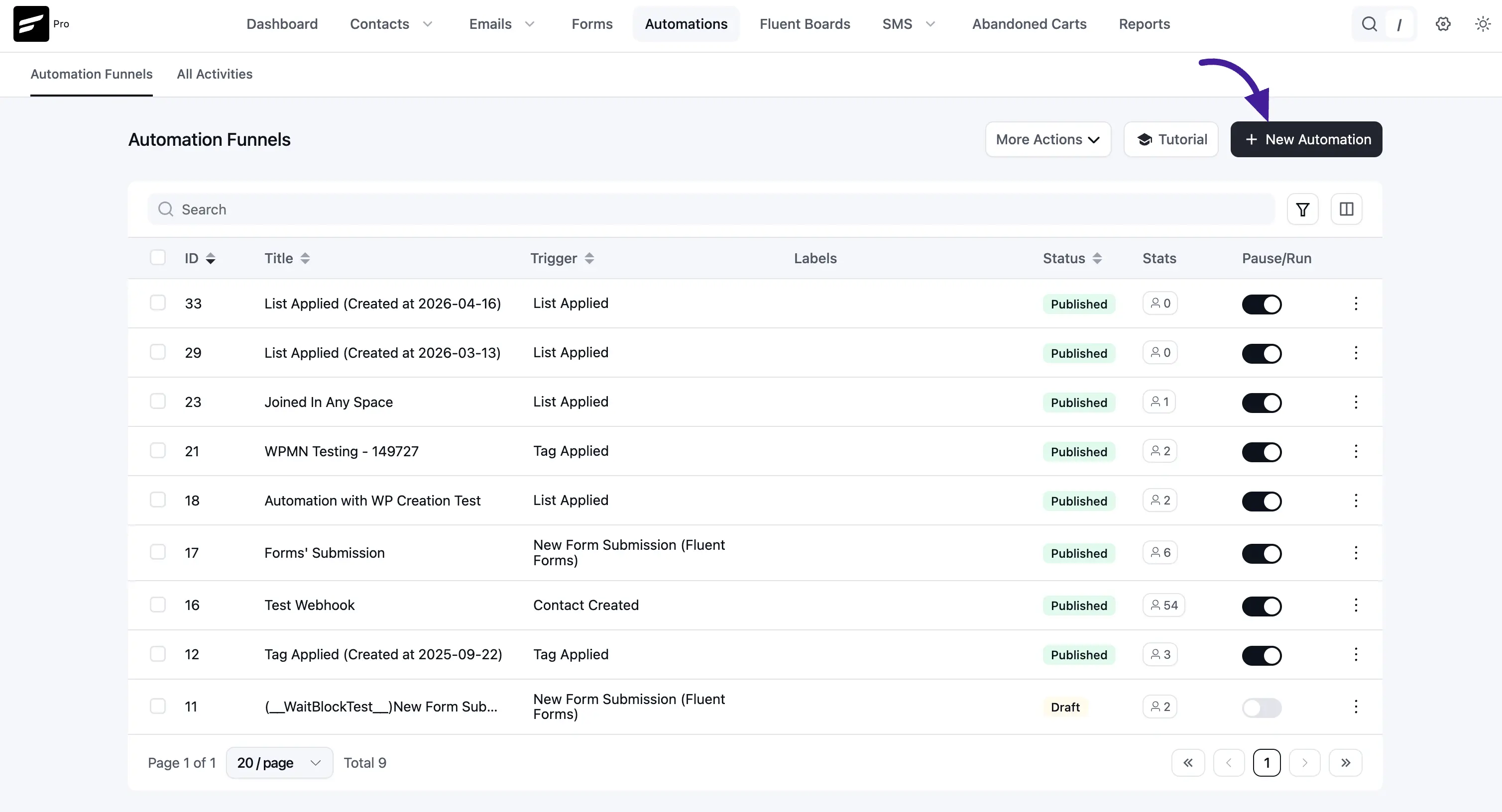
- Click the blue + Create Automation button from the top-right area.
- The Automation Templates window will open.
- From the left sidebar, click your LMS platform (for example, LearnDash or TutorLMS).
- Choose your preferred trigger from the list.
To learn the complete process of creating and building an automation funnel, read the Automation Editor documentation.
1. LearnDash Triggers
If you are using LearnDash, FluentCRM offers the following triggers:
- Course Enrolled: Starts the funnel when a student enrolls in a specific course (or any course).
- Course Left: Starts when a student leaves or is removed from a course.
- Course Completed: Starts when a student completes a course.
- Lesson Completed: Starts when a student completes a lesson.
- Topic Completed: Starts when a student completes a topic.
- Group Enrolled: Starts when a user is added to a LearnDash group.
2. LifterLMS Triggers
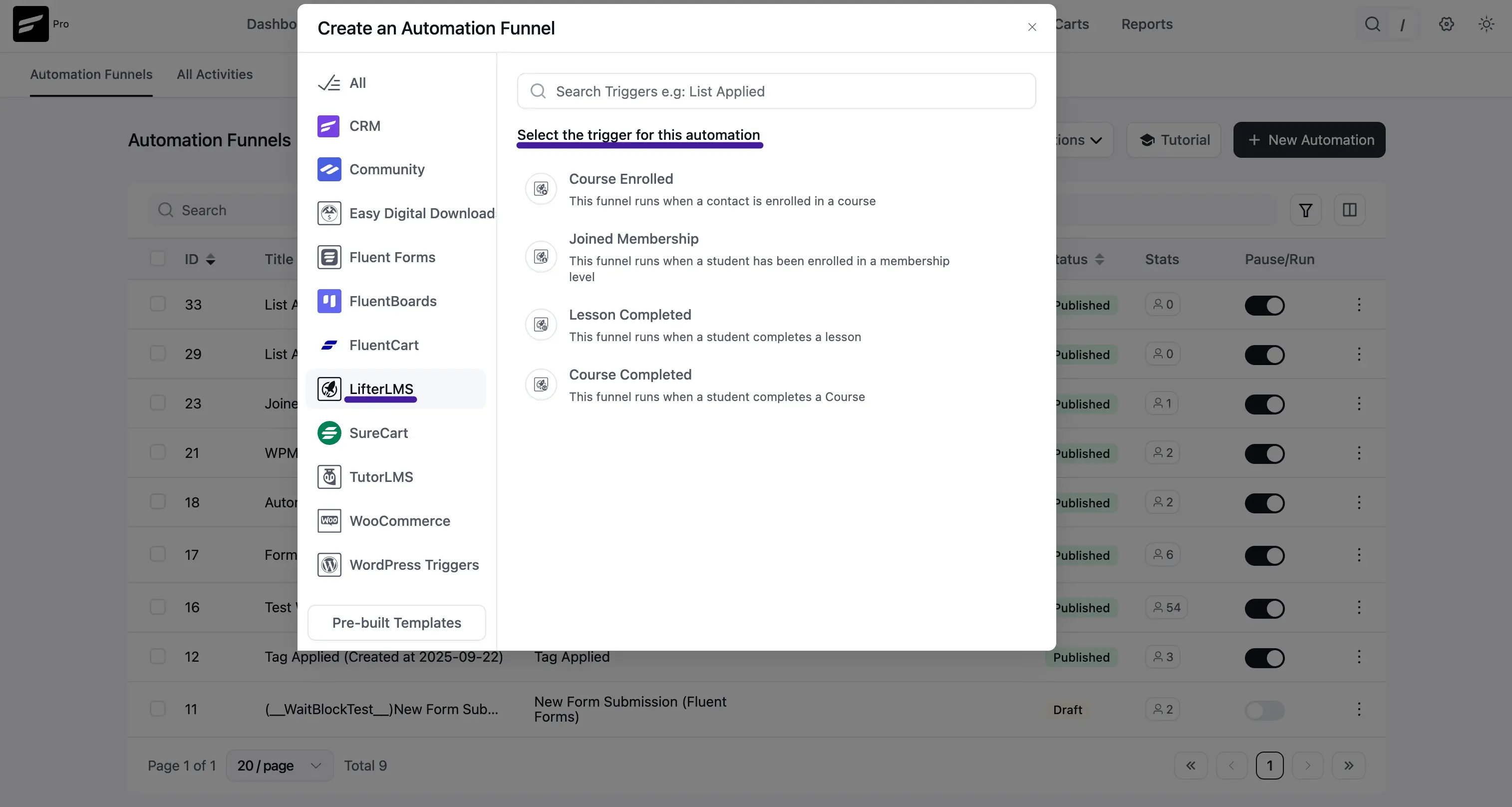
For LifterLMS, you can use these triggers:
- Course Enrolled: Starts when a contact enrolls in a course.
- Joined Membership: Starts when a student joins a membership level.
- Lesson Completed: Starts when a student completes a lesson.
- Course Completed: Starts when a student completes a course.
3. TutorLMS Triggers
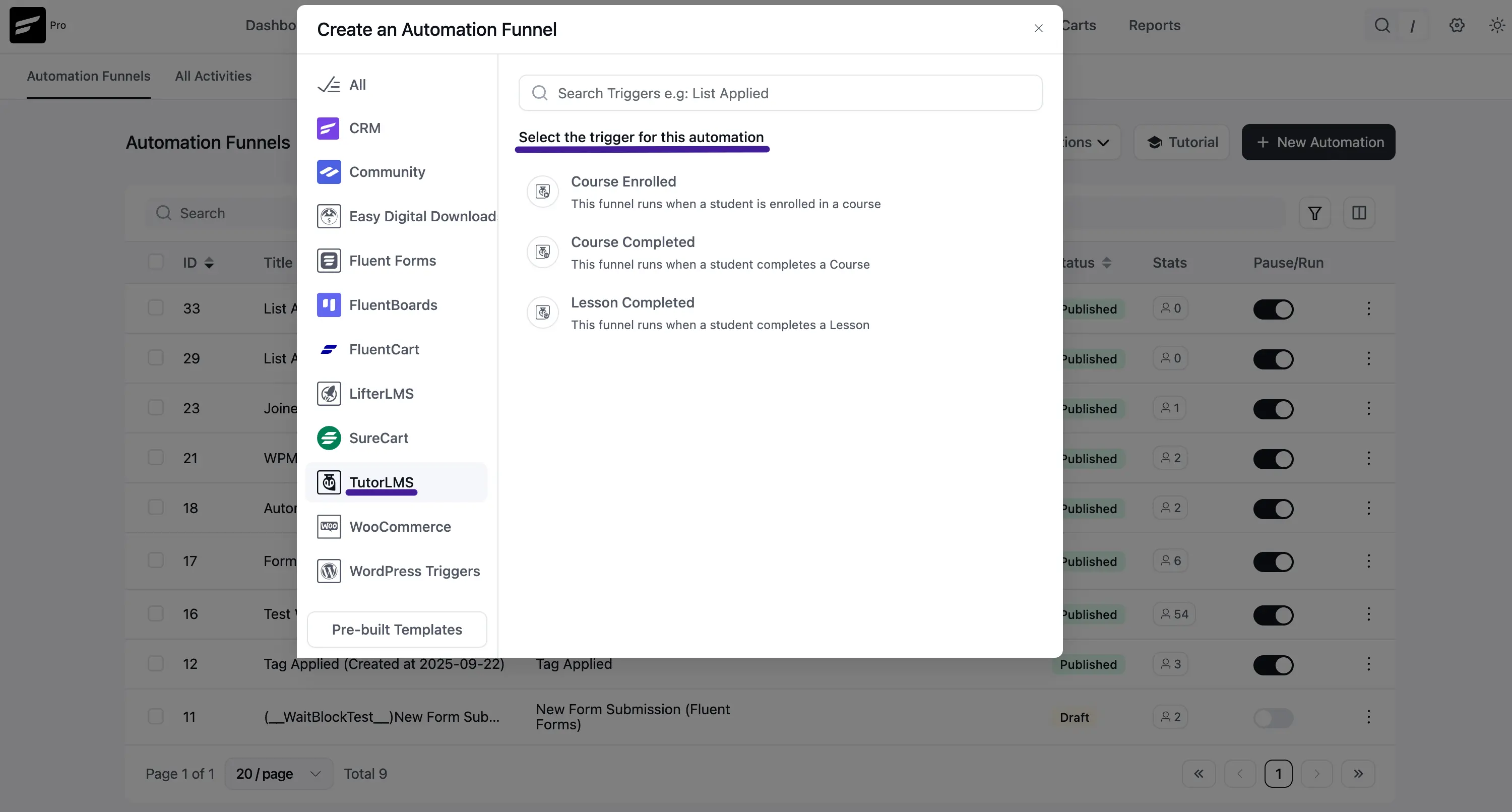
TutorLMS includes these core triggers:
- Course Enrolled: Starts the automation when a contact enrolls in a course.
- Lesson Completed: Starts when a student completes a lesson in a course.
- Course Completed: Starts when a student completes a course.
4. LearnPress Triggers
If you are using LearnPress, you can use these triggers:
- Course Enrolled: Starts immediately when a student enrolls in a course.
- Course Completed: Starts when a student reaches course completion.
- Lesson Completed: Starts when a specific lesson is completed.
5. FluentCommunity Triggers
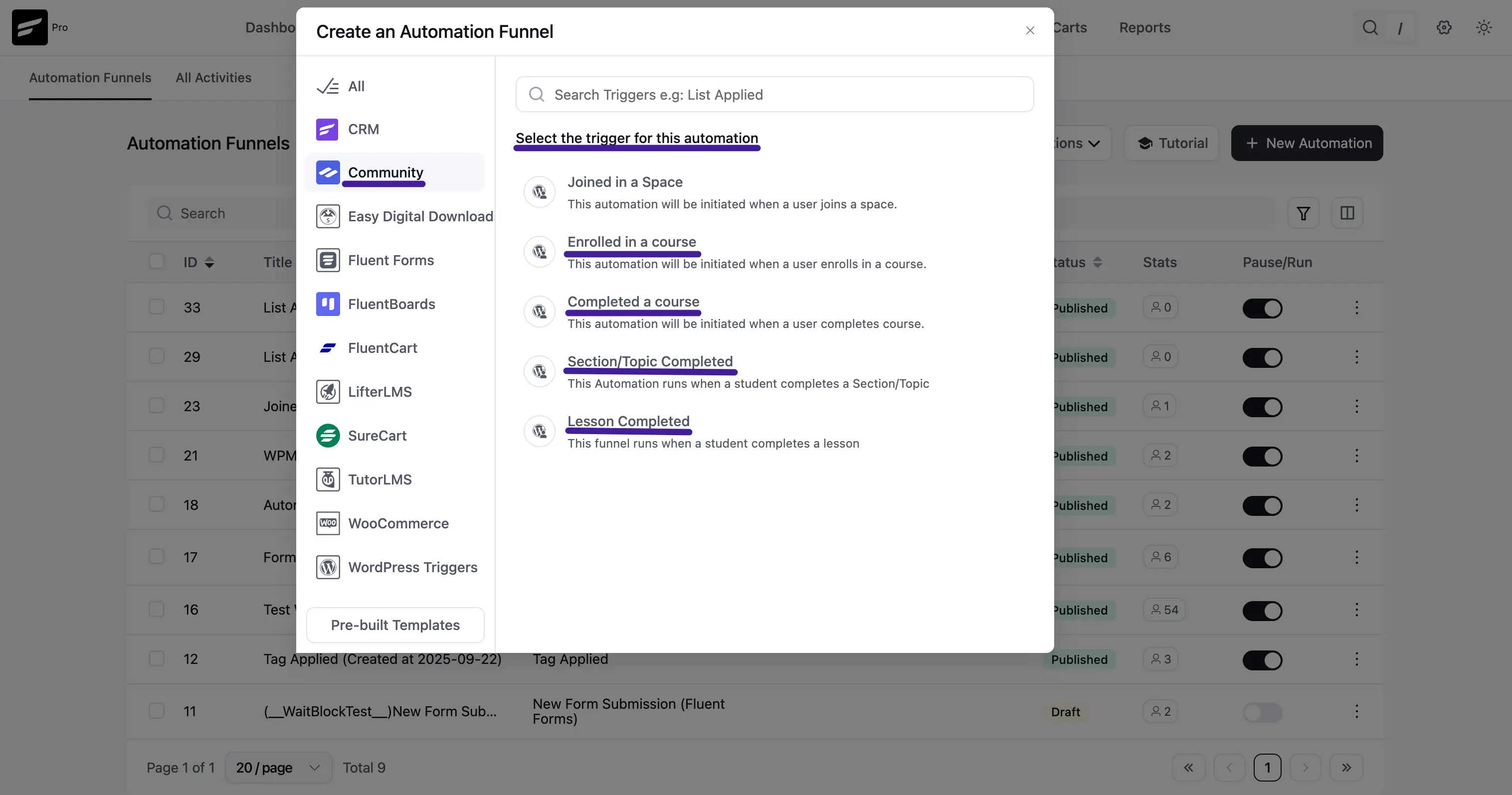
If you are using FluentCommunity, you can use these triggers:
- Joined in a Space: Starts when a user joins a space.
- Enrolled in a Course: Starts when a user enrolls in a course.
- Completed a Course: Starts when a user completes a course.
- Section/Topic Completed: Starts when a student completes a section/topic.
- Lesson Completed: Starts when a student completes a lesson.
Configuring Your LMS Trigger Settings
After you click any LMS trigger, a settings panel appears on the right side. You can configure:
- Internal Label (Automation Name): Set a clear name so your team can find the funnel quickly.
- Internal Description: Add a short note that describes your funnel purpose.
- Subscription Status: Choose which contact status is required for entering the funnel.
- If Contact Already Exists: Decide what should happen for existing contacts (for example, update profile details and continue).
- Target Courses / Lessons / Groups: Select the exact course, lesson, or group to trigger the automation. Keep this blank to run for any matching item.
- Restart the Automation: Enable this if you want the same contact to re-enter the same funnel in future qualifying events.
Once your configuration is ready, click the Save Settings button to continue into the Automation Editor and build your sequence.