
Appearance
Cron Job: FluentCRM Cron with EasyCron
If Cron-job.org isn't a good fit for your setup, EasyCron is another remote cron service you can use to call your WordPress cron script when direct shell access isn't available.
As a reminder, a few warnings for such remote cron invocation are listed again below:
EasyCron Dashboard
To get started with EasyCorn, go to Online Cron Service | Webcron - EasyCron.com
Once you are done with finishing the user registration and verification and then go to the EasyCron Dashboard as shown below:
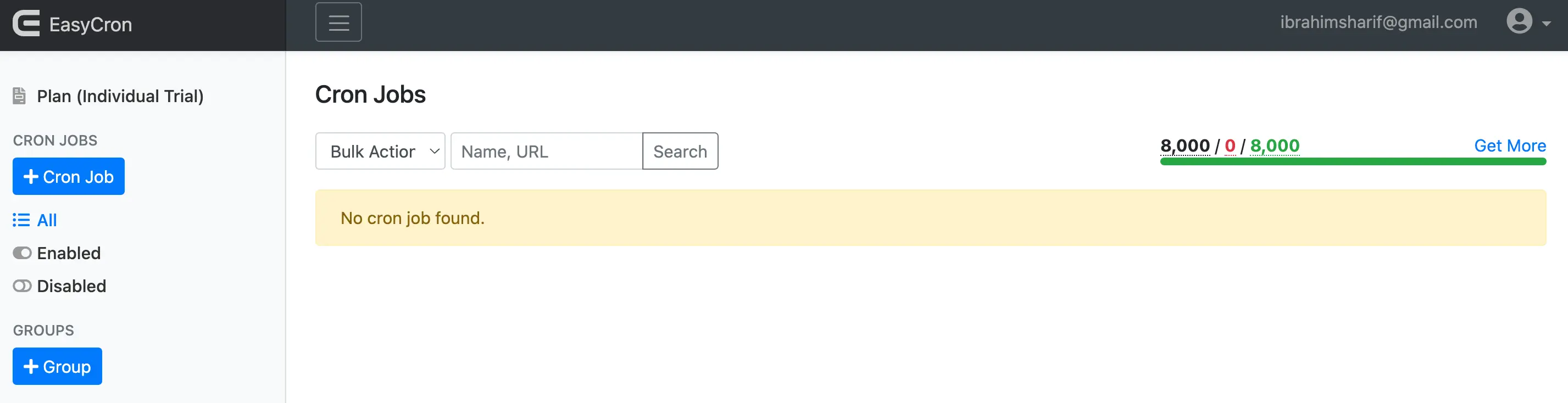
Create EasyCron Cron Job
Once you click on the + Cron Job button from the left side of the Dashboard, you will see a window containing a few options like the below:
URL & Time
The first section or tab contains the essential settings of the Cron Job.
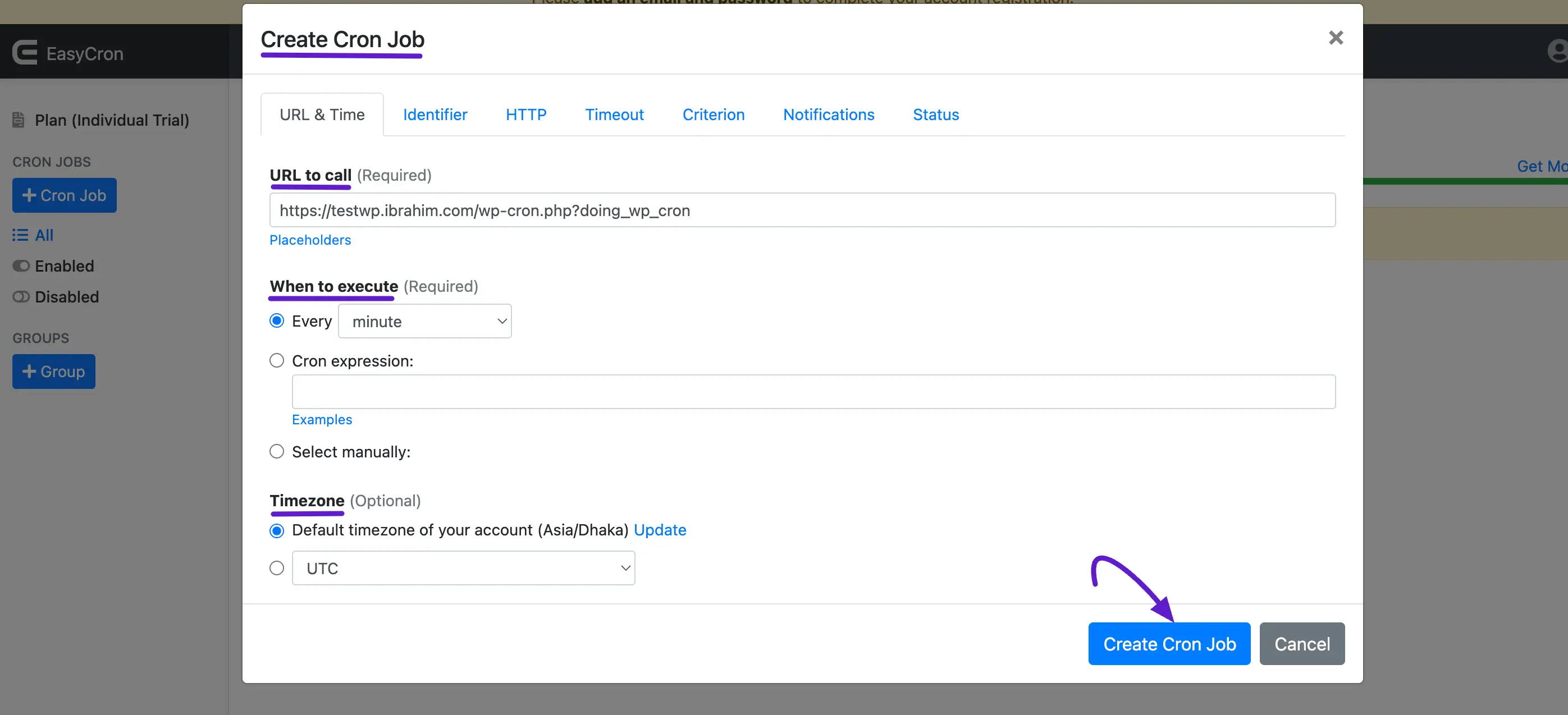
- URL to Call: The URL to the webpage of the WordPress Cron Script including any additional parameters. Please replace with your own domain or subdomain where in our case it is:
https://yoursite.com/wp-cron.php?doing_wp_cron- When to Execute: This should be every minute or per minute. It is required by FluentCRM's Every Minute Email Sending Schedule.
- Timezone: Carefully look for the Timezon in your WordPress General Settings and set it according to that. For Every Minute Execution, you may skip this.
Once you are done with the details, click on the Create Cron Job to finally create the cron job.
Identifier
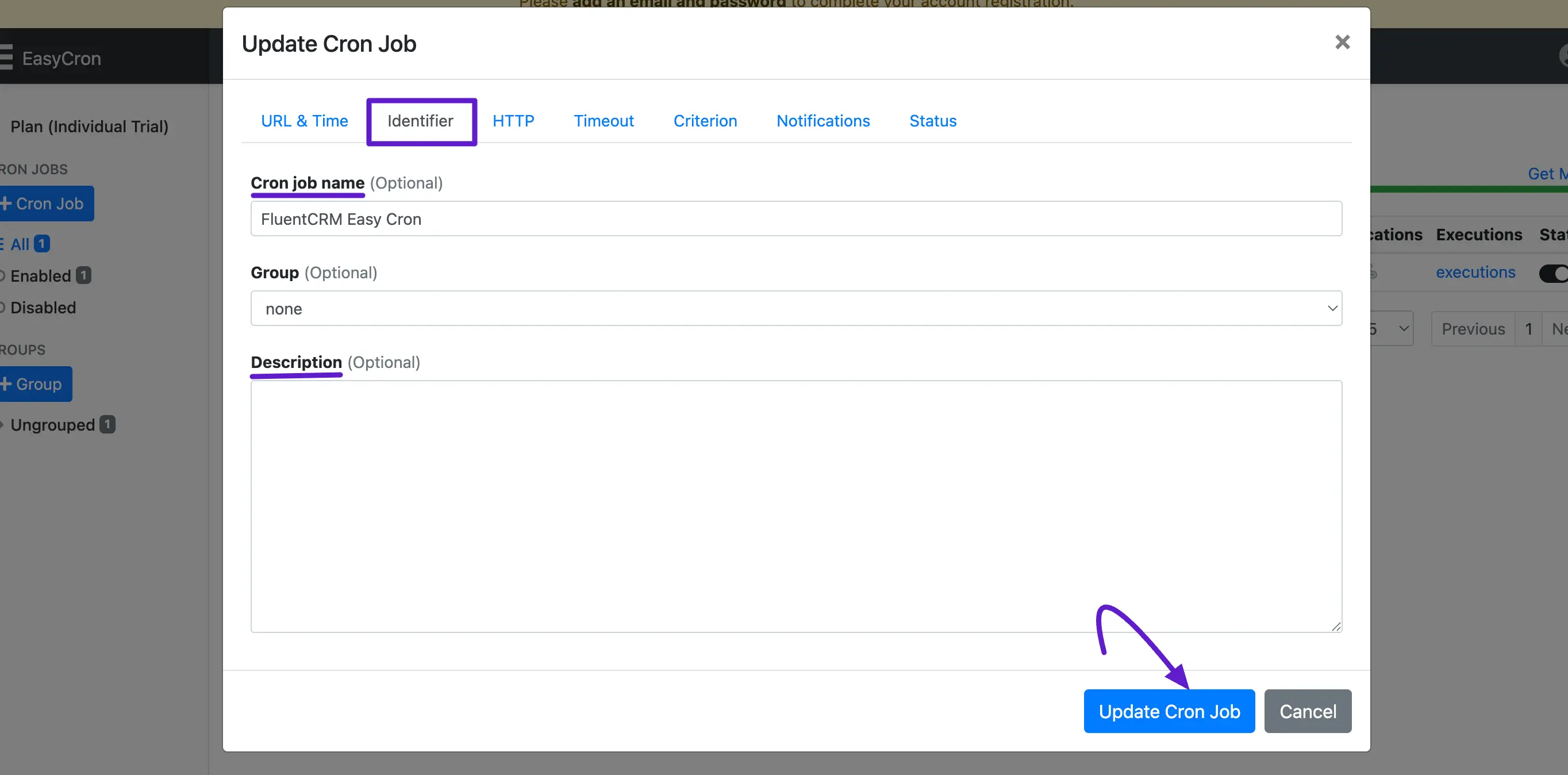
Now head over to the Identifier tab and set a Cron Job Name that is optional but helps set a name to the cron job for future easy understanding. You can also provide an additional Description.
Cron Jobs List
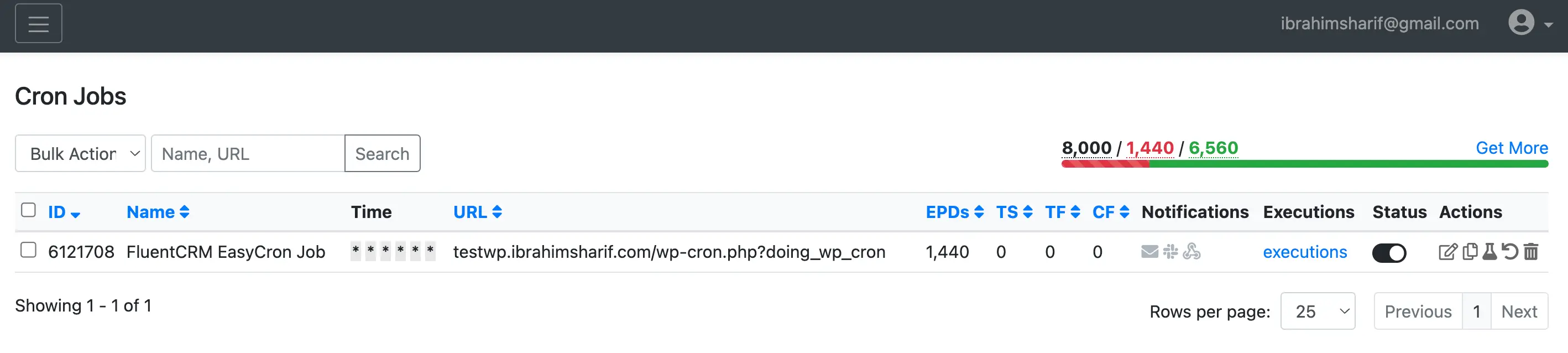
When the cron job is created you will see the cron job listed in the dashboard where a lot of information is available for the Cron Job. Please make sure to confirm it is in Active Status.
Cron Job Logs & Prediction
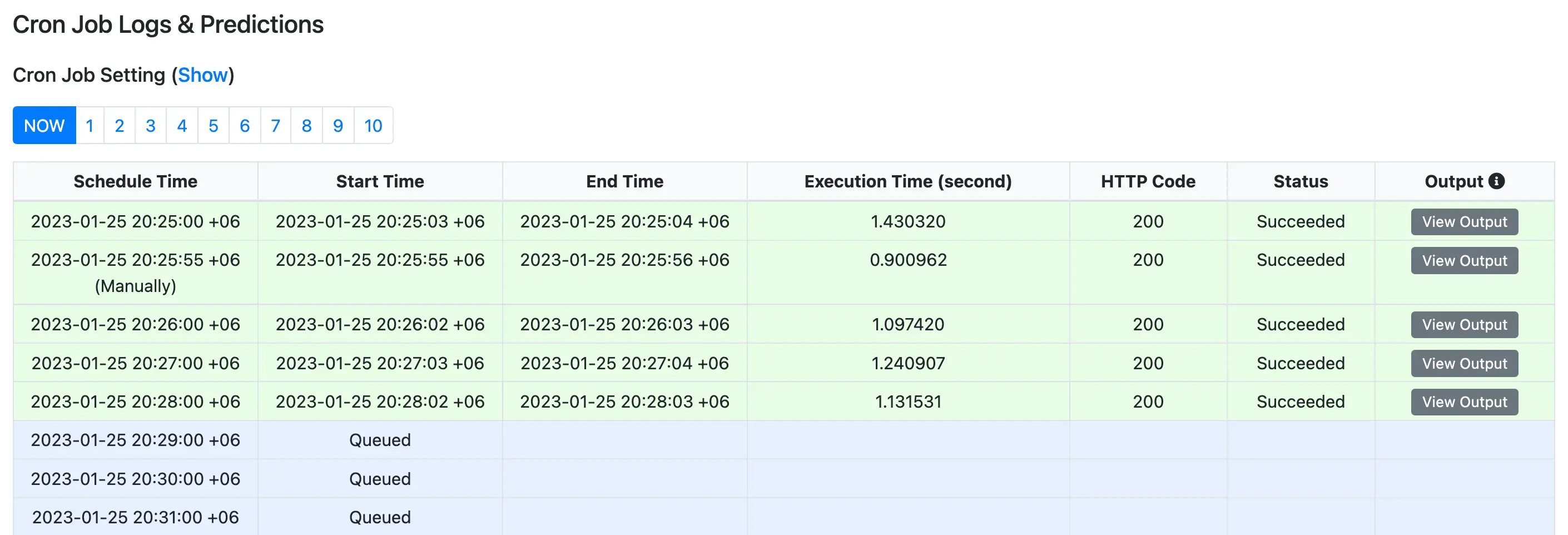
We should also check back sometime later if the cron is still running successfully or not from the Cron Job Logs & Prediction. For a successful cron succession the dashboard will be similar to the below screenshot.
Once again, Running FluentCRM requires a proper and timely running Cron Job. These types of remote cron jobs may not always work or have problems for higher processing websites.