Appearance
LifterLMS - Advanced Reports
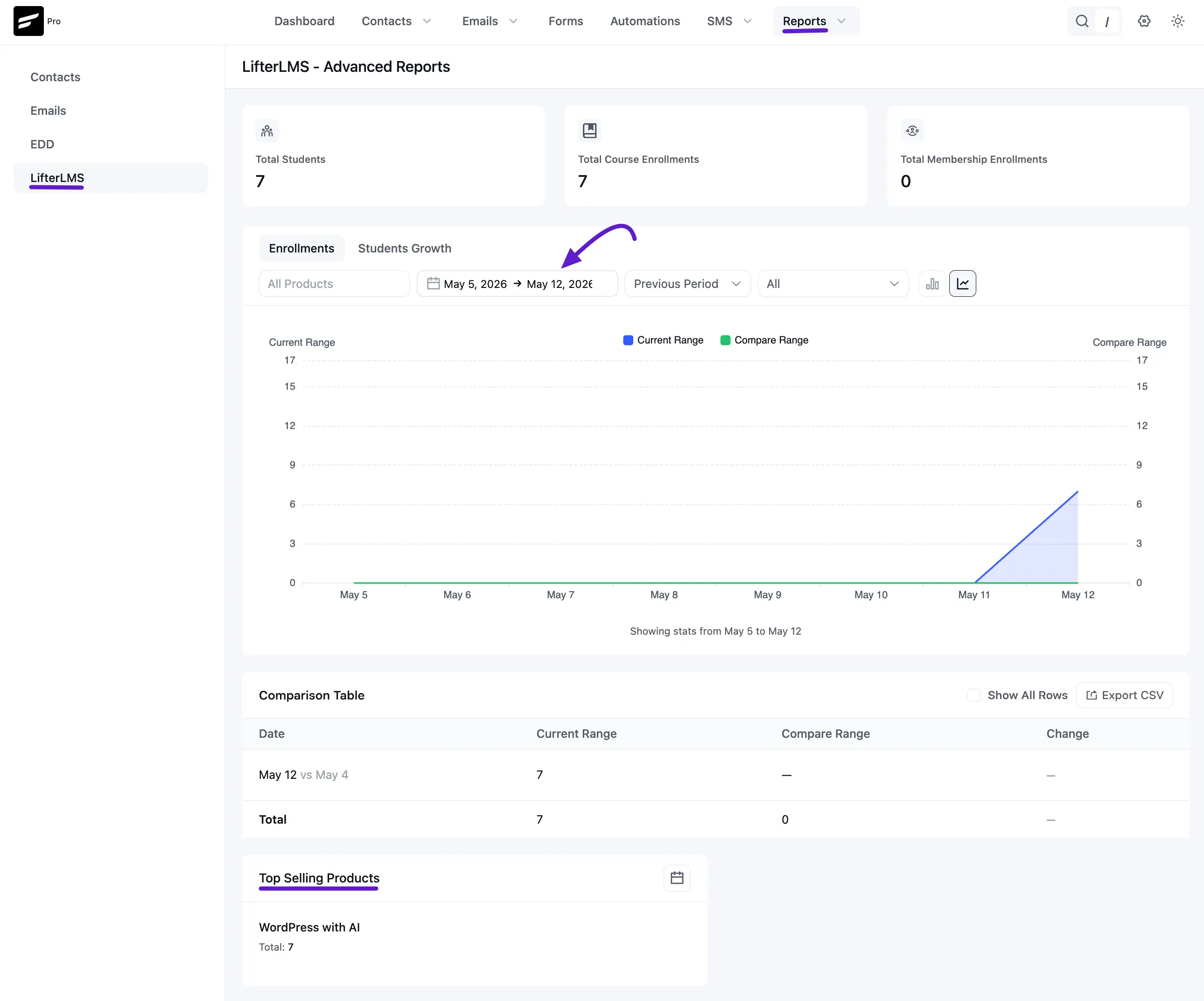
The LifterLMS Reports page gives you a clear view of how your courses and student base are growing. By connecting your LMS data with FluentCRM, you can track enrollments and see which courses are performing best.
To access this dashboard, go to the Reports menu in the top navbar and select LifterLMS from the left sidebar.
NOTE
Make sure your Lifterlms data is properly synced with FluentCRM. You can read more about the Lifterlms integration with FluentCRM.
1. High-Level Metrics
At the top of the report, you can quickly check three key stats:
- Total Students: The number of unique people currently registered in your school.
- Total Course Enrollments: The total number of times students have joined any of your courses.
- Total Membership Enrollments: How many people have signed up for your memberships or course bundles.
2. Visual Growth Charts
This section features an interactive graph to help you spot trends over time.
- Toggle Views: Switch between Enrollments (total course sign-ups) and Students Growth (new student acquisition).
- Comparison Feature: Compare your Current Range (Blue line) against a Compare Range (Green line) from a previous period to measure your progress.
- Smart Filters: Use the dropdowns to filter the data by specific dates or isolate the performance of a single course.
3. Daily Comparison Table
For a detailed look at the numbers, the Comparison Table breaks down the data day-by-day.
- Day-over-Day Audit: Compare today’s performance directly against a previous date to see if your numbers are increasing.
- Data Export: Click the Export CSV button if you need to download this information for use in spreadsheets or external reports.
4. Top Selling Products
The bottom section identifies your most popular content based on enrollment volume.
- Product Tracking: See which courses are driving the most interest (e.g., WordPress with AI).
- Enrollment Totals: View the exact number of students enrolled in each top-performing course. Use this data to identify which courses are prime candidates for special promotions or follow-up automations.