
Appearance
LMS Actions
FluentCRM includes dedicated Action blocks for LMS platforms like LifterLMS, LearnDash, and TutorLMS. These actions let you automate enrollments and removals based on funnel events.
In this guide, we will walk through the LMS action flow using the currently available action screens.
To use LMS actions, install and activate your LMS plugins first. You can also review these integration guides:
Open the Action Picker
Go to Automations from the FluentCRM navbar and open your target automation (or create a new one).
To learn how to create a new automation funnel, read Automation Editor.
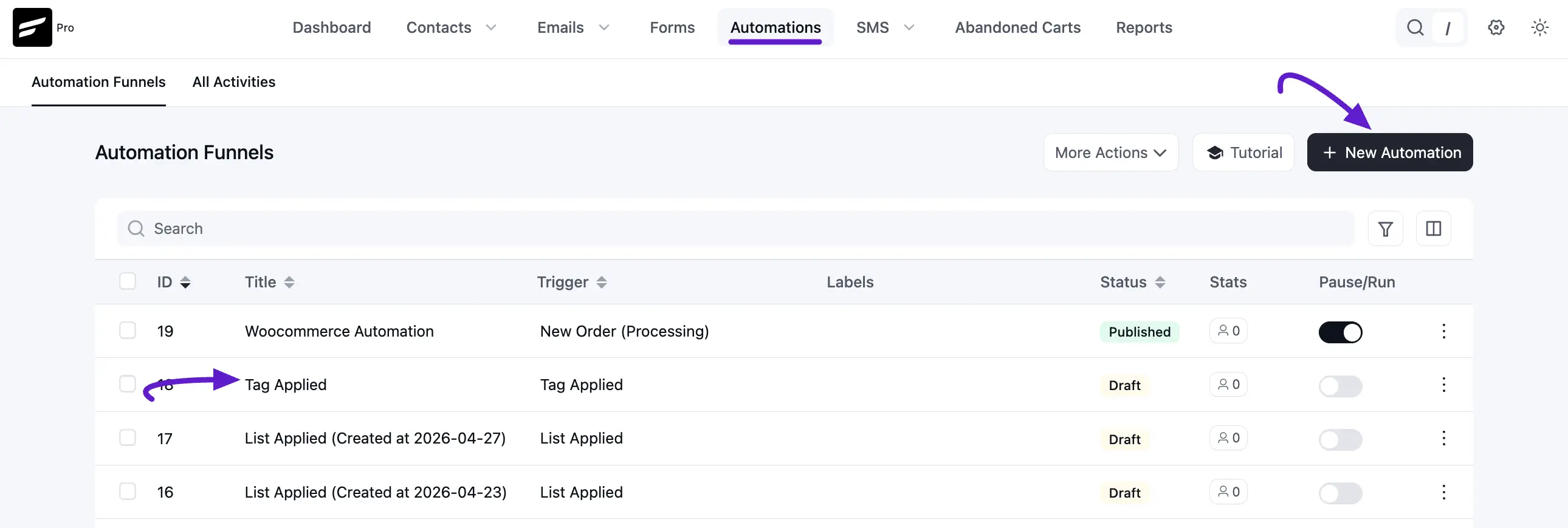
Click the Plus icon where you want to add a step.
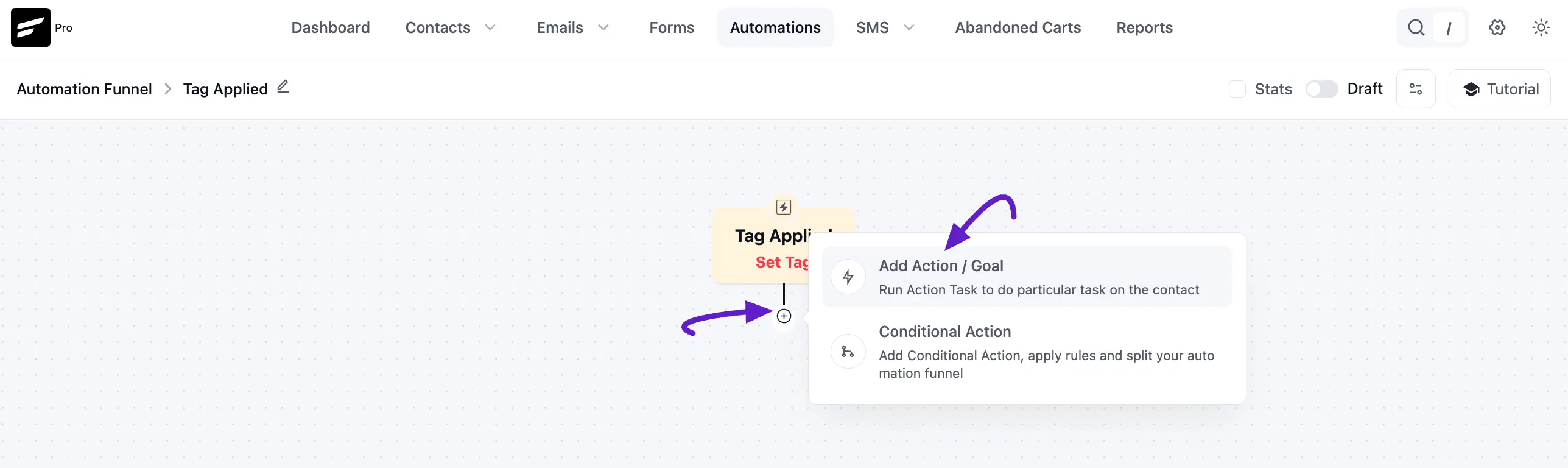
In the popup, scroll to the LMS section.
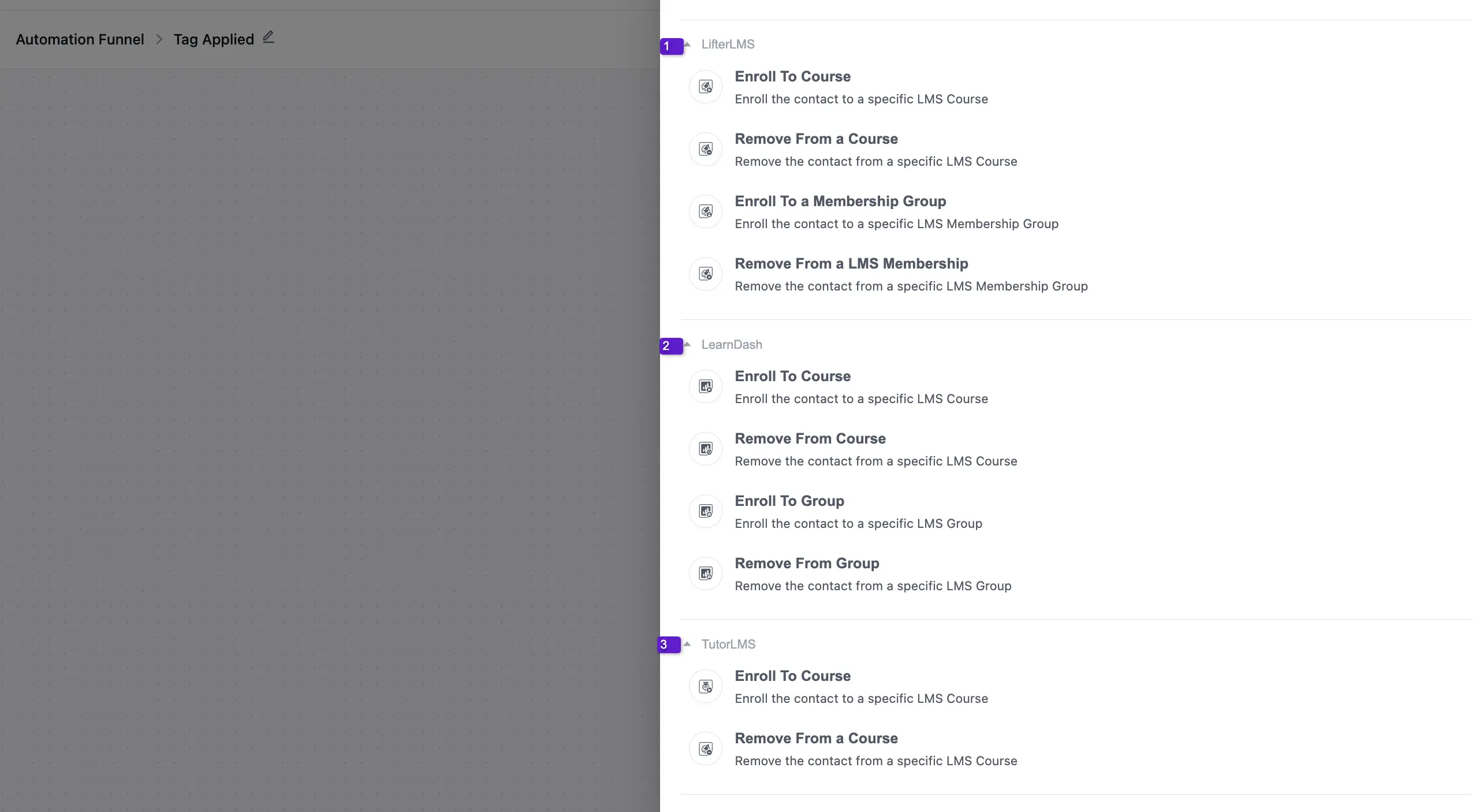
The LMS action groups are:
- LifterLMS
- LearnDash
- TutorLMS
1. LifterLMS Actions
The available LifterLMS actions are:
- Enroll To Course
- Remove From a Course
- Enroll To a Membership Group
- Remove From a LMS Membership
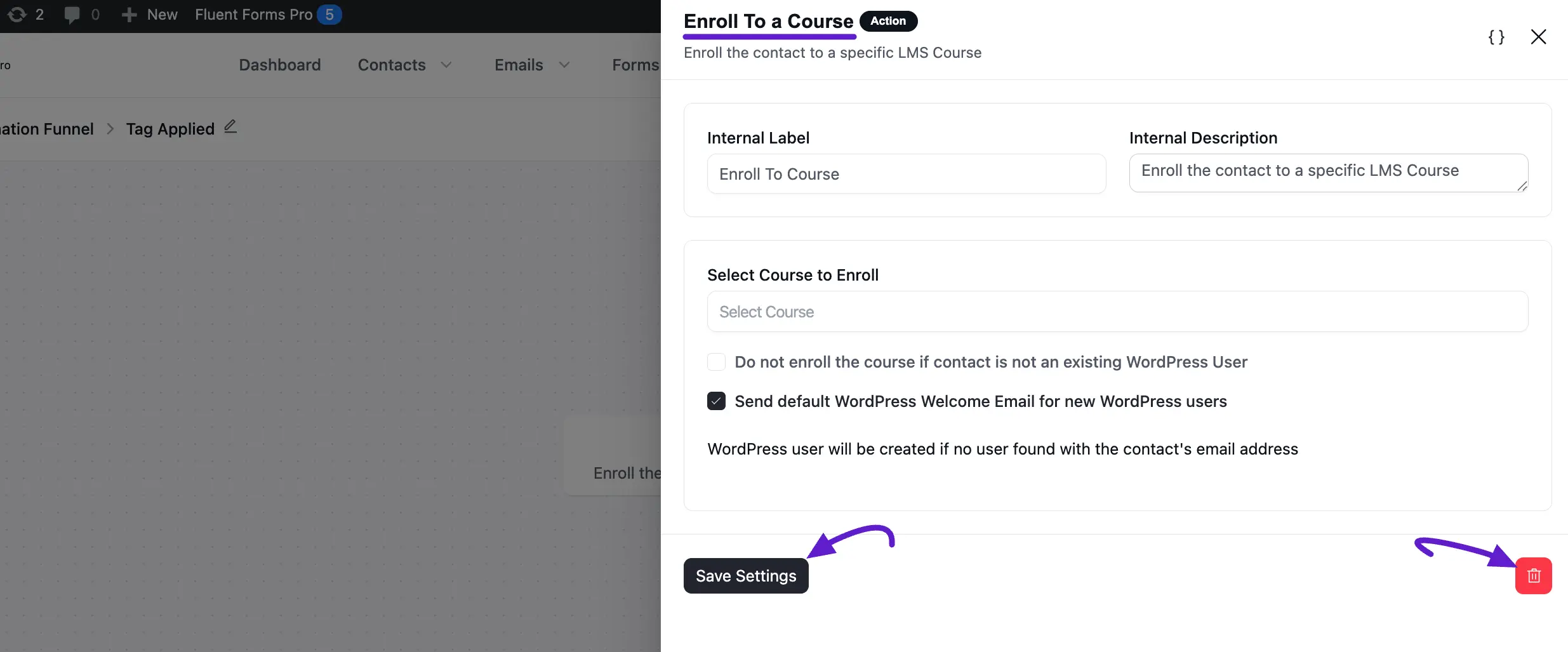
Enroll To Course
Use this action to enroll the contact into a selected course.
Main fields:
- Internal Label: Name of this action step.
- Internal Description: Optional subtitle/description.
- Select Course to Enroll: Choose the target course.
- Do not enroll if contact is not an existing WordPress user: Restricts enrollment to existing users only.
- Send default WordPress welcome email for new users: Sends WP welcome email when user creation happens.
Click Save Settings when done.
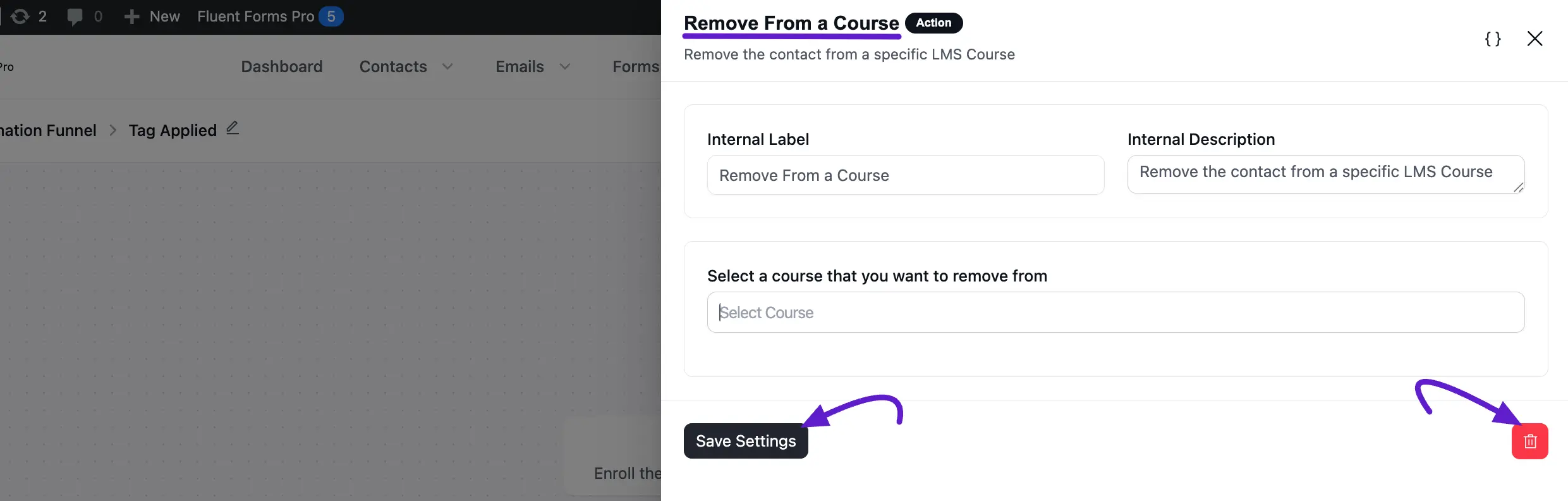
Remove From a Course
Use this action to remove a contact from a selected course.
Main fields:
- Internal Label
- Internal Description
- Select a Course that you want to remove from
Click Save Settings when done.
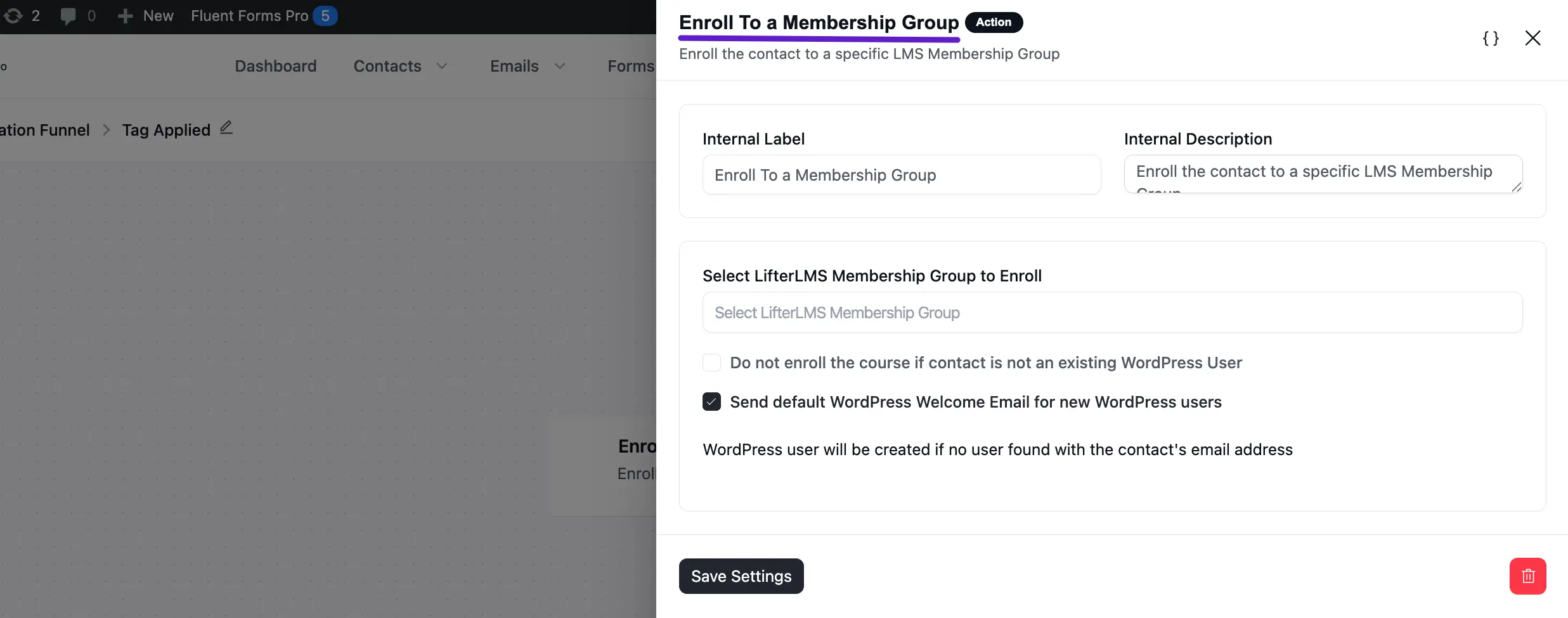
Enroll To a Membership Group
Use this action to enroll contacts into a selected LifterLMS membership group.
Main fields:
- Internal Label
- Internal Description
- Select LifterLMS Membership Group to Enroll
- Do not enroll if contact is not an existing WordPress user
- Send default WordPress welcome email for new users
Click Save Settings when done.
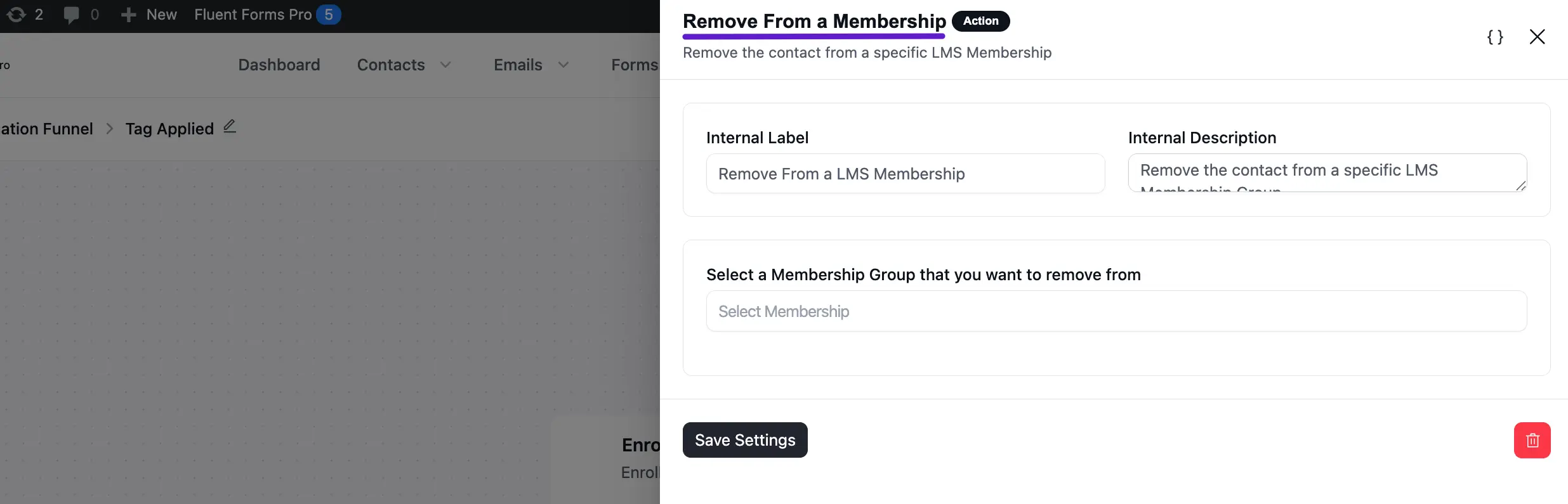
Remove From a LMS Membership
Use this action to remove contacts from a selected LifterLMS membership group.
Main fields:
- Internal Label
- Internal Description
- Select a Membership Group that you want to remove from
Click Save Settings when done.
2. LearnDash Actions
LearnDash actions follow the same setup pattern as LifterLMS actions:
- Set Internal Label and Internal Description
- Select the course/group target
- Save the action
Use the relevant section above as a step reference for enrollment/removal flow.
3. TutorLMS Actions
TutorLMS actions also follow the same setup pattern:
- Configure label/description
- Choose the course target
- Save settings
Use the same action setup logic shown in the LifterLMS examples.
If you have any further questions, concerns, or suggestions, please do not hesitate to contact our support team. Thank you.