
Appearance
Install, Upgrade and Activate FluentCRM License
FluentCRM is one of the easiest and fastest Email Marketing & CRM solutions for WordPress. This plugin can be installed from your WordPress dashboard. You can also download it from the WordPress site and install it on your dashboard.
Requirements
To use FluentCRM, you’ll need -
- WordPress version 5.0 or higher
- PHP version 5.6 or higher
Install and Activate FluentCRM
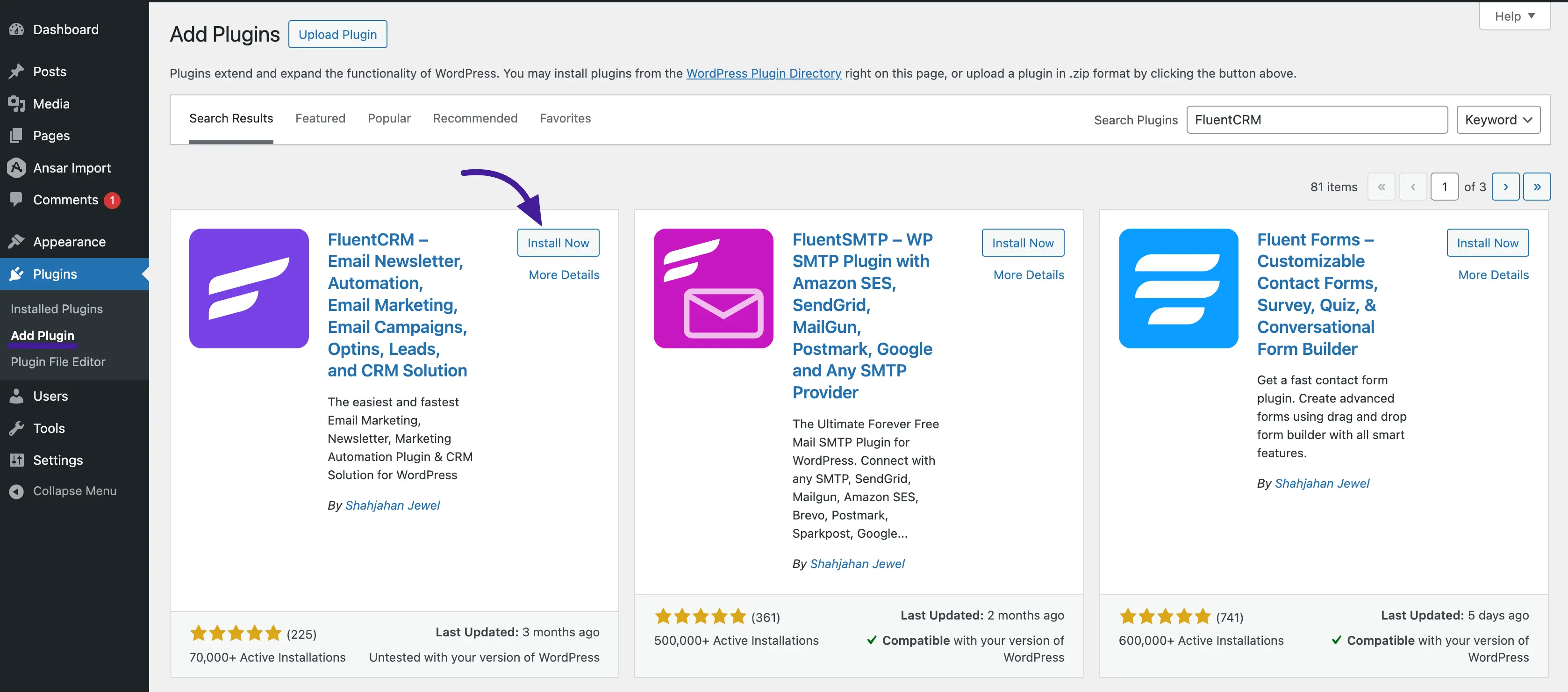
You can install FluentCRM free version like any other WordPress plugin. Follow the steps given below -
- Go to the WordPress Admin Dashboard → Plugins → Add New
- Type in ‘FluentCRM’ on the search box, click the install button and then Activate it.
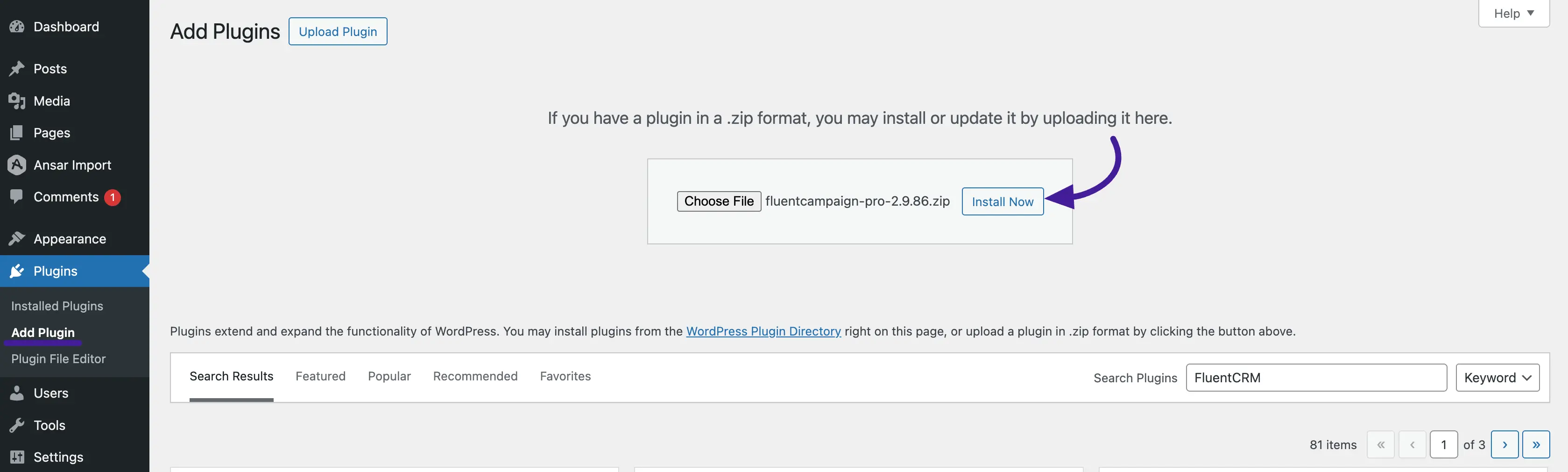
- Another method to download the .zip file and upload this on the Add New page is by using the Upload Plugin button, after that click Install & Activate.
Installing and Activating FluentCRM Pro
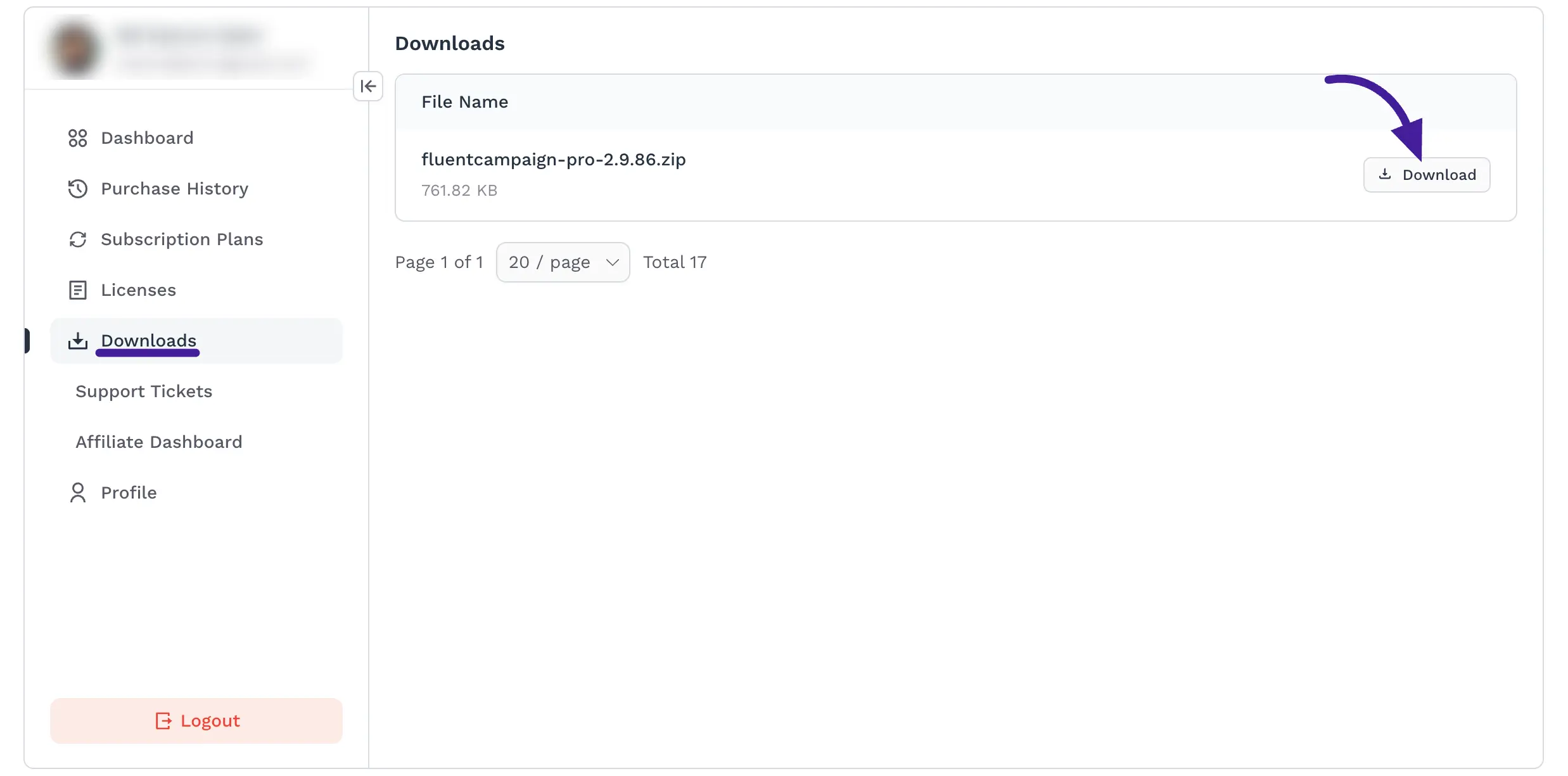
To get FluentCRM Pro, purchase the plugin from here, and you’ll be redirected to your WPManageNinja account. After a successful purchase, you can download the Pro version and get the License Key from your WPManageNinja Account.
Go to your WordPress dashboard and navigate to Plugins > Add New Plugin from the left sidebar. Click on the Upload Plugin button, select the file, and upload it. Then, click Install Now and activate the plugin. It’s a simple process!
Update FluentCRM
It’s pretty easy to update both the Free and Pro versions. You can navigate to the plugin page of your dashboard, in order to check if an update is available. If any update is available just click on the update button.
Make sure that the pro version is activated with a valid license key. If you don't have a license key or the license key is expired, you can purchase a new one or renew the existing one from here
Activate FluentCRM License
FluentCRM Pro comes with a licensing option to activate your license. Follow these simple steps to activate the license -
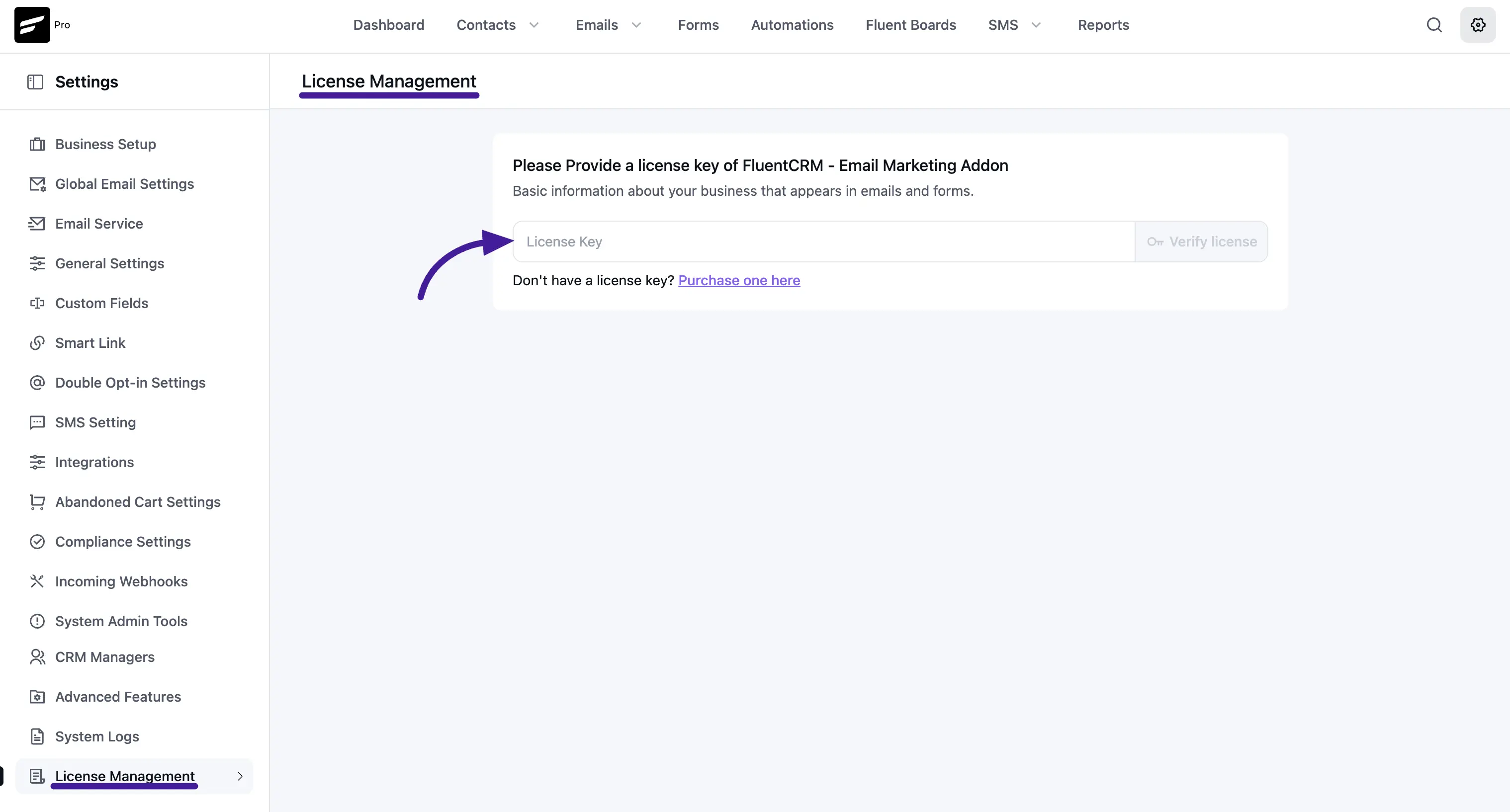
Go to FluentCRM and click on the Settings option from the sidebar. Then click the License Management tab, here you'll find the option for providing the License Key. So, after adding the key just click the Verify License button. Now you have successfully activated your license!
Renew FluentCRM License
FluentCRM Pro comes with a licensing option to renew your license. Follow these simple steps to renew the license:
You can start by going to the purchase history from the WPManageNinja Account. Then you’ll see the ‘Renewing a license key?’ link on the checkout cart.