Appearance
Bounce Handling with PostMark
If you use the Postmark email service then use this documentation to set up Bounce handling with FluentCRM.
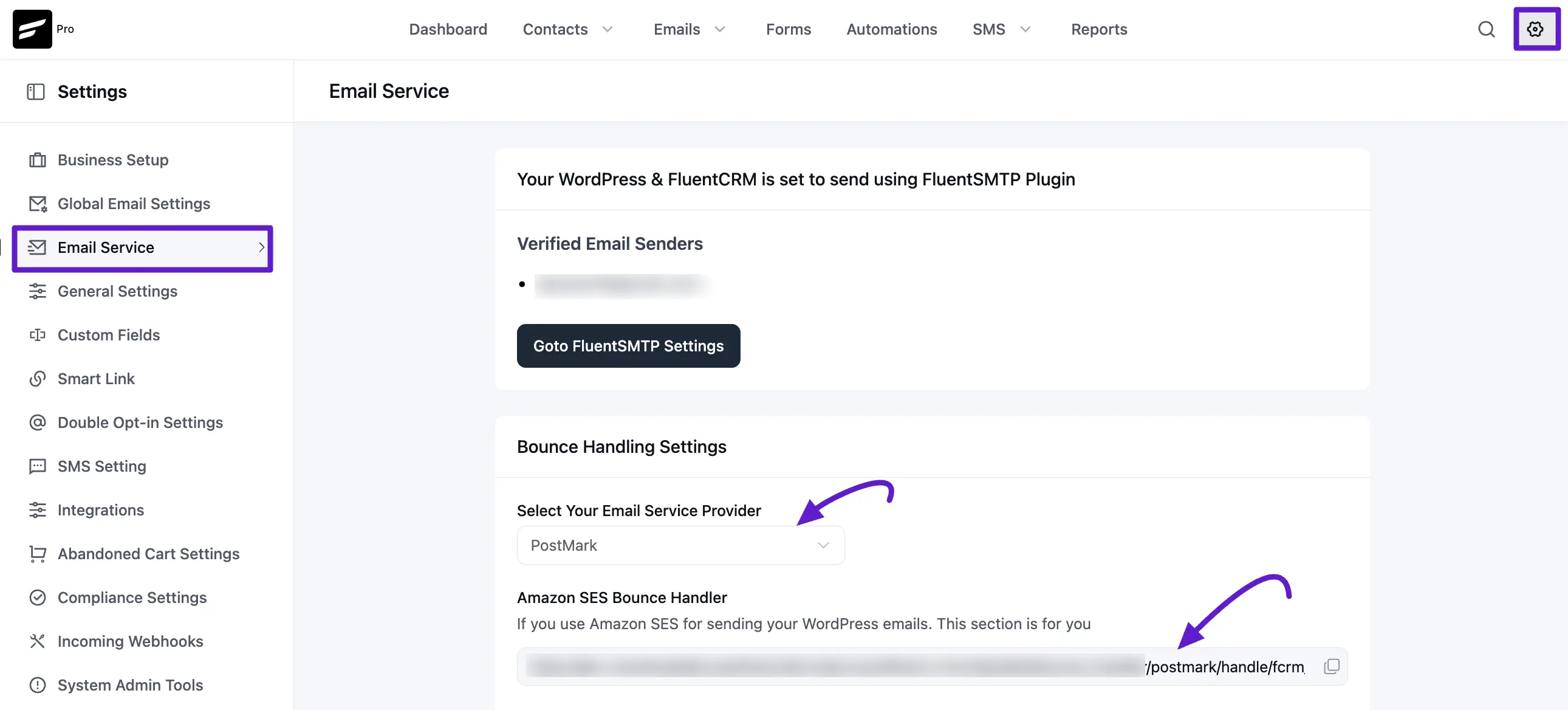
First, copy the Webhook URL at FluentCRM -> Settings -> Email Service and select Postmark from the dropdown and copy the Webhook URL.
Then Login to your Postmark account, Select your Server and then select the Default Transactional Stream from there. Now you will see there is a Webhook option select that and click on the Add Webhook button.
Then paste the webhook URL and select Bounce and Spam Complaint. Please do not check "Include Message Content".
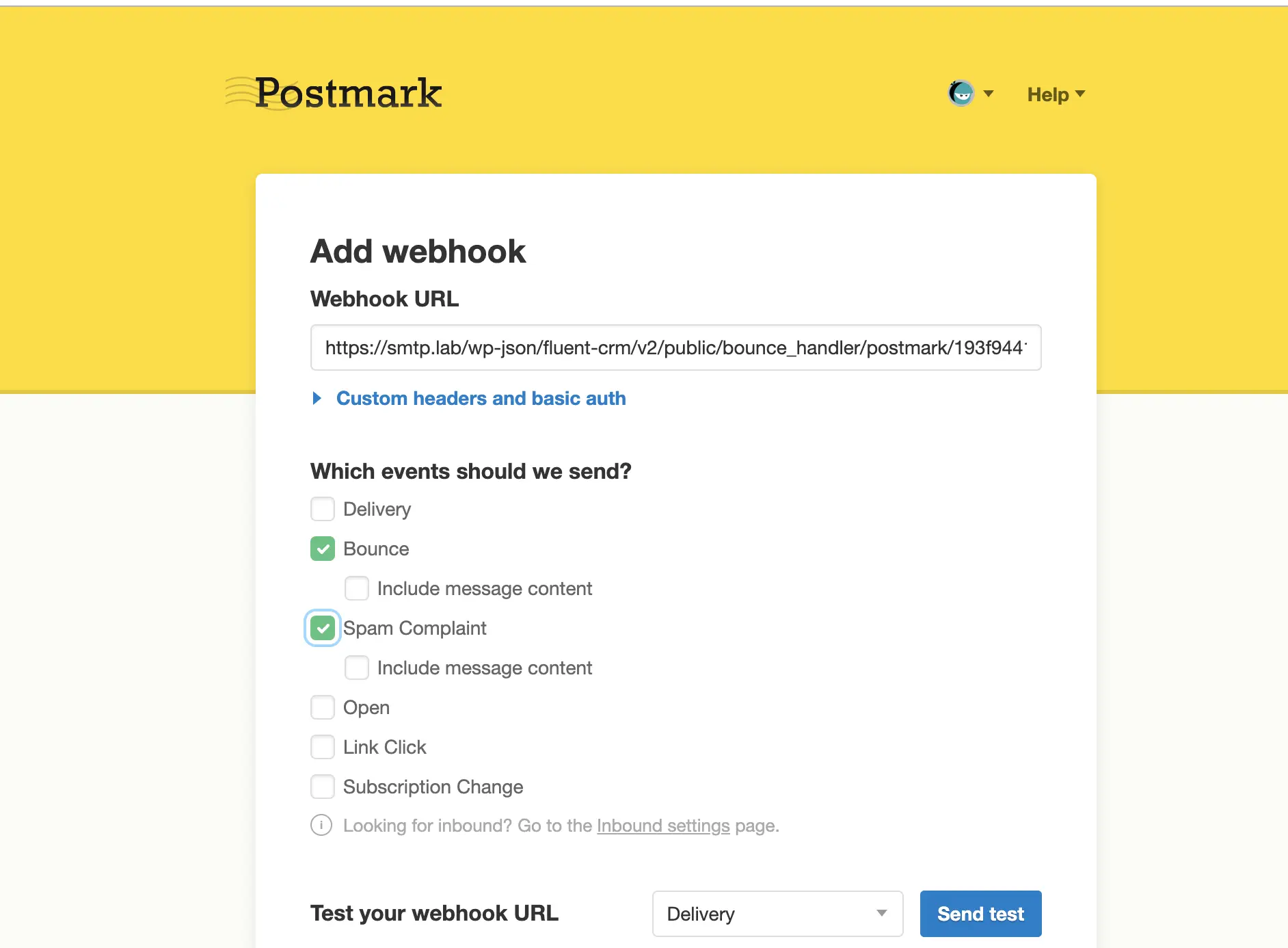
Then at the bottom of that page click "Save Webhook".
If you set up these two webhooks correctly, so whenever an email is marked as a complaint or Detected as bounced, FluentCRM will change the contact status accordingly.
Viewing Bounced Contacts
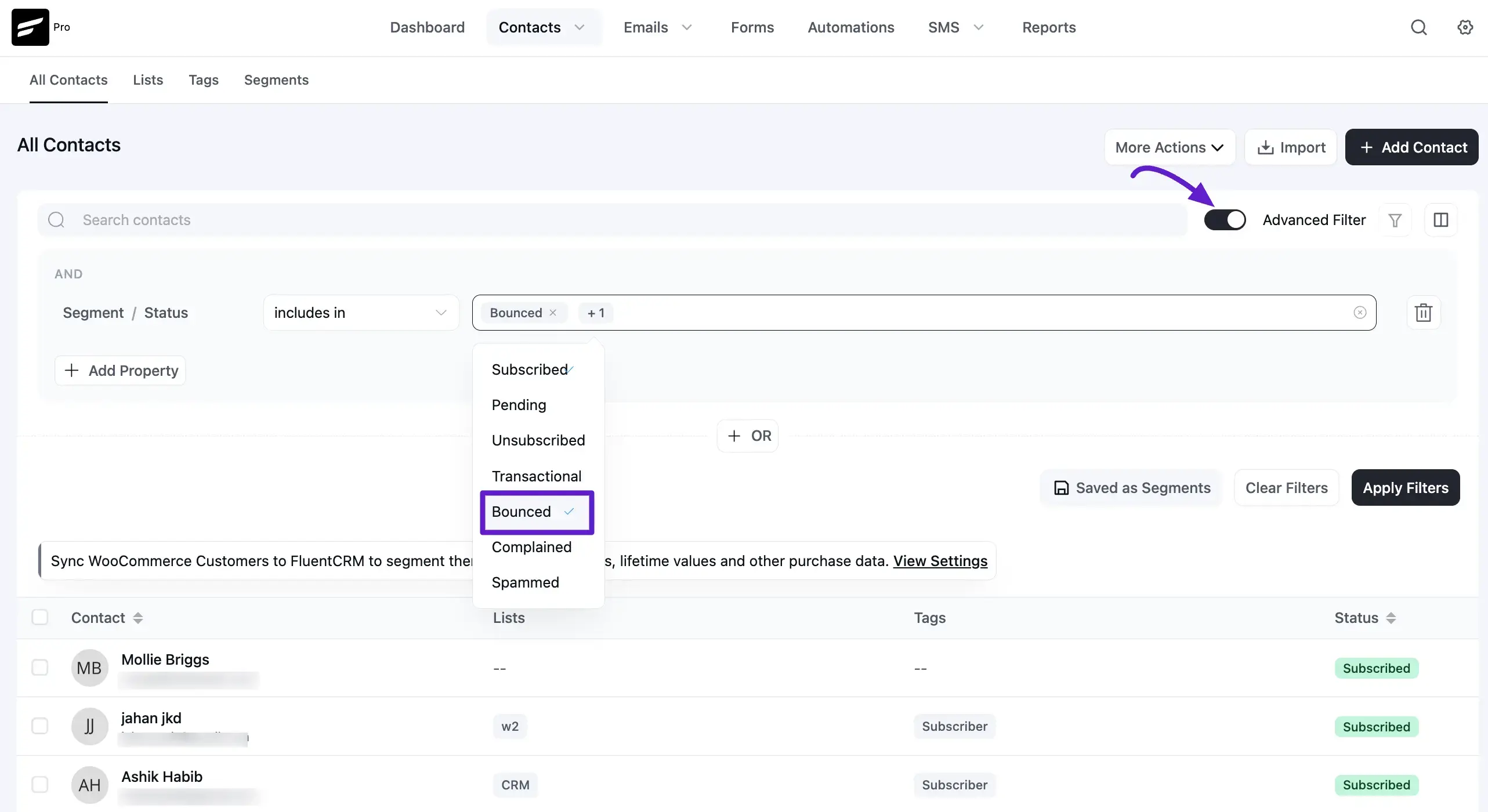
If you want to view bounced contacts, go to FluentCRM → Contacts. Then enable the Advanced Filter option. Click Add Property → Contact Segment → Status, and select Bounce.