Appearance
General & Dynamic Segments
FluentCRM is a powerful email marketing & automation application that enables its users to market through emails, run automation based on various triggers, and perform different actions. To do this, FluentCRM admins may need to segment the contacts to identify the contacts later while filtering them out and performing bulk actions, selecting them in the campaign setup, or also assigning the specific contacts in automation as below screenshots.
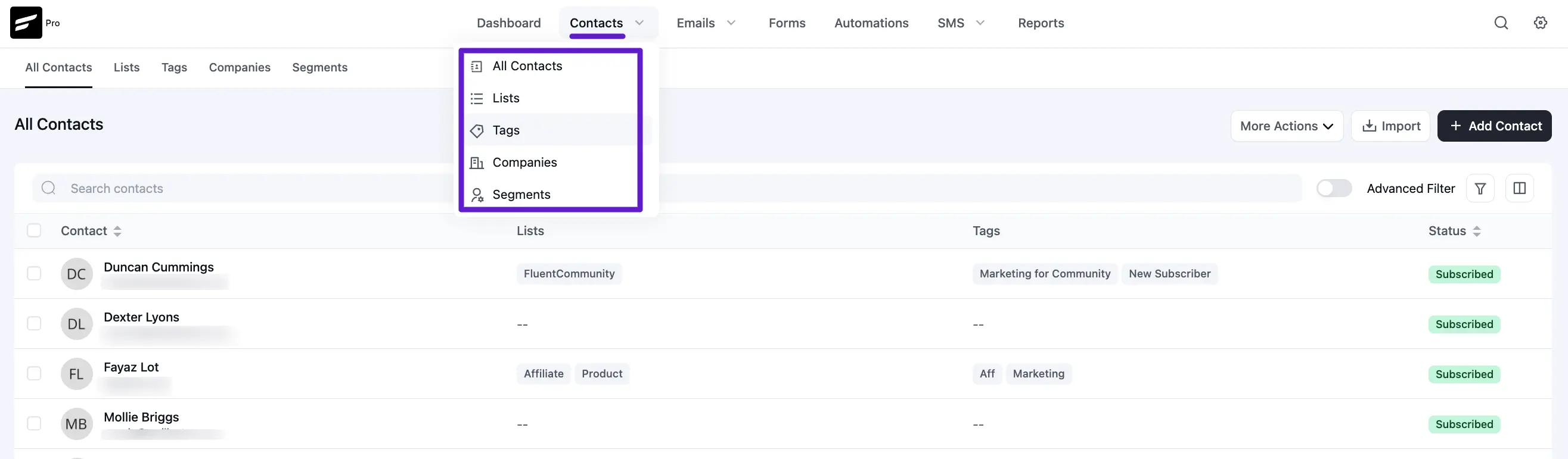
In FluentCRM, segmentation is divided into two primary methods: General Segments (Lists and Tags) and Dynamic Segments. This article will guide you through the process of using these features to organize your audience.
General Segments: Lists & Tags
The most fundamental way to segment contacts in FluentCRM is by using Lists and Tags. These are static markers you apply to contacts based on their source or behavior.
1. Lists:
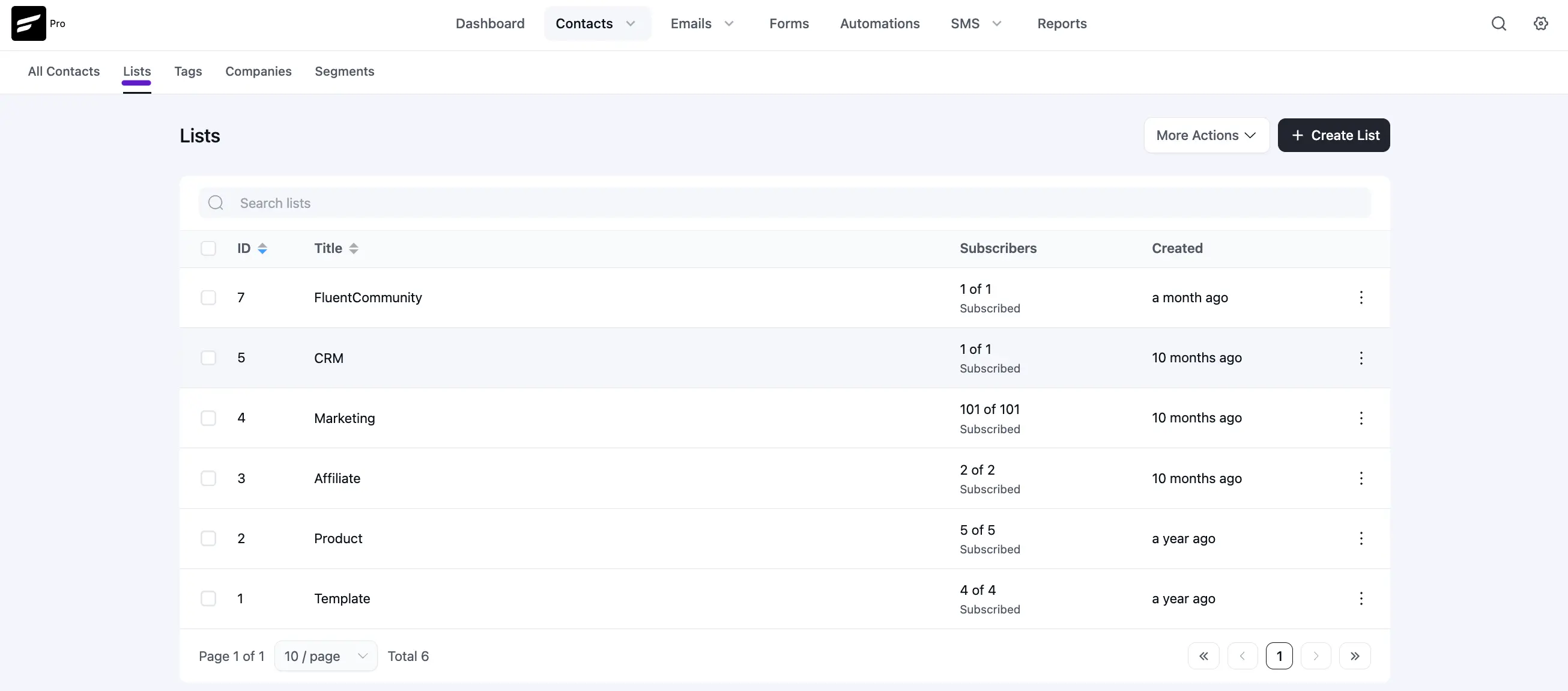
Lists are used for broad categorization. For example, you might have lists for "Newsletter Subscribers" or "VIP Customers."
- Navigate to Contacts ➜ Lists to manage them.
- You can view the total number of contacts and their subscription status at a glance.
2. Tags:
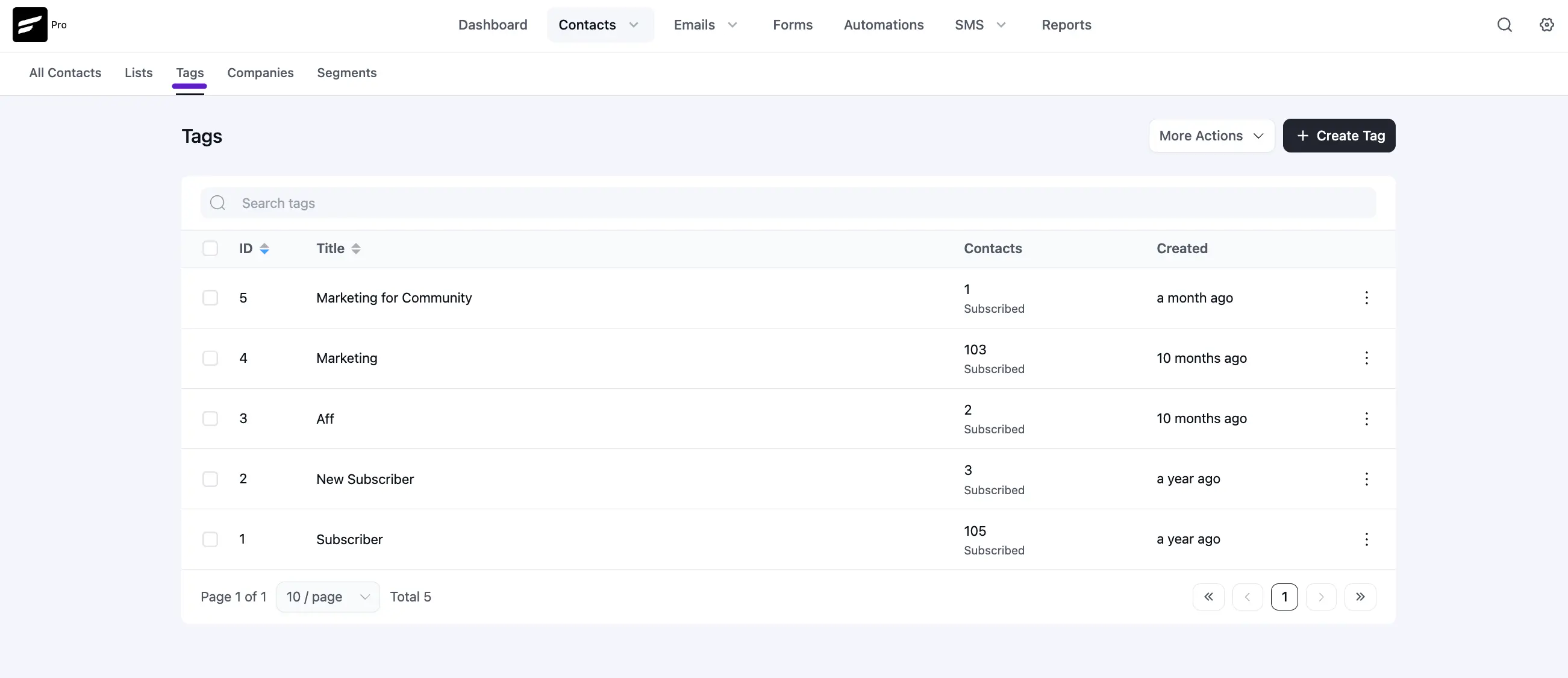
Tags offer granular internal labeling. A contact can belong to one list but have multiple tags like "Clicked Promo," "Abandoned Cart," or "Webinar Attendee."
- Navigate to Contacts ➜ Tags to create or edit your labels.
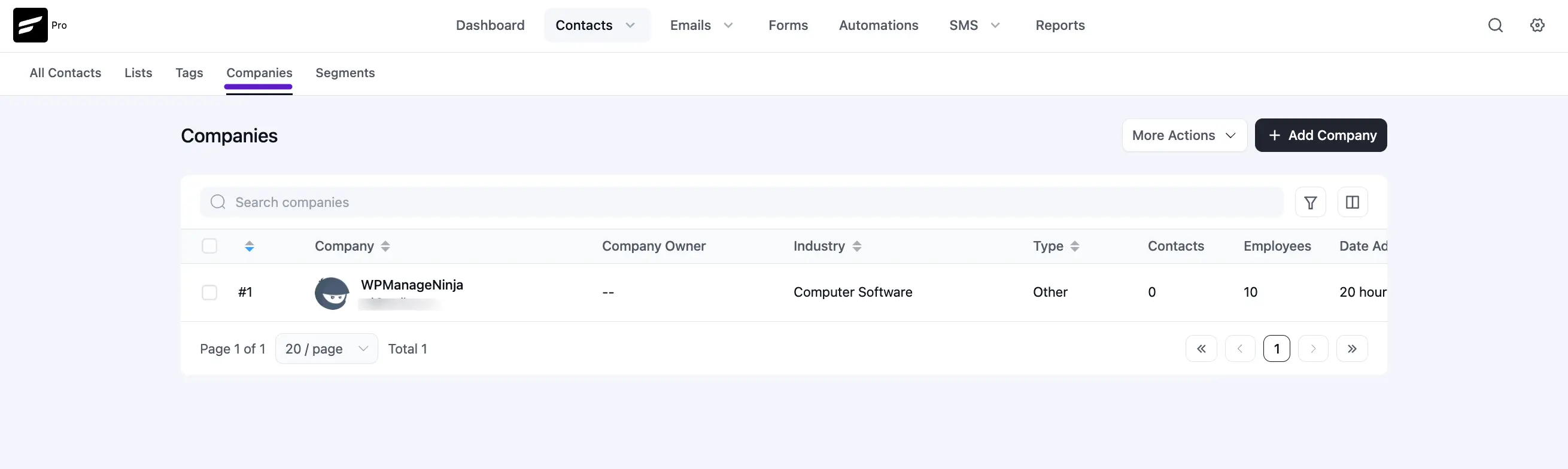
3. Company Segments
If you have enabled the Company Module, you can segment your audience based on their organizational affiliation. This is essential for B2B marketing.
- Navigate to Contacts ➜ Companies.
This segment allows you to group contacts under a specific business entity.
You can filter contacts by their assigned company, allowing you to send targeted campaigns to everyone working at a specific organization.
Dynamic Segments
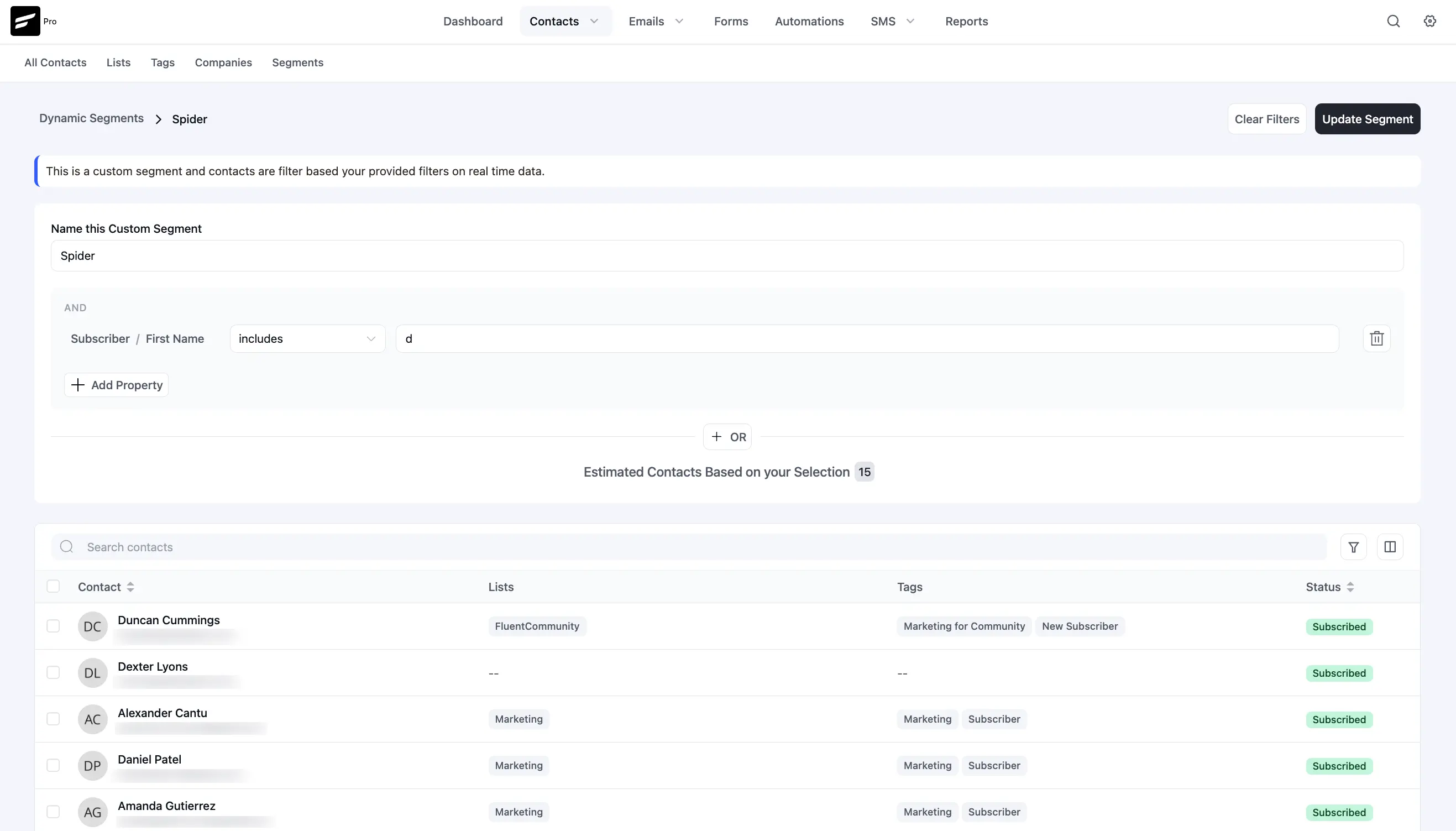
Dynamic Segments are advanced, real-time filters. Unlike Lists, Tags, or Companies, which are static, Dynamic Segments update automatically as soon as a contact meets your specified criteria.
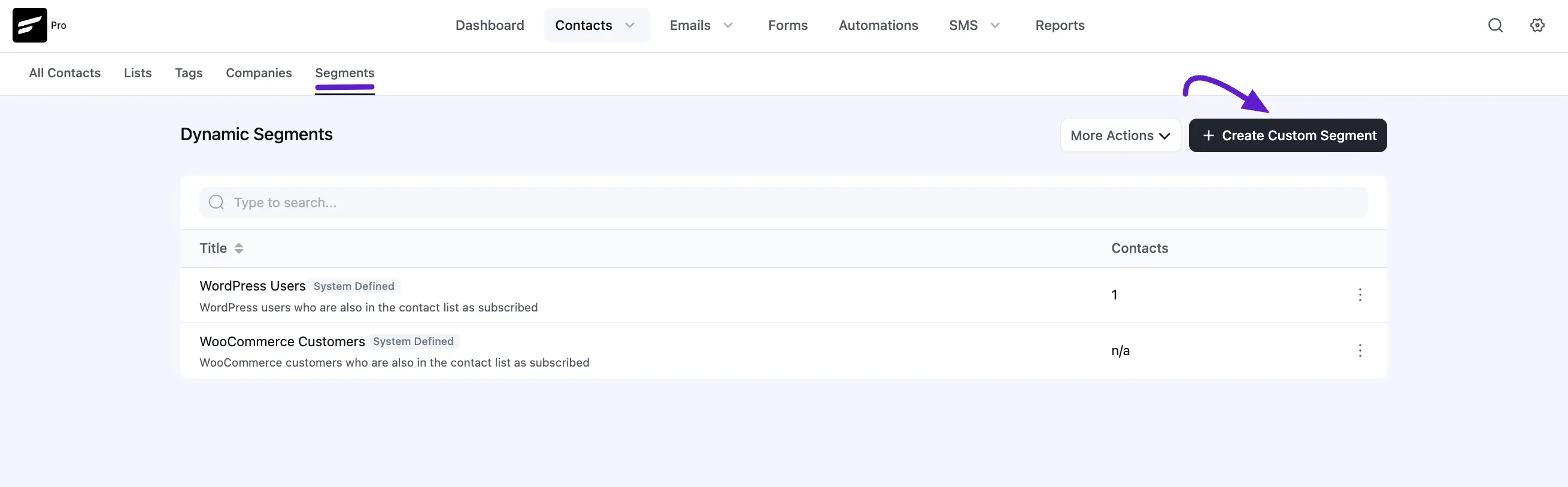
In FluentCRM v3, Dynamic Segments has its own dedicated menu item under Contacts → Segments alongside Lists, Tags, and Companies, making it easier to find and manage.
Built-in Dynamic Segment types (Pro)
In addition to Custom Segments (which you build with the filter UI), FluentCRM Pro adds purpose-built segment types that update automatically as integration data changes:
- WordPress Users – any WordPress user who matches a role/criteria.
- WooCommerce Customers – customers based on order history, status, or product.
- WooCommerce Active Subscribers – members of an active WooCommerce subscription.
- EDD Active Customers – customers with a current Easy Digital Downloads license/subscription.
- PMPro Members – members of one or more Paid Memberships Pro levels.
- AffiliateWP Affiliates – affiliates filtered by status (Active, Pending, etc.).
These types come with sensible defaults so you can spin up a useful audience in seconds.
Creating a Dynamic Segment
Go to Contacts ➜ Segments and click + Create Custom Segment (or pick one of the built-in types above).
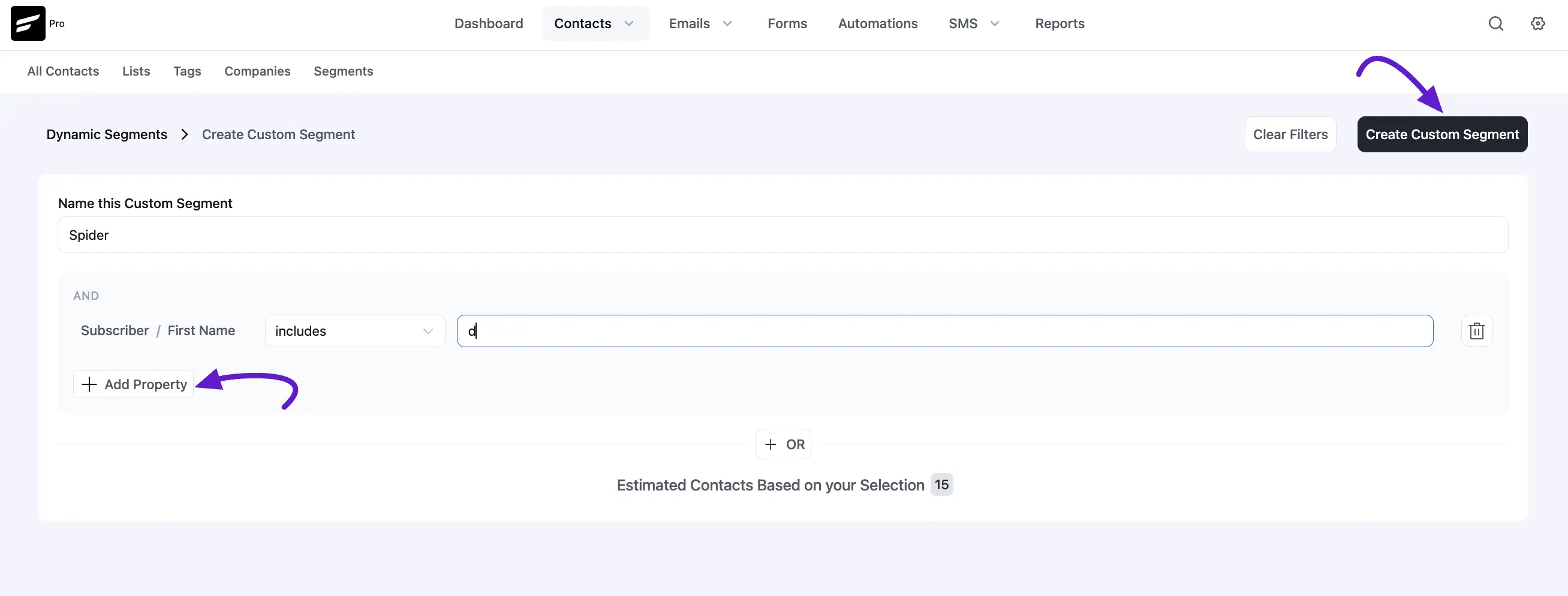
- Segment Name: Give your segment a descriptive title.
- Filter Logic: Use AND/OR logic to build complex rules.
- Available Filtering Categories: Contact Data: Filter by email, status, date added, or last activity.
- Company Data: Filter based on company properties like Industry or Location.
- Custom Fields: Use any custom data points you have created.
- Email Activities: Target contacts who opened or clicked specific links.
- WooCommerce/LMS Integrations: Filter by purchase history, total spend, or course progress.
If you do not put any conditions, all of your contacts available in the FluentCRM will be selected for the Dynamic Segment.
Once you are done with the Data Selection and Conditions please click on Create Custom Segment button on the top right corner.
That's all about segmenting contacts in FluentCRM. Dynamic Segments is a powerful feature that selects contacts automatically as your data changes. To get the most out of it, check the Advanced Filtering guide to build precise conditions for your segments.