
Appearance
BuddyBoss integration with FluentCRM
BuddyBoss is a very popular open-source solution for building online communities within no time! FluentCRM's BuddyBoss Integration allows you to import your BuddyBoss members, view people's BuddyBoss groups, and segment them by lists and tags. You can also create email campaigns, sequences, and tag-based automation to automate email marketing for your online community that's powered by BuddyBoss.
Importing BuddyBoss members
Importing your BuddyBoss members is easier with FluentCRM’s contact importing system. First, go to your FluentCRM dashboard and hit the Import button. This brings up a contact import pop-up from where you can choose BuddyBoss as the source of your import and click Next.
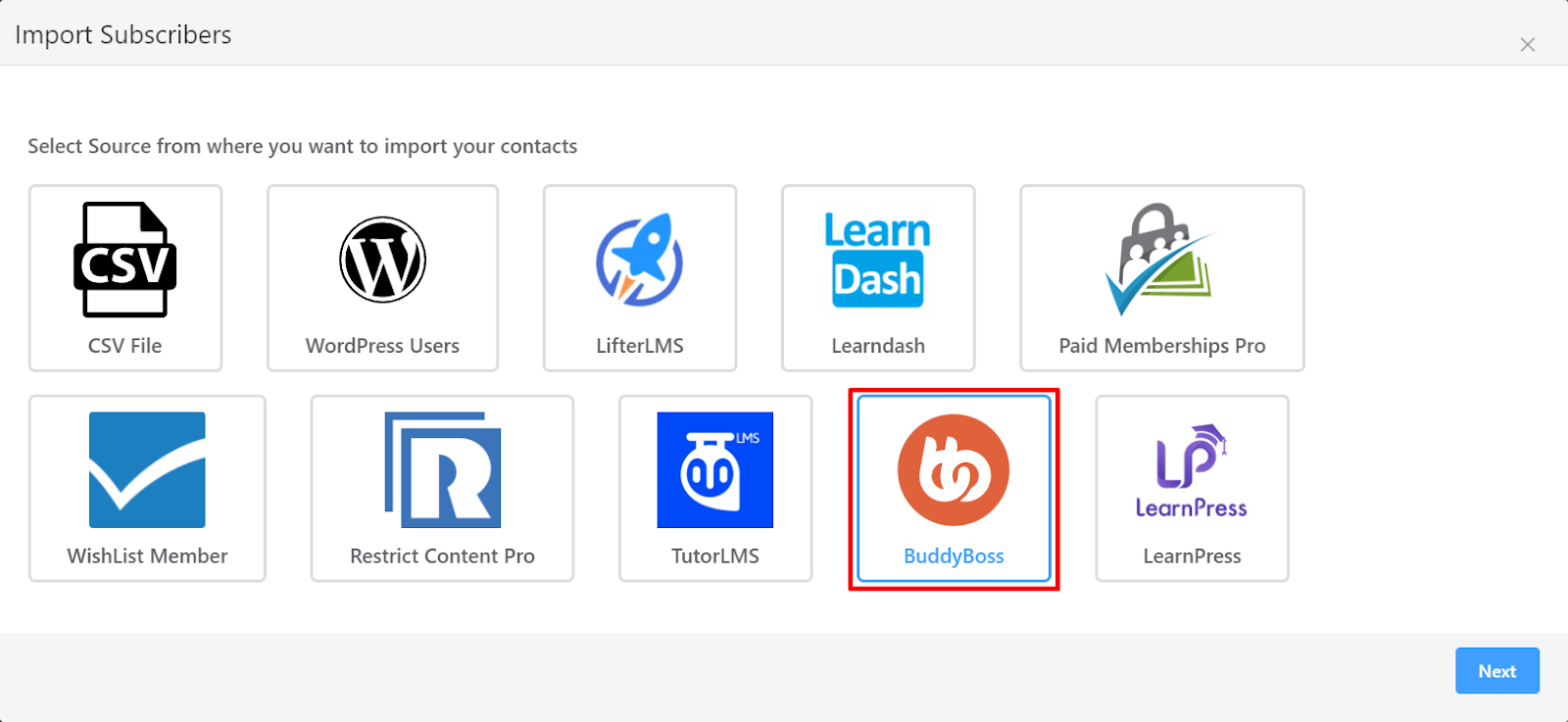
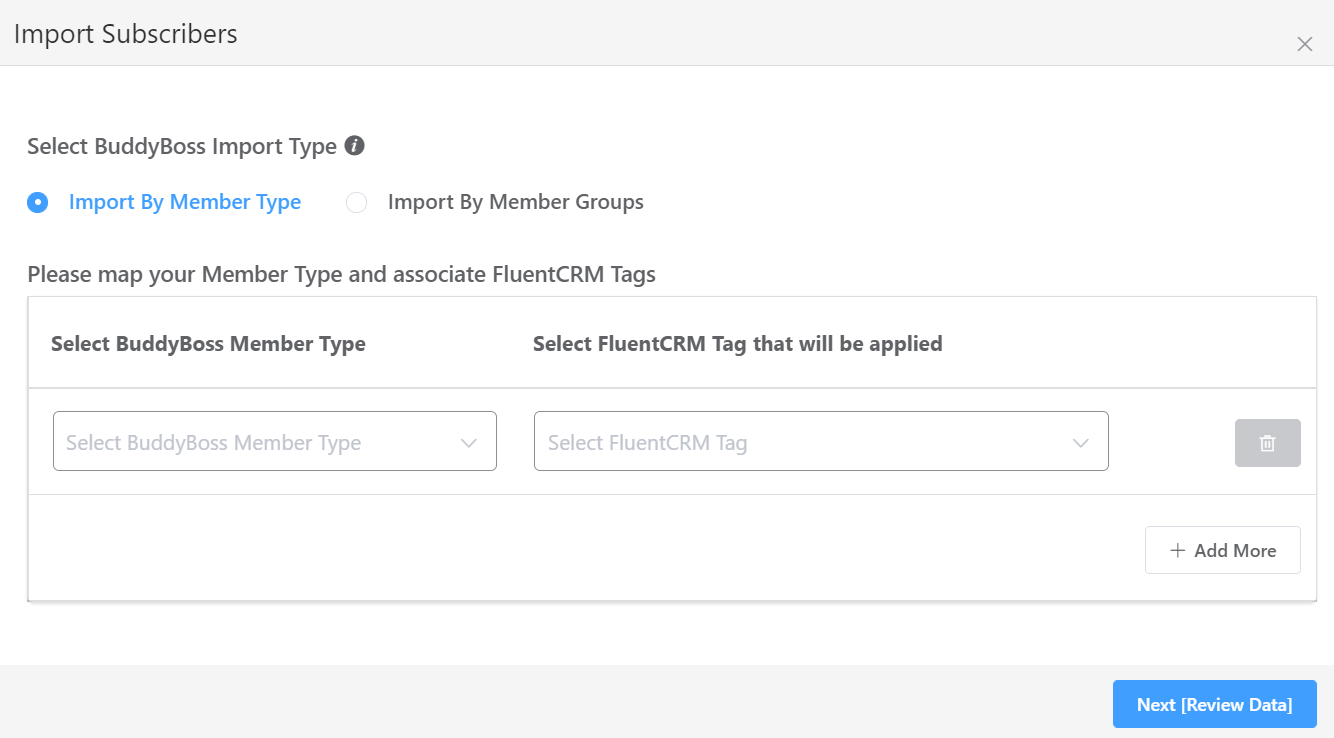
In the next step, choose whether you want to Import by Member Type or by Member Groups. You’ll be also required to select BuddyBoss Member Type/Group depending on your selection. Make sure to select FluentCRM tags that you want to apply.
In the next step, FluentCRM will import all your BuddyBoss contacts. You can also Apply Lists and set the subscription status of these contacts.
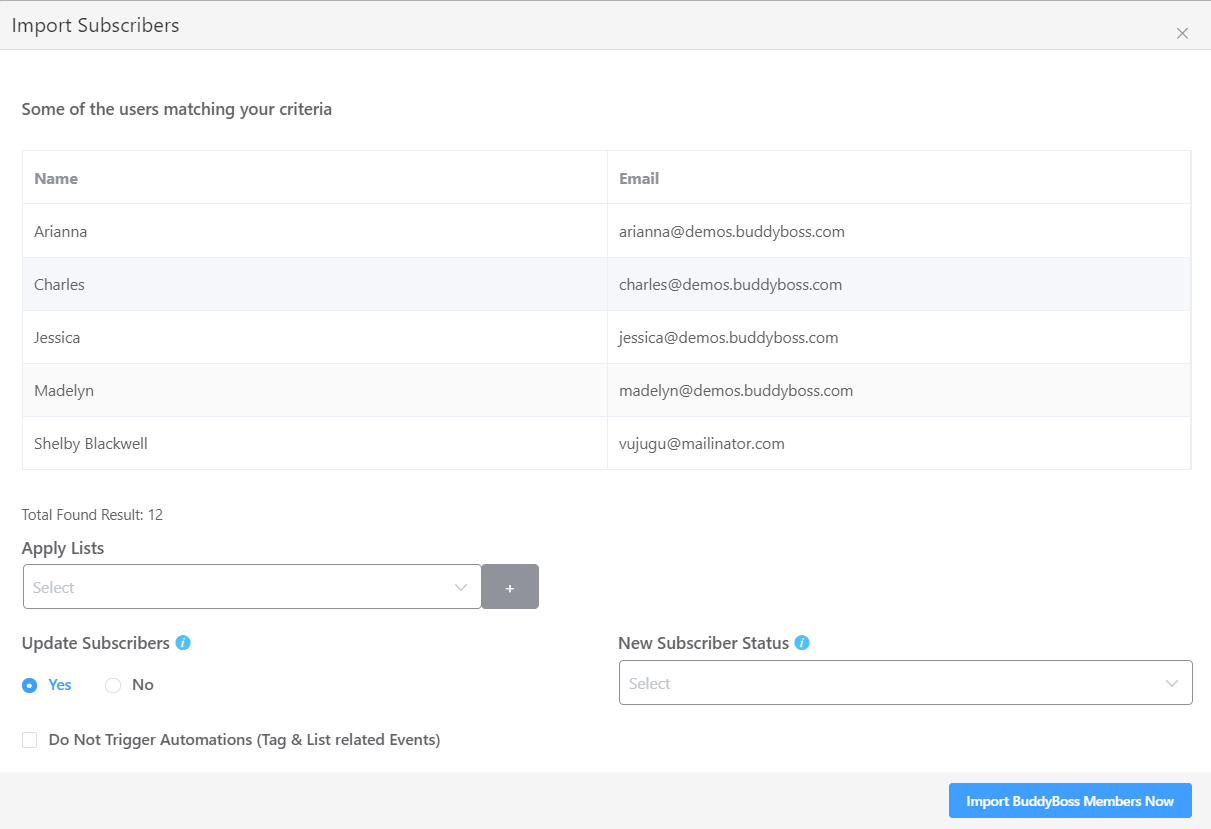
If you have any automation running for the tags you applied to the new contacts you can also disable any list/tag-based automation by keeping the Do Not Trigger Automations radio button checked.
Contact Segmentation
FluentCRM also helps you set up automated tagging for BuddyBoss Profile Types and Groups. This simply means you can set up tagging while you’re editing a BuddyBoss profile type or group and contacts will get that tag without you even doing anything!
Pro-Tip: You can set up automation funnels with the Tag Trigger to automate emails for new contacts.
Setting up tags in a BuddyBoss profile type:
BuddyBoss allows for creating multiple profile types for the audience. While creating or editing a profile type, you’ll notice FluentCRM metabox as we’ve shown in the below screenshot:
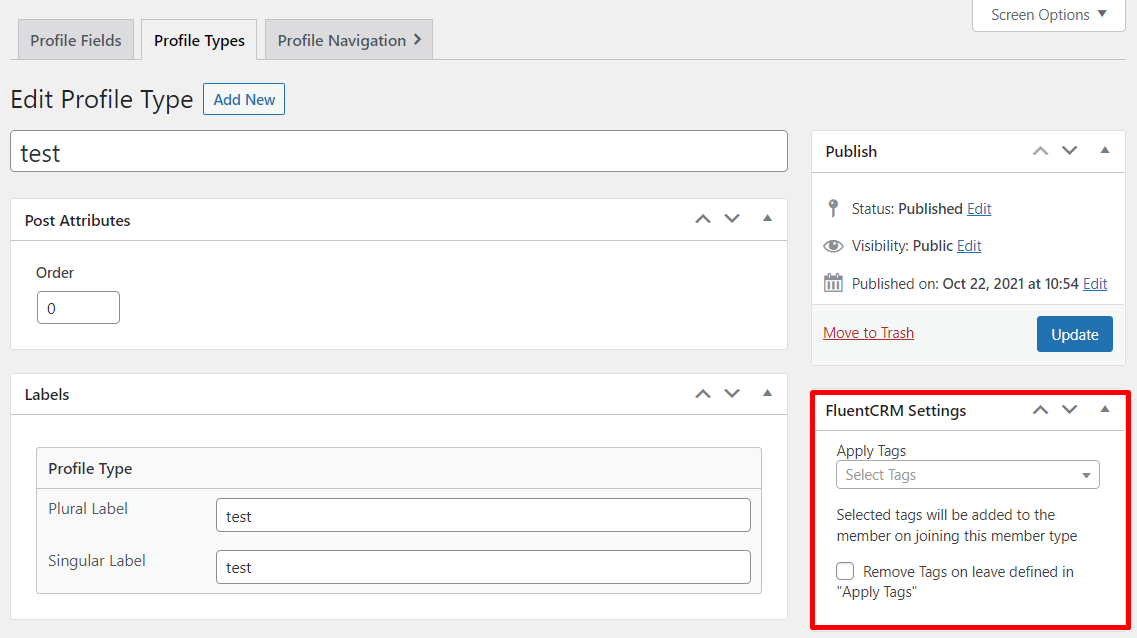
From here, you can set the tags to apply when the system found a user with the specified profile type. You can also enable the checkbox to remove the tags when a user leaves the profile type.
Setting up tagging for BuddyBoss group members
BuddyBoss also allows users to create groups. You can set up automated tagging for BuddyBoss group members. Upon setting up, new group members will get the tags you’ve specified. For setting up tagging for new BuddyBoss group members, you’ll see a FluentCRM metabox as shown below:
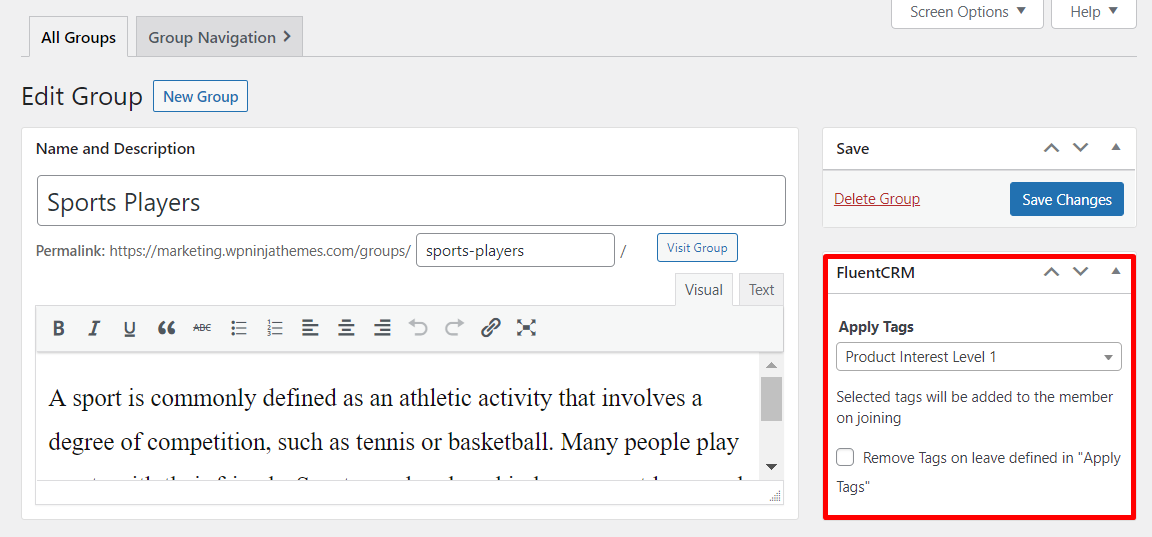
On this metabox, you can set tags to apply when members join the group and you can also enable the checkbox to remove tags on group leave.
Essentially, such flexible tagging means you can start creating email campaigns and set up email marketing automation funnels by selecting FluentCRM’s tag applied and tag removed triggers.