
Appearance
Ecommerce Triggers
FluentCRM provides powerful automation triggers for leading E-commerce Platforms like WooCommerce, FluentCart, SureCart, and Easy Digital Downloads (EDD). These triggers allow you to start dynamic marketing funnels based entirely on your customers' shopping behavior and purchase history.
Note: FluentCart triggers ship with FluentCRM core (free) – no Pro upgrade required. WooCommerce, SureCart, EDD, and AffiliateWP triggers require FluentCRM Pro. The respective e-commerce plugin must be installed and activated on your site.
Here is everything you need to know to automate your e-commerce workflows!
Access Ecommerce Triggers
Finding and selecting your e-commerce triggers is simple and fast.
- Go to FluentCRM → Automations from your WordPress dashboard.
- Click the blue + Create Automation button in the top right corner.
- A window titled Automation Templates will pop up.
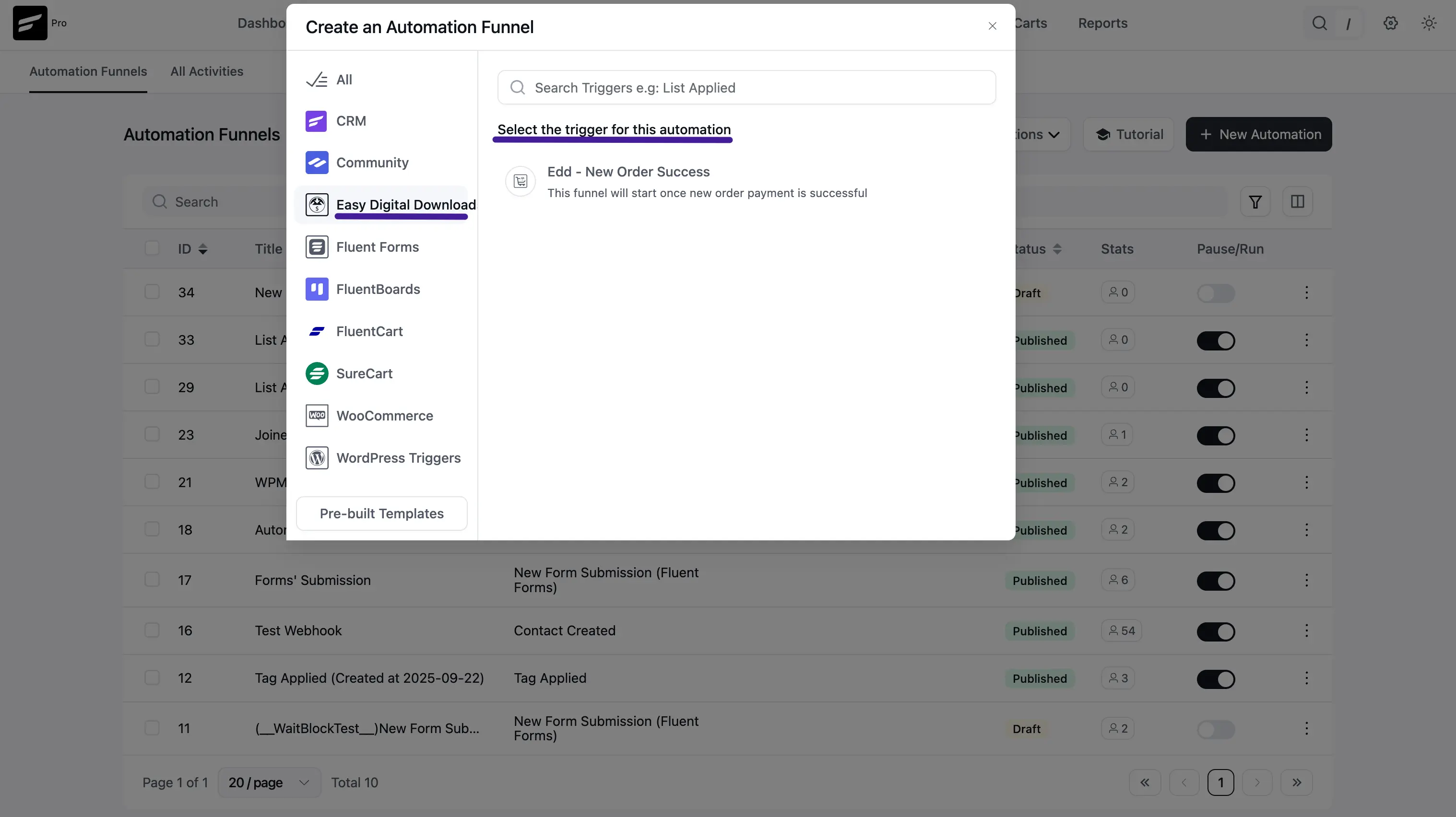
- On the left sidebar, look for the e-commerce platform you are using (WooCommerce, SureCart, Easy Digital Downloads, or AffiliateWP). Clicking any of these will display the available starting triggers for that platform!
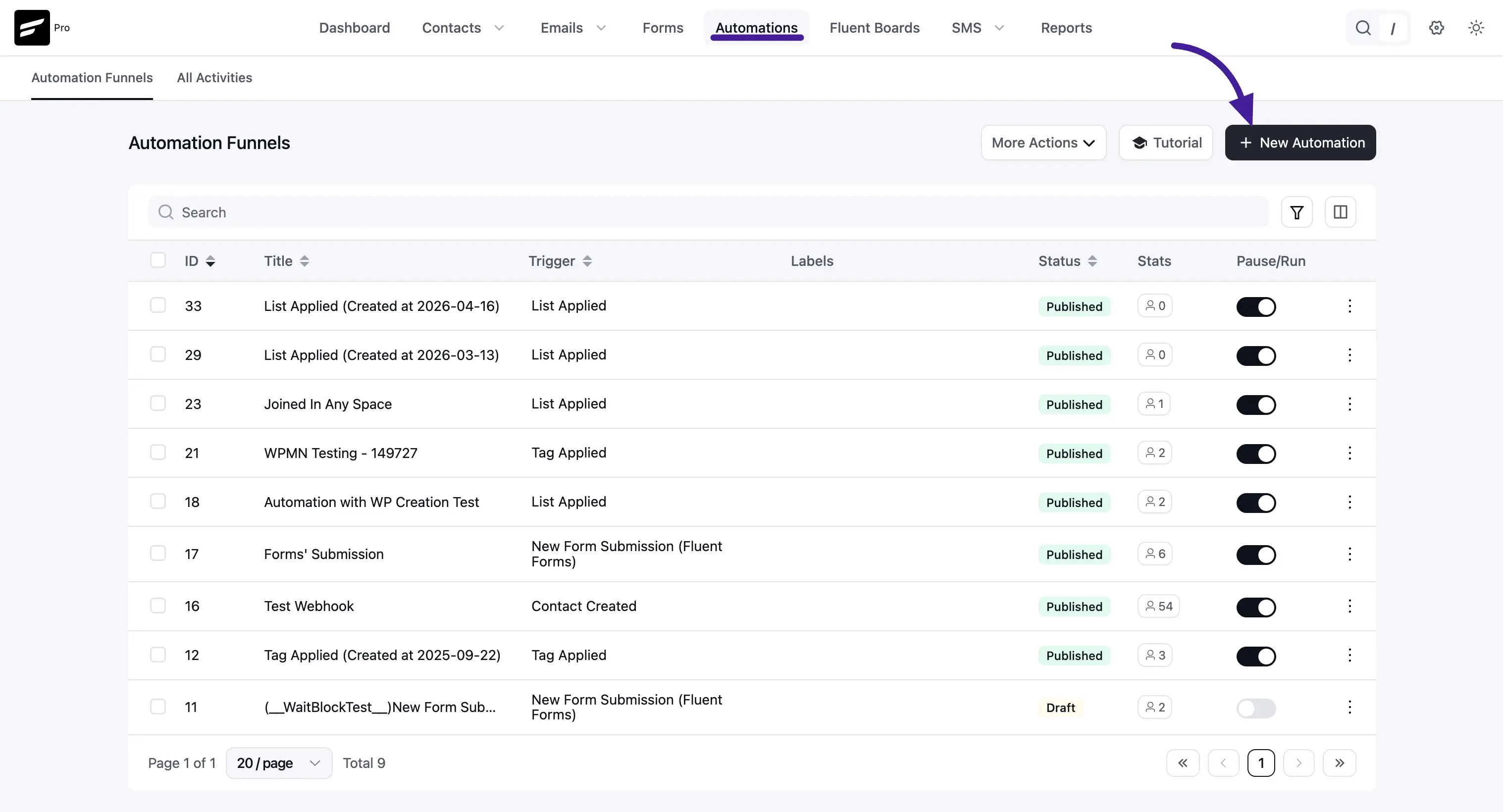
1. WooCommerce Triggers
WooCommerce is deeply integrated with FluentCRM. Clicking the WooCommerce tab reveals 6 distinct triggers to kick off your marketing funnels:
- New Order: This funnel starts the moment any new order is placed in your store.
- Order Processing: This starts when a customer's order status changes to "Processing" (typically right after a successful payment). Perfect for sending order confirmation or "what to expect next" emails.
- Order Completed: This funnel starts when an order is officially marked as "Completed." Ideal for sending product onboarding guides or requesting a review.
- Order Refunded: This starts if an order is refunded. You can use this to automatically add a "Refunded" tag and remove the customer from promotional sequences.
- Order Status Changed: This funnel allows you to trigger an action when an order moves from any specific status to another (e.g., from Processing to Completed).
- Cart Abandoned: This powerful trigger starts when a user leaves items in their cart without checking out. Use this to send automated cart recovery emails to boost your sales!
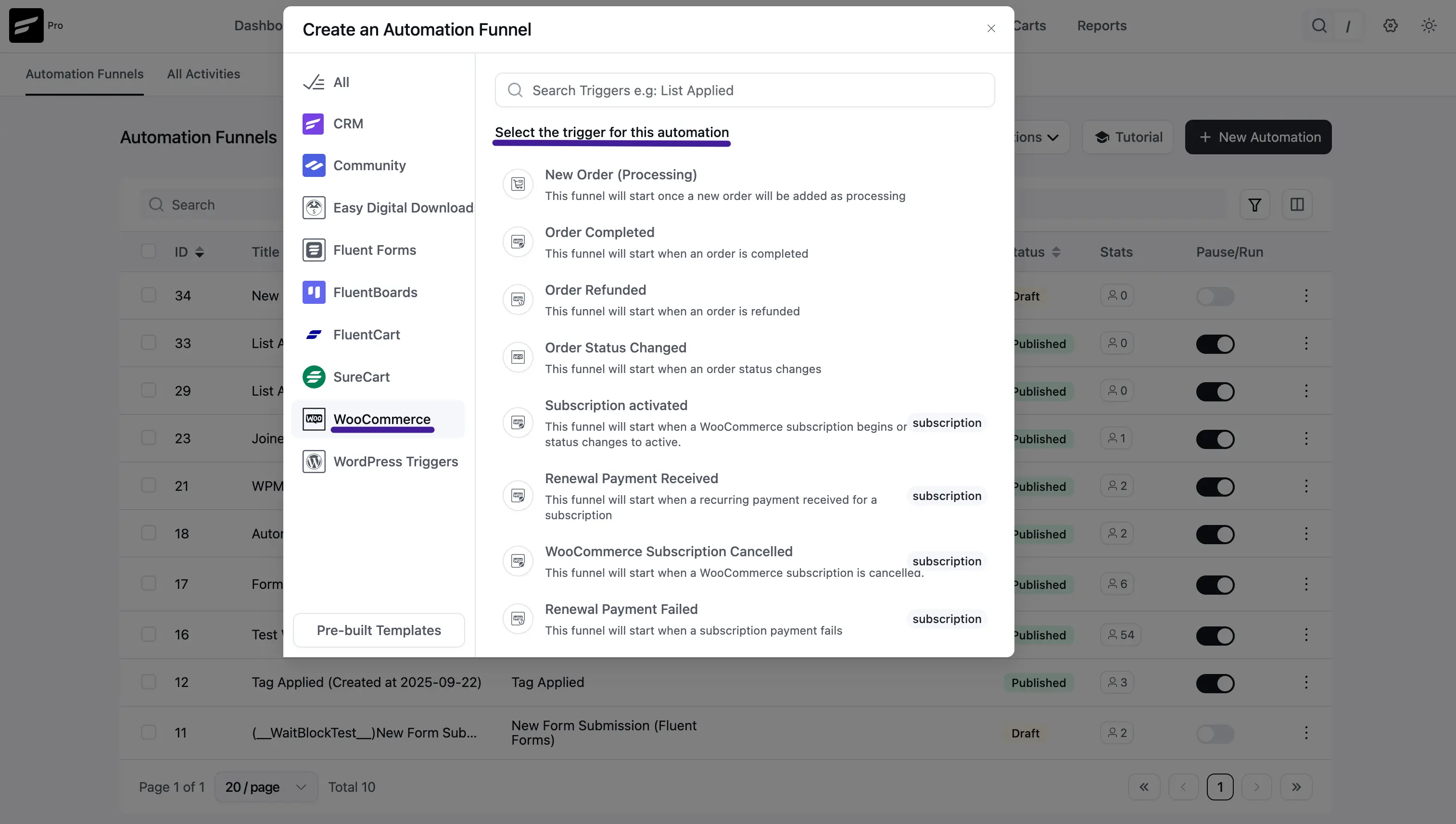
2. FluentCart Triggers (included in FluentCRM core)
FluentCart includes dedicated order, subscription, and abandoned-cart triggers so you can automate post-purchase and lifecycle communication from one place. These triggers ship with the free FluentCRM plugin – you do not need FluentCRM Pro to use them.
Available FluentCart triggers include:
- Order Paid (Payment/Subscription): Runs when a successful order is created.
- Order Shipped: Runs when an order is marked as shipped.
- Order Delivered: Runs when an order is marked as delivered.
- Order Refunded (Full): Runs when an order is fully refunded.
- Order Canceled: Runs when an order is canceled.
- Order Status Changed: Runs when a FluentCart order moves between statuses.
- Subscription Activated: Runs when a subscription becomes active.
- Subscription Cancelled: Runs when a subscription is canceled.
- Subscription Renewed: Runs after a successful subscription renewal.
- Subscription Expired / End of Access Validity: Runs when subscription access ends.
- Cart Abandoned (FluentCart): Runs when a FluentCart cart is left without checkout. See FluentCart Abandon Cart Automation for the full walkthrough.
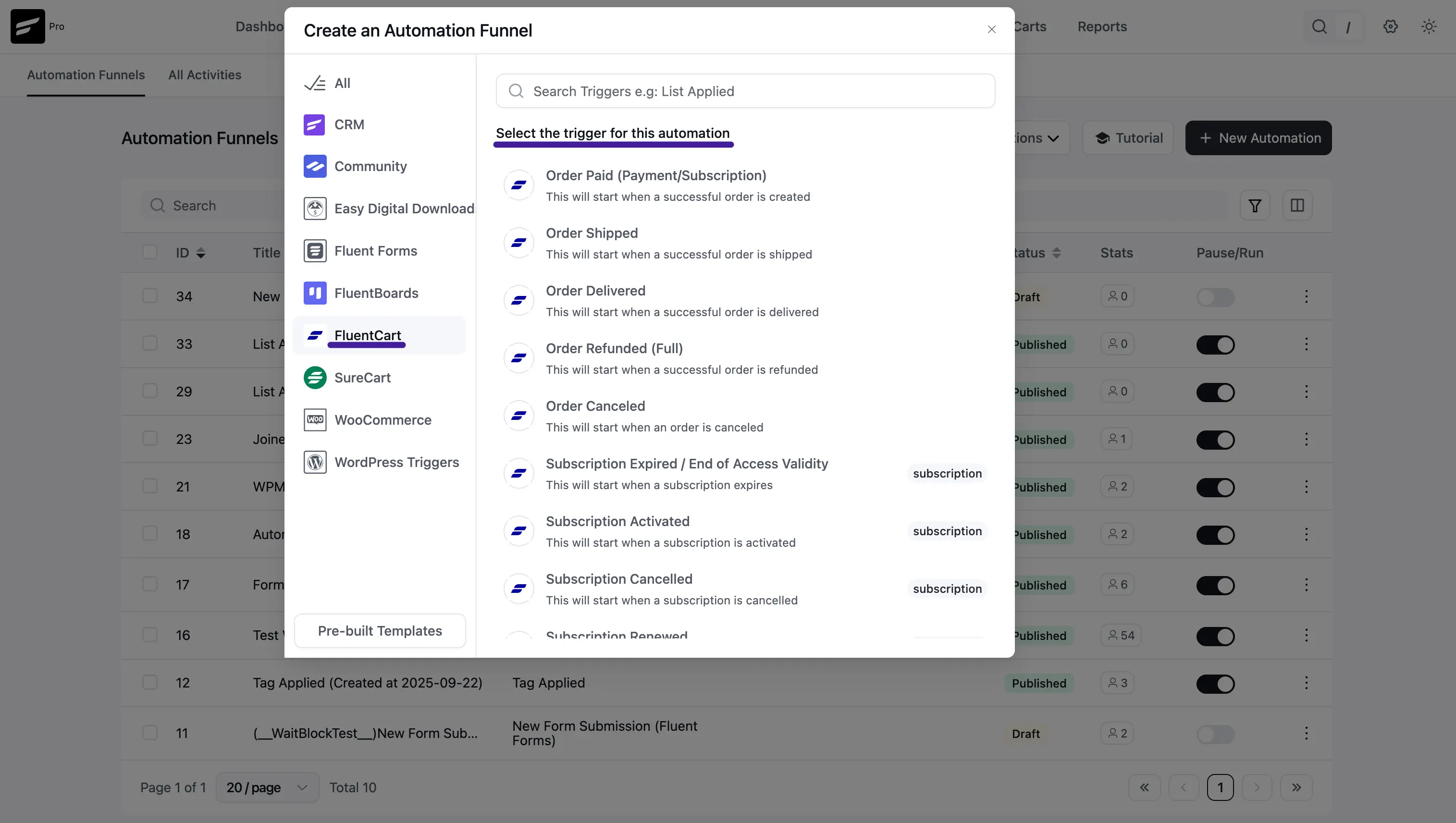
3. SureCart Triggers
NOTE
SureCart triggers require FluentCRM Pro. The SureCart plugin must be installed and activated on your site.
FluentCRM provides 2 dedicated triggers for SureCart stores:
SureCart - New Order Success
This funnel starts when a customer successfully completes a SureCart payment — whether for a one-time product or a recurring subscription. Use it to send a welcome email, deliver purchase access, or kick off an onboarding sequence.
Settings:
- Subscription Status: The contact status required to enter this funnel (e.g., Subscribed).
- If Contact Exists: Choose what happens when the contact already exists in FluentCRM — update their data, or skip the update.
- Target Products: Select one or more SureCart products. The funnel only fires if the customer purchased one of the selected products. Leave blank to trigger for any product.
- Restart the Automation: Allow the same contact to re-enter this funnel on future purchases.
SureCart - Order Revoked
This funnel starts when a SureCart order or subscription is revoked or refunded. Use it to remove product access tags, pause email sequences, or send a win-back campaign.
Settings:
- Subscription Status: The contact status required to enter this funnel.
- If Contact Exists: How to handle existing contact data on trigger.
- Target Products: Limit the trigger to specific SureCart products. Leave blank to fire for any revoked order.
- Restart the Automation: Allow re-entry into this funnel for future revoked orders.
4. Easy Digital Downloads (EDD) Triggers
NOTE
EDD triggers require FluentCRM Pro. The Easy Digital Downloads plugin must be installed and activated. The Renewal Payment Received trigger additionally requires the EDD Recurring Payments add-on. The License Expired trigger additionally requires the EDD Software Licensing add-on.
FluentCRM provides 4 dedicated triggers for EDD stores:
New Order Success
This funnel starts immediately when a new EDD payment is marked successful (status changes to publish, complete, or completed). Use it to deliver digital downloads, send license keys, or start an onboarding sequence.
Settings:
- Subscription Status: The contact status required to enter this funnel.
- If Contact Exists: Choose how to handle existing contact data.
- Target Products: Select specific EDD products (downloads). Leave blank to trigger for any product.
- OR Target Product Categories: Select EDD download categories as an alternative condition.
- Purchase Type: Filter by purchase history:
- Any type of purchase — runs for all customers.
- Only for First Purchase — runs only on a customer's very first EDD order.
- From 2nd Purchase — runs for returning customers only.
- Restart the Automation: Allow the contact to re-enter this funnel on future purchases.
Payment Refunded
This funnel starts when an EDD payment is refunded. Use it to remove product access, pause delivery sequences, or tag the contact for follow-up.
Settings:
- Subscription Status: The contact status required to enter this funnel.
- If Contact Exists: How to handle existing contact data.
- Target Products: Limit the trigger to specific EDD products. Leave blank for any product.
- OR Target Product Categories: Alternatively filter by EDD download category.
- Purchase Type: Optionally limit to first-time buyers or returning customers.
- Restart the Automation: Allow re-entry on future refunds.
Renewal Payment Received
NOTE
This trigger requires the EDD Recurring Payments add-on.
This funnel starts when a renewal payment is successfully received for an active EDD recurring subscription. Use it to send a renewal confirmation, update loyalty tags, or trigger a thank-you sequence.
Settings:
- Subscription Status: The contact status required to enter this funnel.
- If Contact Exists: How to handle existing contact data.
- Target Products: Limit the trigger to specific EDD subscription products. Leave blank for any product.
- OR Target Product Categories: Alternatively filter by download category.
- Restart the Automation: Allow re-entry on each successive renewal.
License Expired
NOTE
This trigger requires the EDD Software Licensing add-on.
This funnel starts when a software license associated with an EDD product expires. It fires only if the customer has no other active licenses for the same product. Use it to send an expiry notice, offer a renewal discount, or remove access tags.
Settings:
- Subscription Status: The contact status required to enter this funnel.
- Target Product: Select a single EDD product whose license expiry should trigger this funnel. Leave blank to trigger for any product's expired license.
- Restart the Automation: Allow re-entry if the same license expires again in the future.
Configuring Your Ecommerce Trigger Settings
Once you click on any e-commerce trigger, a settings panel slides out from the right side of the screen. This is where you define the exact rules for your funnel.
The available settings vary by platform and trigger type, but the most common options across WooCommerce, SureCart, and EDD are:
- Internal Label & Description: Give your automation a clear name and a brief note so you can identify it later.
- Subscription Status: The FluentCRM contact status a person must have to enter this funnel (e.g., Subscribed).
- If Contact Exists: Choose whether to update or preserve existing contact data when the trigger fires for a known contact.
- Skip if Already Active: Check this to prevent a contact from re-entering the funnel if they are already running through it.
- Target Products: Select specific products to limit which purchases fire this trigger. Leave blank to trigger for all products.
- Target Product Categories: (WooCommerce and EDD only) Select product categories as an alternative or additional condition.
- Purchase Type: (WooCommerce and EDD only) Filter by whether this is the contact's first purchase, a returning purchase, or any purchase.
- Restart the Automation: Allow the same contact to re-enter this funnel on future qualifying events.
Once you finish configuring, click Save Settings to open the visual automation editor and build your sequence.