
Appearance
Bounce Handling with SparkPost
If you use SparkPost email service then use this documentation to set up Bounce handling with FluentCRM.
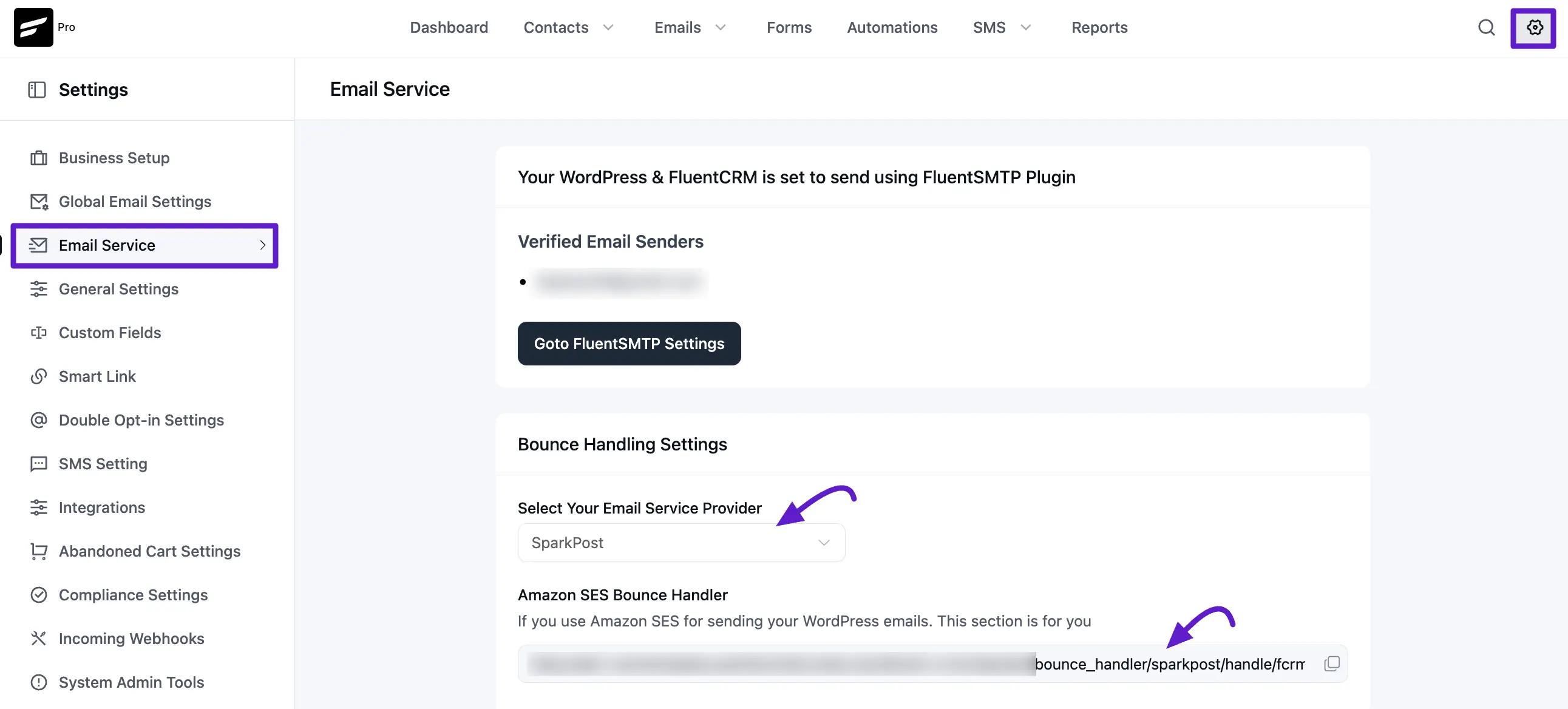
First copy the Webhook URL at FluentCRM -> Settings -> Email Service and Select SparkPost from the dropdown and copy the webhook URL.
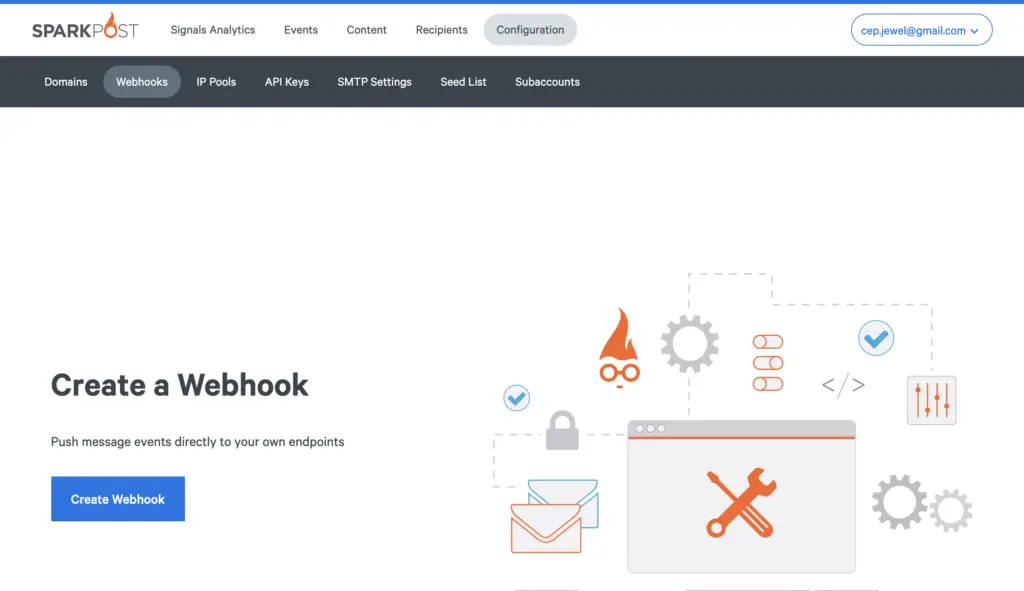
Then Login to your SparkPost account then navigate to Webhooks and click on Event Webhook.
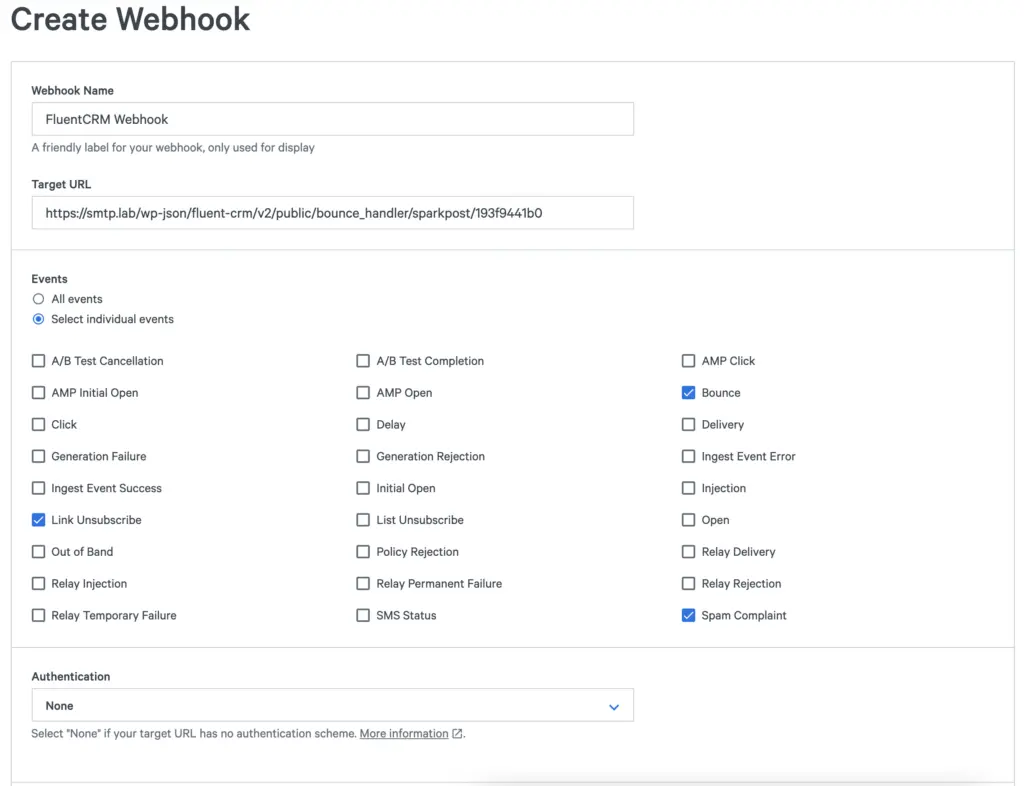
Then use the following data to setup the webhook
- Webhook Name -> Anything you want
- Target URL: Paste the Webhook Url copied from FluentCRM
- Events: Select Individual Events and then check only Link Unsubscribe, Bouce and Spam Complaint
- Authentication: None
Then Click "Create Webhook" button
If you set up these two webhook correctly, so whenever an email mark as a complaint or Detected as a bounced, Then FluentCRM will change the contact status accordingly.
Viewing Bounced Contacts
If you want to view bounced contacts, go to FluentCRM → Contacts. Then enable the Advanced Filter option. Click Add Property → Contact Segment → Status, and select Bounce.