Appearance
Bounce Handling with Postal Server
Postal Server is an open source that is ready to run your server. Managing bounced emails is critical for improving the availability of emails. This documentation describes how the Postal handles bounce messages with FluentCRM.
Setup Bounce Handling
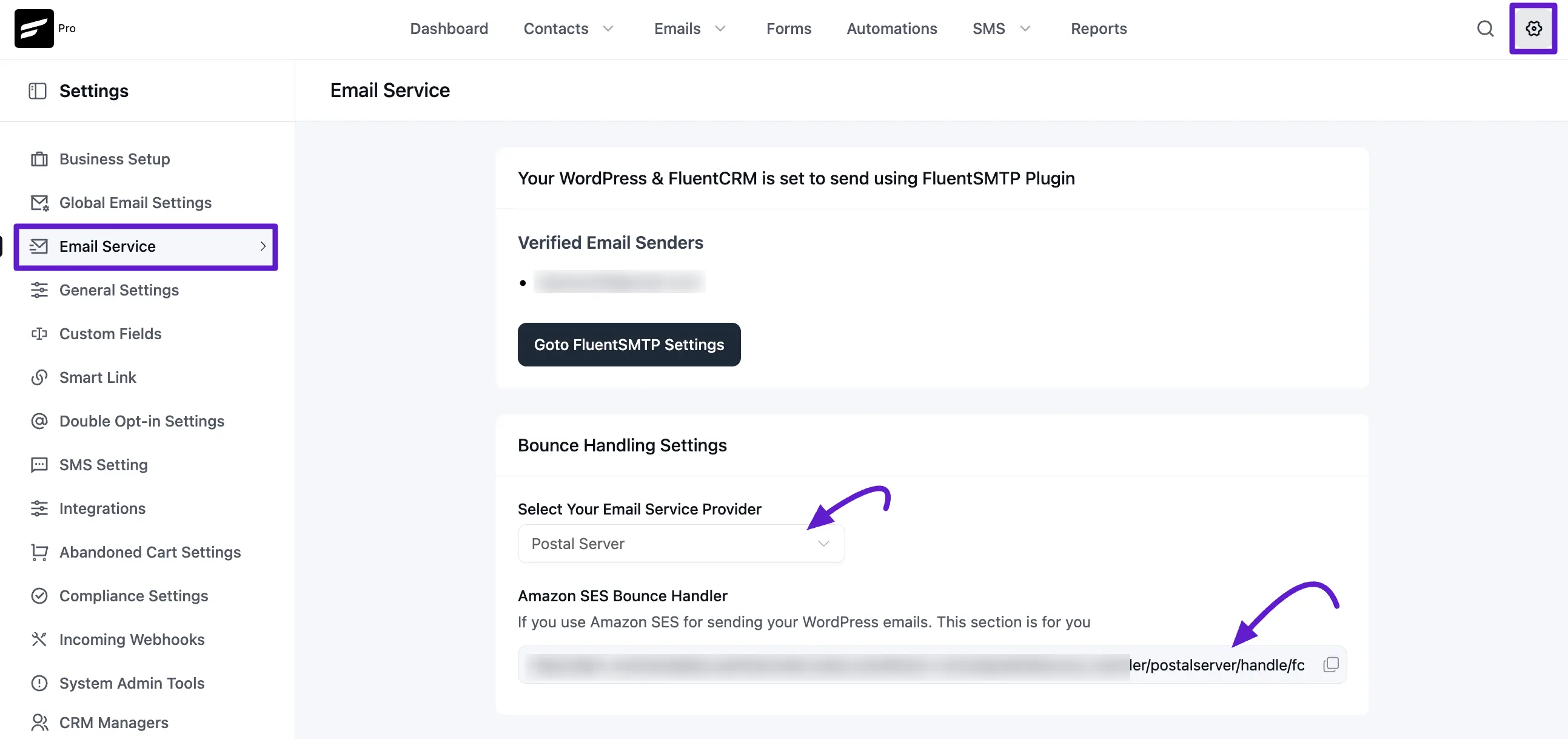
First, go to your FluentCRM dashboard, navigate to the Settings tab, and click the Email Service from the left sidebar.
Now Select your email service provider Postal Server from the drop-down menu. Next, copy the Postal Server Bounce Handler Webhook URL for later use.
Postal Server Webhook Settings
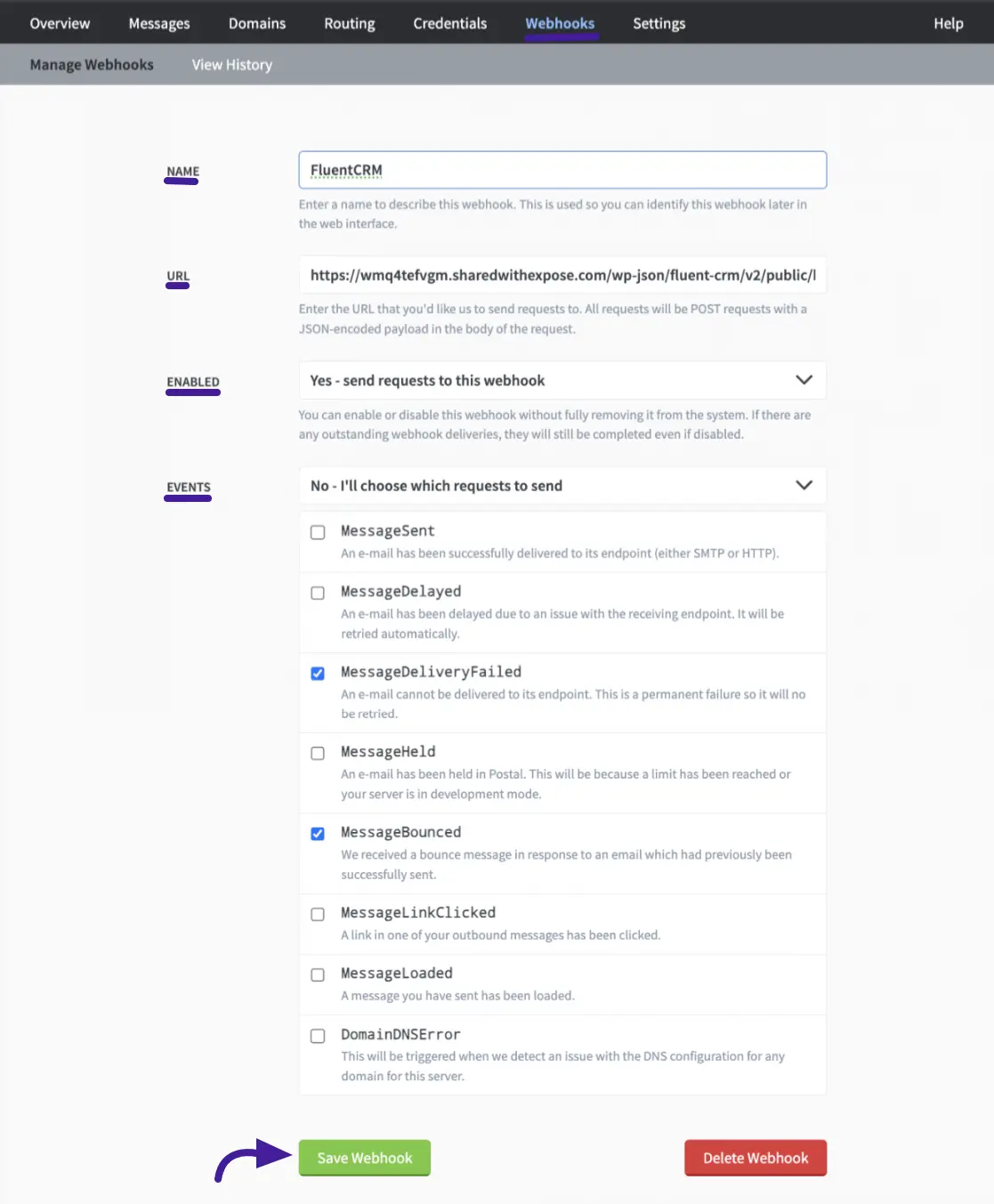
Now log in to your account or create a new Postal Server. Then navigate to the Webhooks settings section. Here you’ll see:
- Name: Enter a name to identify these Webhooks.
- URL: Paste the Webhook URL that you copied from your FluentCRM websites.
- Enabled: Here you’ll pick Yes- send requests to this webhook.
- Events: In this events section you’ll choose No-I’ll choose which requests to send. After that scroll down and select MessageDeliveryFailed and Message Bounced by tick the boxes.
Now click on the Save Webhook to save your webhook settings.
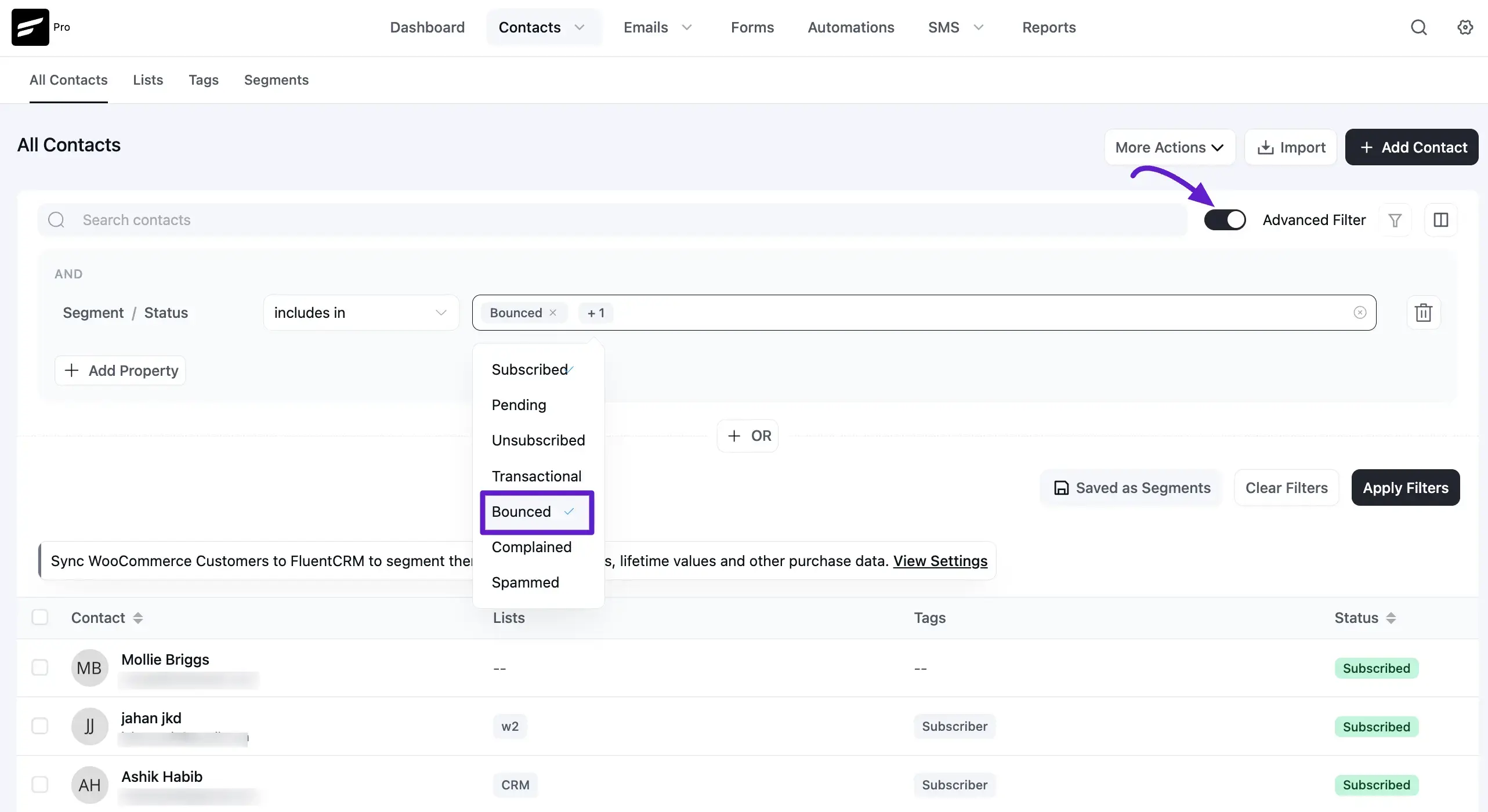
Viewing Bounced Contacts
If you want to view bounced contacts, go to FluentCRM → Contacts. Then enable the Advanced Filter option. Click Add Property → Contact Segment → Status, and select Bounce.