
Appearance
Smart Links
If you have ever used affiliate link tracking or URL redirects, you are already familiar with how this works. Smart Links allow you to redirect users to a target URL while simultaneously triggering FluentCRM actions. When a subscriber clicks a Smart Link, whether it's in an email, on your site, or shared directly—FluentCRM can automatically apply or remove tags and lists in the background.
Configuration
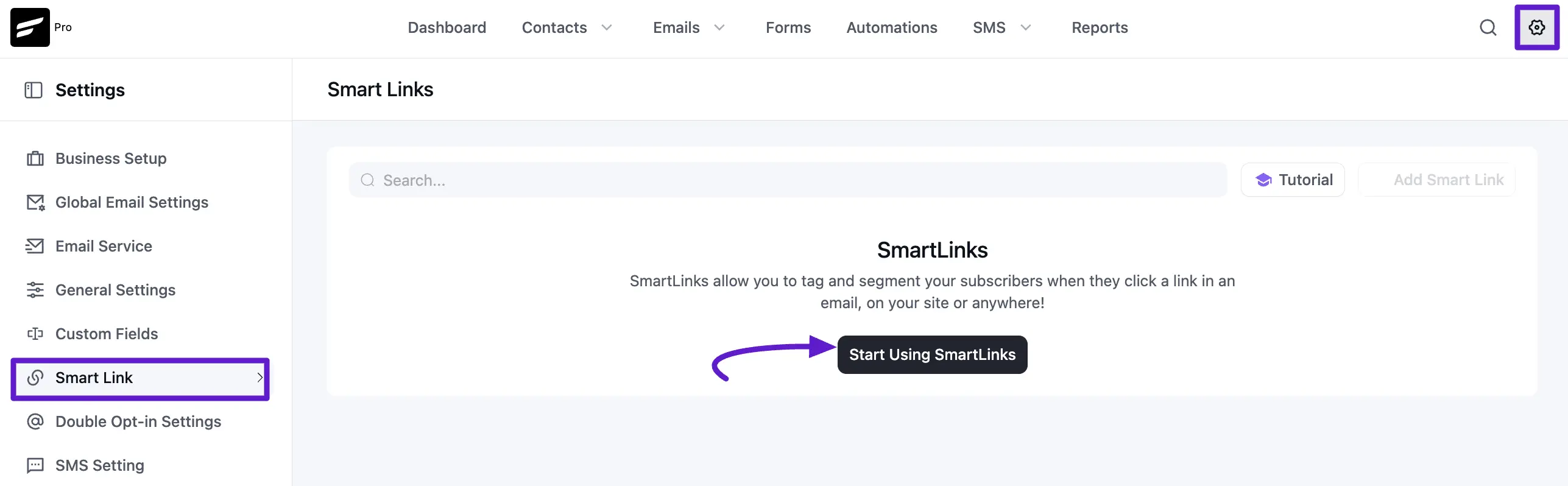
On a fresh FluentCRM installation, you can get started by navigating to the Smart Links dashboard and clicking Start Using SmartLinks or the + Add New Smart Link button.
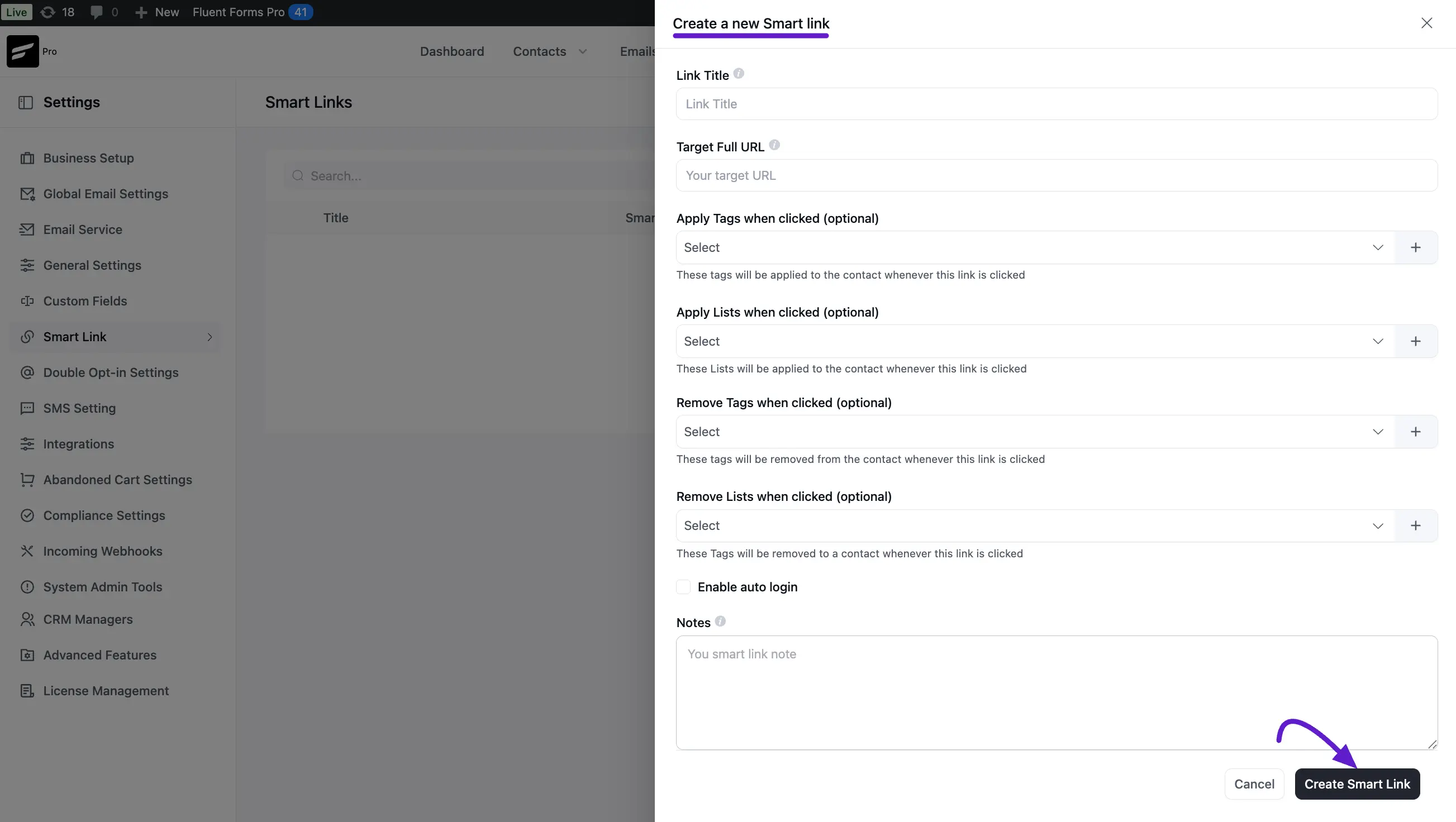
A popup will appear with several configuration options:
- Link Title: An internal name so you can easily identify the link later.
- Target Full URL: The destination where users will be redirected.
- Apply Tags/Lists: Tags or Lists that will be added to the contact upon clicking.
- Remove Tags/Lists: (Optional) Tags or Lists that will be removed from the contact upon clicking.
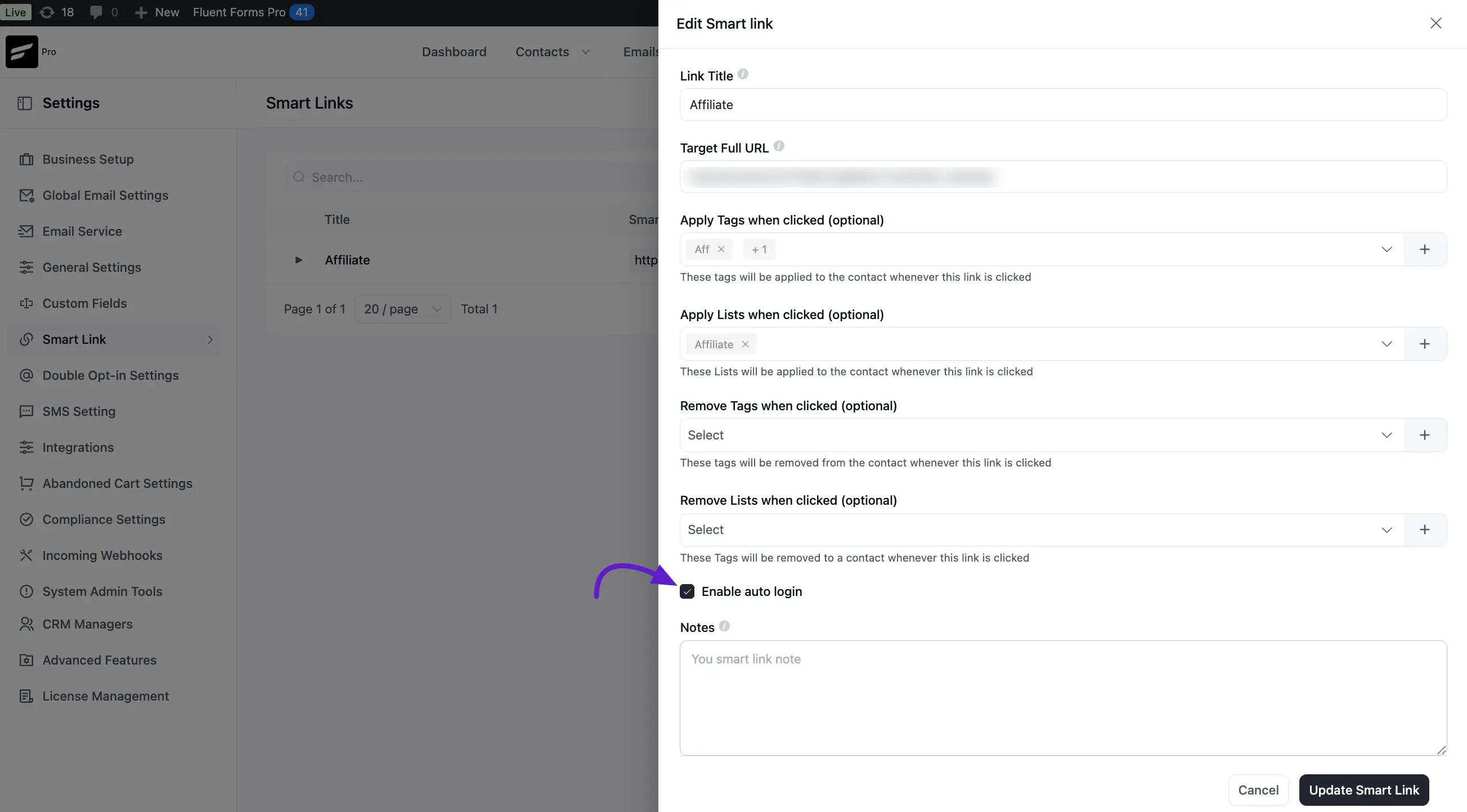
- Auto Login: Enables automatic WordPress login for users clicking from emails.
- Note: (Optional) Any internal notes regarding the purpose of this link.
Once configured, click Create Smart Link. FluentCRM will generate a unique URL for you to use.
Managing & Tracking Smart Links
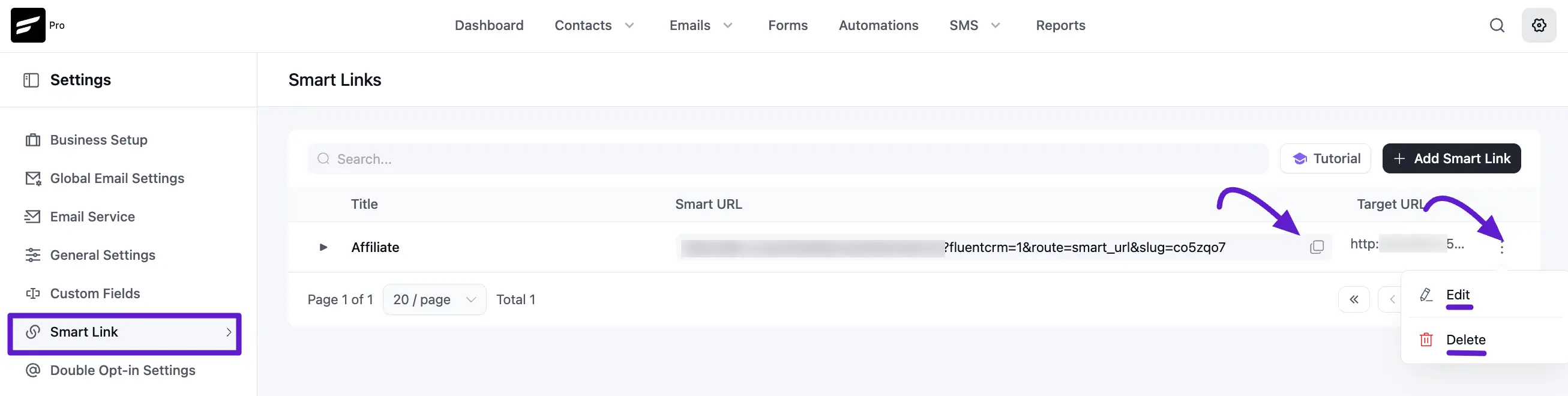
You can revisit the Smart Links Dashboard at any time to manage your links. From here, you can:
- Copy the URL: Use the copy button to grab the generated link for use in your campaigns.
- Edit or Delete: Modify the redirect target or actions, or remove the link entirely.
- View Statistics: Click the arrow on the right side of a Link Title to expand the stats.
Subscriber Clicks indicate clicks from identified/logged-in users, while Public User Clicks count anonymous or non-logged-in traffic.
Auto Login with Smart Links
The Auto Login feature is a powerful way to streamline the user experience. When enabled, clicking a Smart Link from an email will automatically log the user into their WordPress account before redirecting them. To ensure security and privacy, please note:
- Permissions: Users with high-level permissions (those with publish_posts capabilities, like Admins or Editors) will not be auto-logged in.
- Email Specific: For auto-login to work, the link must be clicked from a FluentCRM email campaign, as each link is uniquely signed for that specific contact.
That’s all you need to get started with Smart Links! You can now place these URLs anywhere to start automating your contact segmentation based on user behavior.