Appearance
WooCommerce Advanced Reports
FluentCRM provides an advanced reporting suite for WooCommerce, allowing you to bridge the gap between your store's sales performance and your marketing efforts. This dashboard offers a deep dive into revenue trends, customer growth, and product performance.
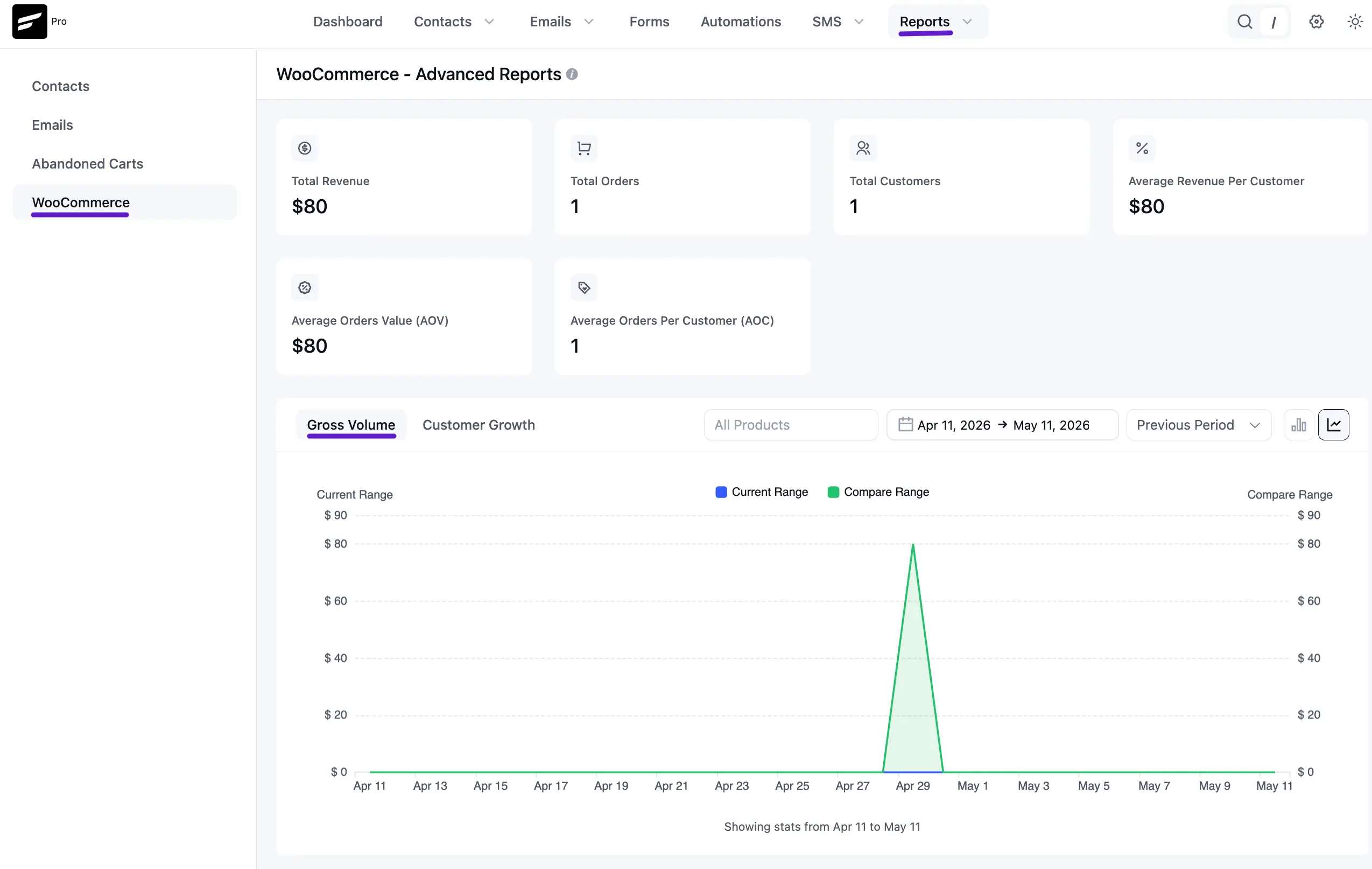
To access these reports, navigate to the Reports dropdown in the top navbar and select WooCommerce from the left sidebar.
1. Sales Performance Overview
The top section features six key metric cards that provide an instant snapshot of your store’s health:
- Total Revenue: The aggregate income generated from all successful orders.
- Total Orders: The total number of transactions processed.
- Total Customers: The number of unique individuals who have purchased from your store.
- Average Revenue Per Customer: The average lifetime value (LTV) of your buyers.
- Average Order Value (AOV): The average amount spent per transaction.
- Average Orders Per Customer (AOC): A metric showing how frequently your customers return to shop.
2. Visual Growth Charts
This interactive section allows you to visualize two major aspects of your business using line and area graphs:
- Gross Volume: Tracks your daily revenue performance.
- Customer Growth: Monitors how quickly you are acquiring new buyers.
- Date & Product Filtering: You can filter the data by a specific date range or isolate the performance of specific products.
- Comparison Feature: Compare the Current Range (Blue) against a Compare Range (Green) from the previous month or year to measure growth trends.
3. Detailed Comparison Table
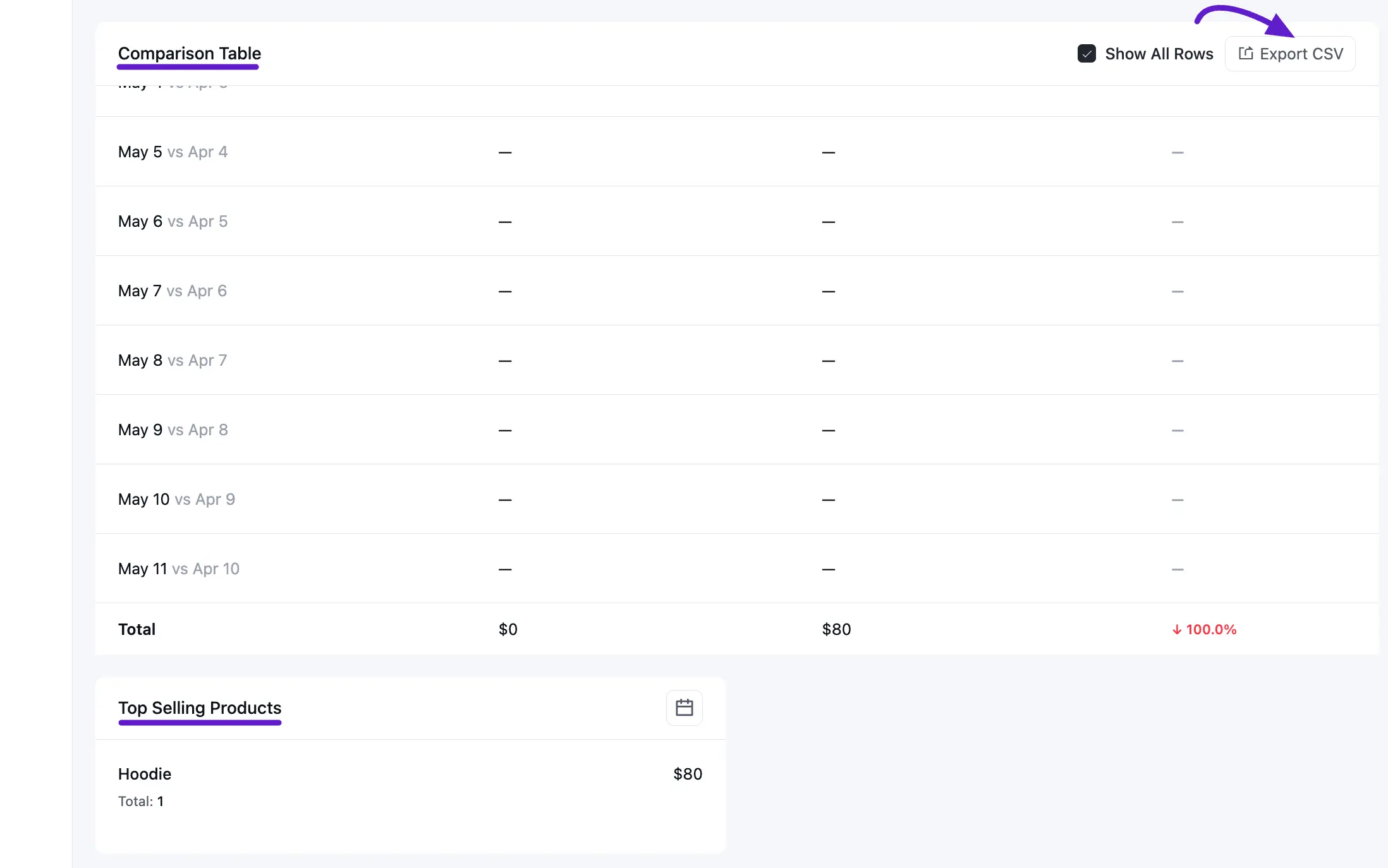
For a more granular audit, the Comparison Table breaks down the data day-by-day.
- Range Contrast: View the exact values for the current period versus the comparison period.
- Percentage Change: See the calculation of growth or decline for each day.
- Data Export: Use the Export CSV button to download this data for external analysis or client reporting.
4. Top Selling Products
The bottom section identifies your most popular items based on revenue and quantity sold.
- Product Insights: View the specific product names (e.g., Hoodie), the total revenue they generated, and the number of times they were purchased.
- Performance Context: This helps you identify which items should be featured in your next email campaign or sequence.