
Appearance
Bounce Handling with Elastic Email
If you use ElasticEmail email service then use this documentation to set up Bounce handling with FluentCRM.
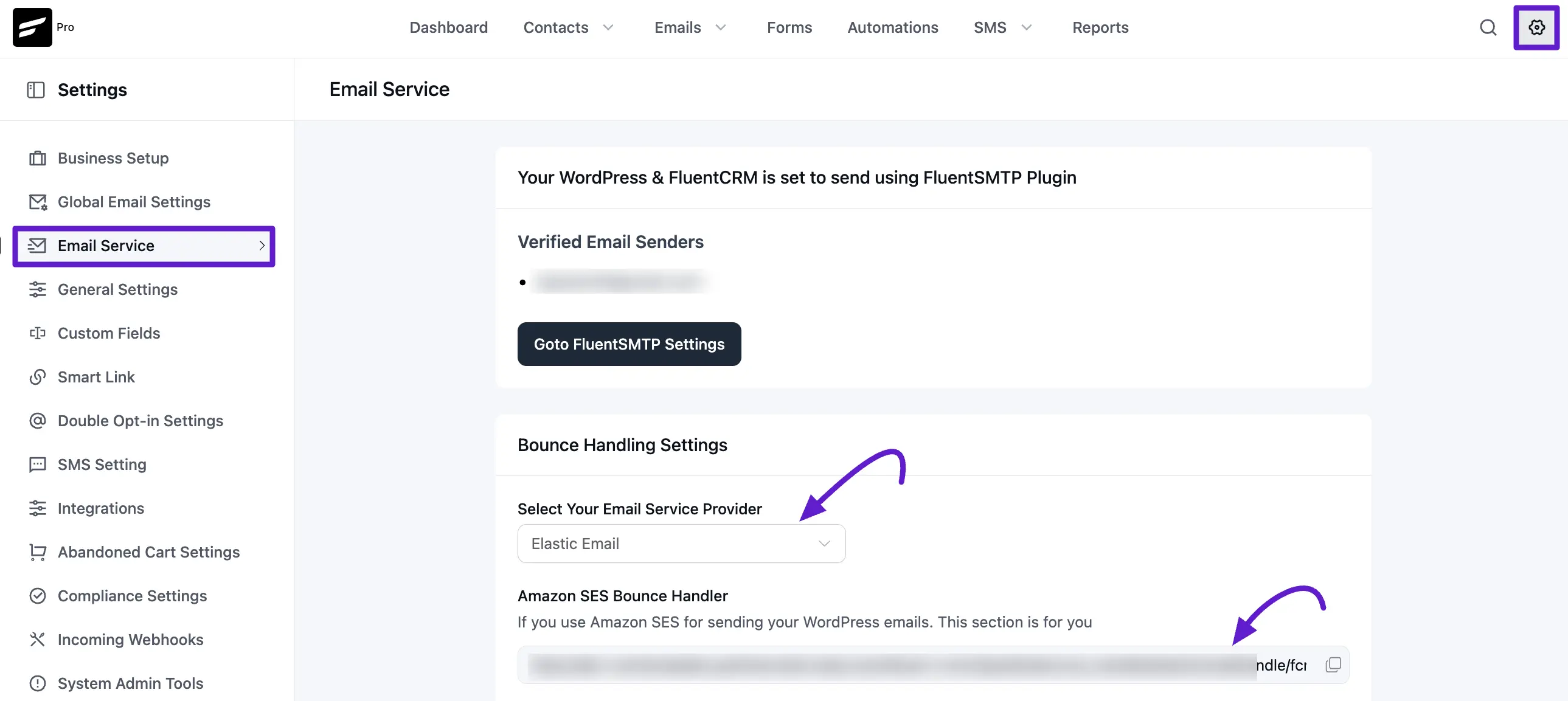
First copy the Webhook URL at FluentCRM -> Settings -> Email Service and Select Elastic Email from the dropdown and copy the webhook URL.
Then Login to your ElasticEmail account then navigate to Settings > Manage Webhooks and click on Create Webhook Button.
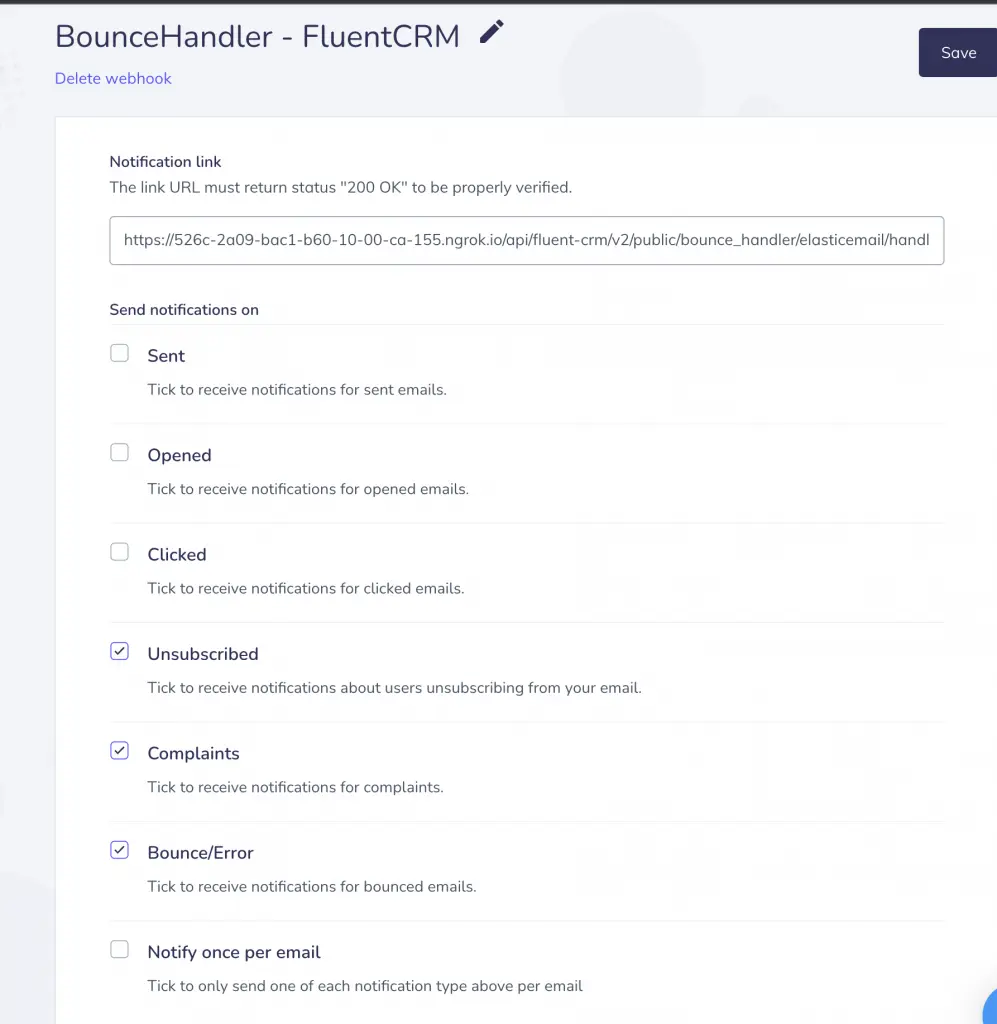
Provide the webhook URL copied from FluentCRM and then only select "Unsubscribed", "Complaints" and "Bounce/Error" Events.
Once you are done click save.
With this integration when an email address got bounced or contact unsubscribe from ElasticEmail, FluentCRM will automatically change the status in your WordPress site's contact status.